

Know what the Free plan includes
What you can make on Clevera's Free plan: 100 credits a month, videos up to 3 minutes, one generation at a time, share links and embeds (no MP4 downloads), plus every message Free shows and how to get past it.
Every new workspace starts on the Free plan. It gives you 100 credits a month to make real how-to videos, product demos and articles, with a few limits. This article lists what Free includes, what it doesn't, and every message the Free plan can show you.
What Free includes
| On Free | |
|---|---|
| Price | $0, no card needed |
| Included credits | 100 a month, refilled on the same day each month |
| Seats | 1 (editors are free and unlimited) |
| How-to and demo videos, Polish, articles | Yes |
| Social and promo videos (social clips) | Not included. They come with Starter and up. |
| Translations | 74 languages |
| AI voice-over, AI edits, templates and collections | Yes |
| Brands | 1 |
| Share links, embeds and analytics | Yes |
| Doc sites | 1, on a free .clevera.help address, with the Clevera badge. See Doc site plans and limits. |
| MP4 downloads | Not included. Download offers Starter. Share videos by link or embed instead. |
| Bonus credits from inviting friends | Yes, and you can spend them on Free |
100 credits make about 6–15 minutes of how-to or demo recording (each video up to 3 minutes), about 6–20 articles, or about 10–30 translated languages. See See what each kind of video costs.
Social and promo videos
Social and promo videos (social clips) come with Starter and up: Starter, Pro and Custom. On Free, picking a social or promo video type in the Create gallery opens a window, "Make social and promo videos", with a Get Starter button. Starter is $36 a month, or $29 a month billed yearly.
- Get Starter goes to checkout, then brings you back to the page you were on, where the social and promo types are now open.
- Close the window to stay on Free and make a how-to or demo video, a Polish or an article instead.
- AI avatar: Not included on Free, in social clips or anywhere else.
See Make your first social clip for how a clip is made once you're on a paid plan.
Free plan limits
| Limit | On Free | On paid plans |
|---|---|---|
| Video length | Up to 3 minutes of recording | No plan limit |
| Generations at a time | 1 | No plan limit |
| Social and promo videos | Not included | Starter, Pro and Custom, as many as your credits allow |
| AI avatar | Not included | Starter, Pro and Custom |
| Brands | 1 | 3 on Starter, 10 on Pro, 20 on Custom |
| MP4 downloads | Not included | Unlimited |
| Download resolution | — | 2K on Starter, 4K on Pro and Custom, no watermark |
| Watermark on shared and embedded videos | The Clevera watermark | None. Your collection's logo, if you set one |
| Autopilot | Not included | Pro and Custom |
| AI agents & API | Not included | Pro and Custom |
| Credit packs and low-credit reminder | Not available | Starter and Pro |
| Must be verified before your first generation | — |
The small "Made with Clevera" mark at the bottom of share pages and article embeds shows on every plan, not only on Free.
To download a video as an MP4, upgrade. Click Download in the editor (or Download MP4 on the screen that shows a finished video, or open Share → Download): Free workspaces see an offer for Starter, $36 a month or $29 a month billed yearly, that goes straight to checkout and brings you back to the video. Articles still download as Word, PDF, Markdown and more on Free. See Export a video as MP4.
One Free allowance per owner
The 100 free monthly credits go to one workspace per owner. If you own more than one Free workspace, only one gets the monthly credits. The others show "Free plan · no monthly credits here" in the sidebar and "Free monthly credits go to one workspace per owner. Upgrade to get monthly credits here." in Billing.
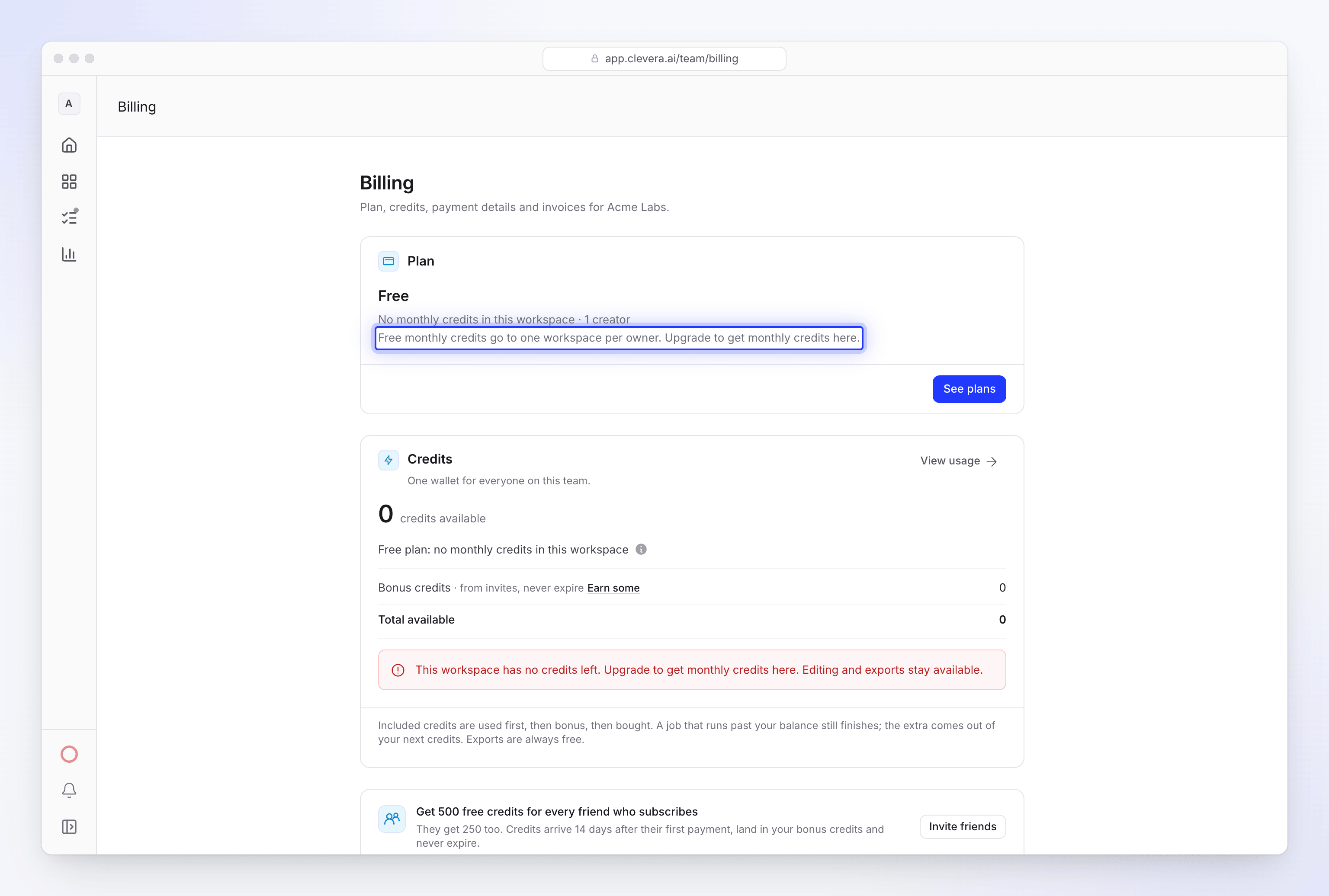
Those workspaces can still spend bonus credits, and they get monthly credits as soon as they move to a paid plan.
Messages you may see on Free
| Message | What to do |
|---|---|
| "Please verify your email address before your first generation. Check your inbox for the verification link." | Open the verification email and click the link, then generate again. |
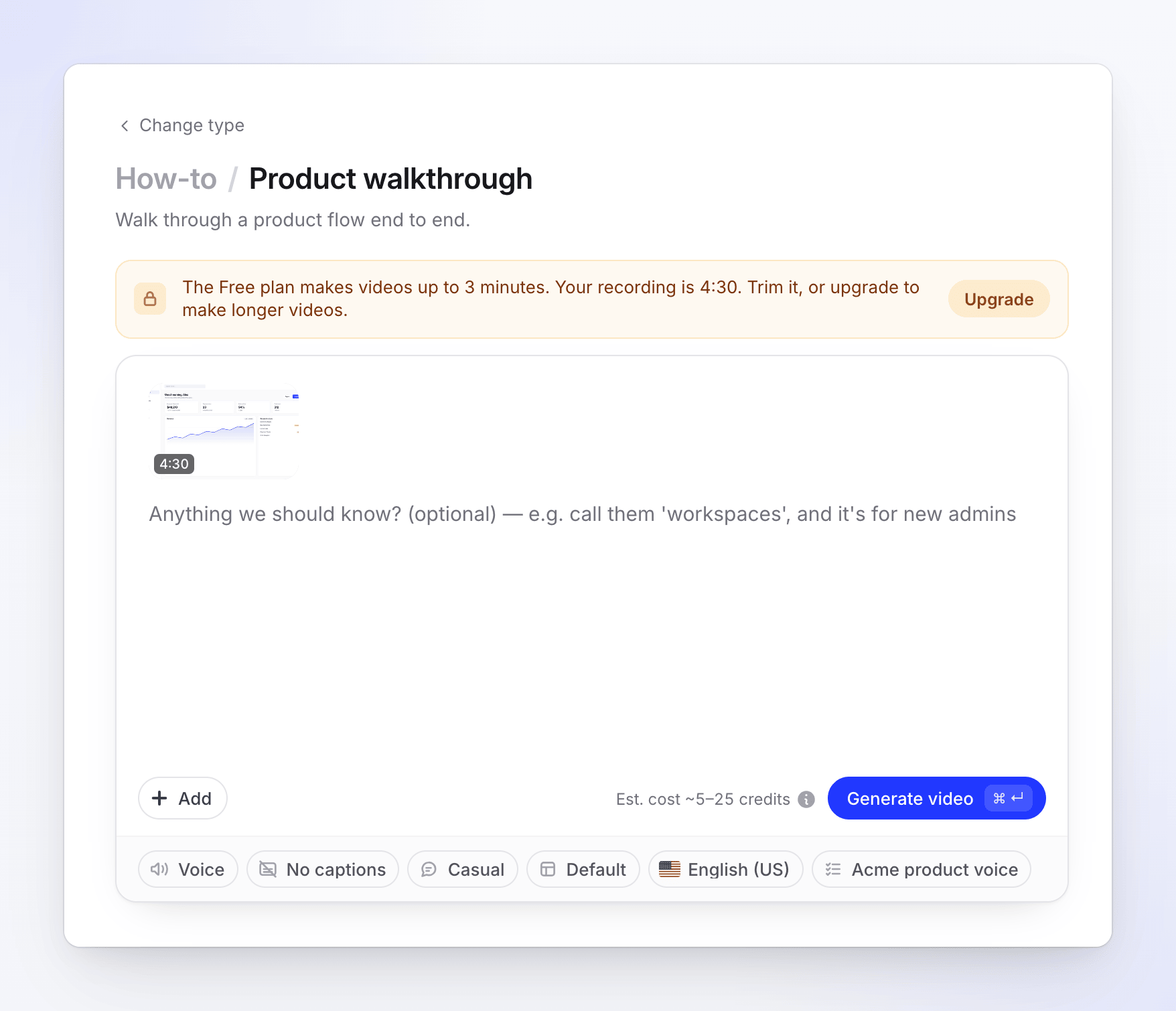
| "The Free plan makes videos up to 3 minutes. Your recording is 4:30. Trim it, or upgrade to make longer videos." | Shown on the Create page before you generate. Trim the recording to 3 minutes or less, or click Upgrade: a window titled "Make the full 4:30 video" offers Starter for the whole recording. |
| "The Free plan makes videos up to 3 minutes. Trim the recording or upgrade to make longer videos." | The same limit, when you press Generate. |
| Make social and promo videos | Shown when you pick a social or promo video type on Free. Click Get Starter, or close it and make another kind of video. |
| "The AI avatar is not included in the Free plan. Upgrade to add one." | Remove the avatar, or upgrade. |
| "The Free plan runs one generation at a time. Wait for the current one to finish, or upgrade to run more at once." | Wait for the video that's generating to finish. |
| "You have used this month's Free plan credits. Upgrade to keep creating, or wait for your credits to renew on Nov 3." | Wait for the refill, earn bonus credits, or upgrade. |
| "Free plan: no monthly credits in this workspace. Free credits go to one workspace per owner. Upgrade to create here." | Create in the workspace that has your Free credits, or upgrade this one. |
| "Free plan credits are not available for this workspace. Choose a plan in Billing to start creating." | Choose a paid plan in Billing. |
| "Free plan generations are paused for the rest of today. Upgrade to a paid plan to keep creating now, or try again tomorrow." | Try again tomorrow, or upgrade to keep going today. |
| "Your Free plan credits are paused while we review this workspace. Your content is safe. Upgrade to a paid plan to keep creating now, or contact support." | Contact support from the chat in the app, or upgrade. |
| Your video is ready — "Download it as an MP4, without the watermark." | Shown when you click Download on Free. Click Download with Starter, or share by link or embed. |
Your videos, recordings and articles stay safe whatever the message. Editing works as usual.
Upgrade from Free
Click the credit meter at the bottom of the sidebar (the credit ring when the sidebar shows icons only), then Upgrade. You can also click See plans in Billing, pick a social or promo video type and click Get Starter, or click Download on a video to upgrade to Starter. Starter is $36 a month for 900 credits; Pro starts at $124 a month for 2 seats and 4,000 credits. The paid plan starts as soon as you pay. Bonus credits you earned on Free stay in the wallet. See Choose a plan.
When a paid plan ends, the workspace moves back to Free. Nothing you made is deleted.