

Buy extra credits
Buy packs of 1,000 credits ($50 each, 1–10 at a time) on Starter or Pro when a busy month needs more. Bought credits never expire. You can also switch on a low-credit reminder that emails you a payment link at 90 %.
When a busy month needs more than your plan includes, buy a credit pack. Packs are 1,000 credits for $50, you can buy 1–10 at a time, and bought credits never expire. This article also covers the optional low-credit reminder, which emails you a payment link before you run out.
Before you start
- Your workspace is on Starter or Pro, and the subscription is active. Free workspaces can't buy packs — choose a plan instead. On a Custom plan, our team adds credits for you.
- You are the workspace owner. Administrators and other members see "Only the team owner can buy credits."
- No payment is overdue. If one is, fix the payment first.
Buy a credit pack
Open Billing
Click the credits widget in the sidebar, then Billing (or open Billing from the workspace menu). When your credits are running low, the menu also offers Buy credits, which goes to the same place. The Buy credits card says: "Packs of 1,000 credits for busy months. They never expire and are added as soon as your payment goes through."
Choose how many credits to add
In Credits to add, pick 1,000 to 10,000 credits. The price shows next to the button, for example "US$100 one-time" for 2,000 credits. It's "A one-time payment, not a subscription."
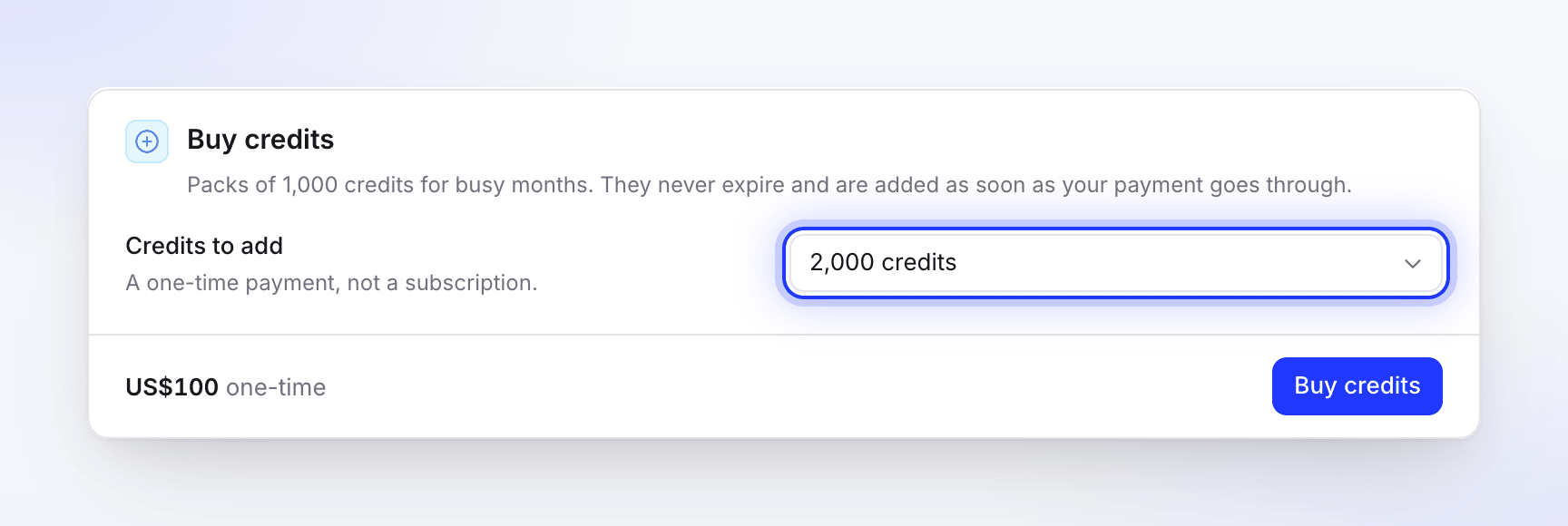
A one-time payment, not a subscription. Pay on the secure checkout
Click Buy credits. A secure checkout page opens in our payment provider's window. Pay with a card; your bank may ask you to confirm the payment, for example with 3D Secure.
Check your wallet
The credits are added as soon as the payment goes through, and your inbox shows "1,000 credits added — Your credit purchase is in." They appear as Bought credits · never expire on the Credits card.
Pack prices
| Credits | Packs | Price |
|---|---|---|
| 1,000 | 1 | $50 |
| 2,000 | 2 | $100 |
| 3,000 | 3 | $150 |
| 5,000 | 5 | $250 |
| 10,000 | 10 | $500 |
Every pack is the same price per credit; you can pick any number from 1 to 10. Prices are in US dollars, and the app shows them as US$50, US$100 and so on.
How bought credits are used
- Bought credits are spent last: after your included credits and any bonus credits. So they are only used once the month's included credits are gone.
- They never expire. They stay in the wallet across refills, plan changes, cancellation and a move to Free.
- They belong to the workspace you bought them in and are shared by everyone in it.
- If a pack payment is refunded, its credits are removed from your bought credits.
See Understand credits for the full spend order.
On Starter, Pro may cost less
If you're on Starter and already bought a pack this billing month, Clevera compares another pack with Pro before you pay, in a Pro costs less window. For example: "Another pack brings this month to US$136 for 2,900 credits. Pro is US$124 for 4,000 credits, plus a second creator, 4K and integrations."
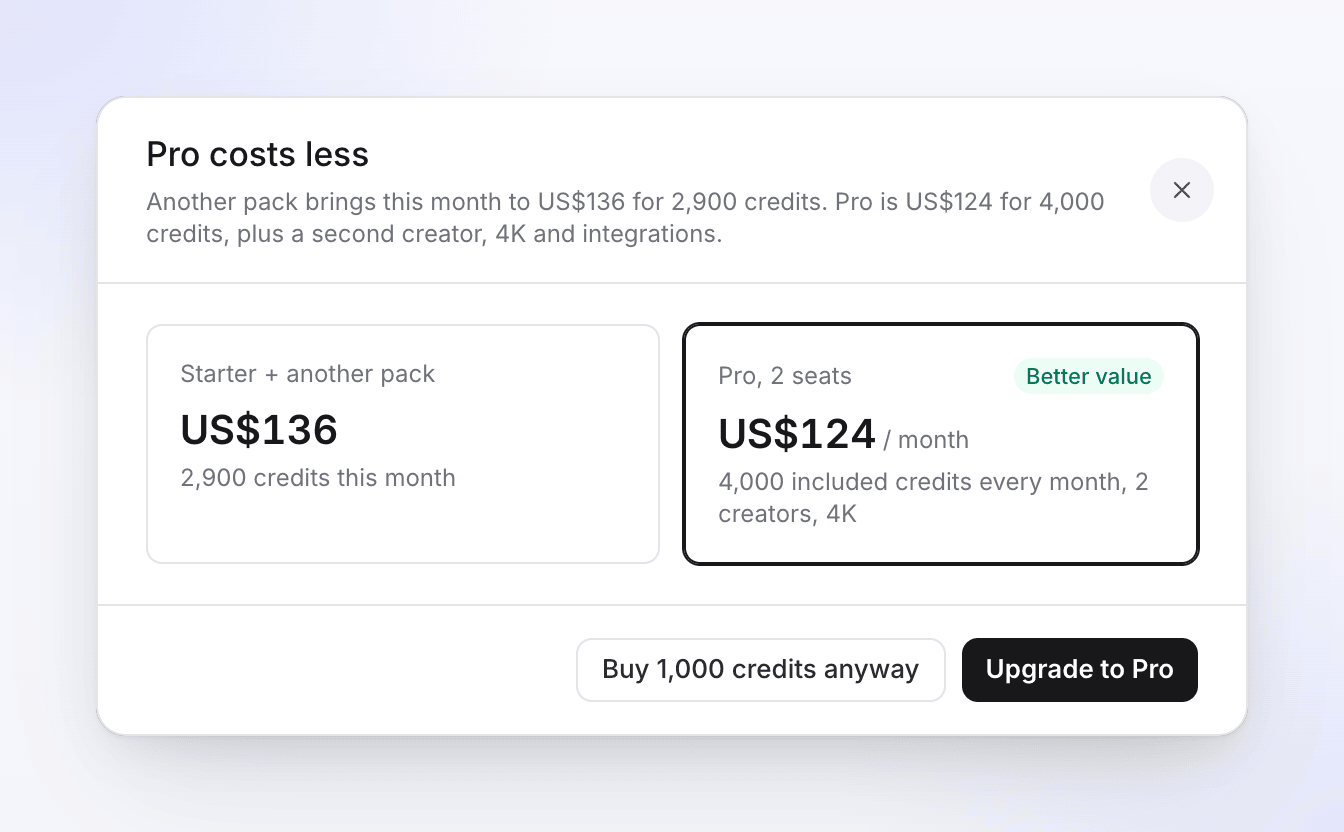
Pick Upgrade to Pro to change plan, or Buy 1,000 credits anyway to continue with the pack.
Get a reminder before you run out
Clevera can't top up your wallet automatically: nothing is ever charged without you. Instead, the owner can switch on a Low-credit reminder.
Switch it on
In Billing, find Low-credit reminder and turn on Email me a payment link.
Pick the pack
In Pack in the reminder, choose what the emailed link adds, for example "Reminder offers 1,000 credits for US$50." Click Save.
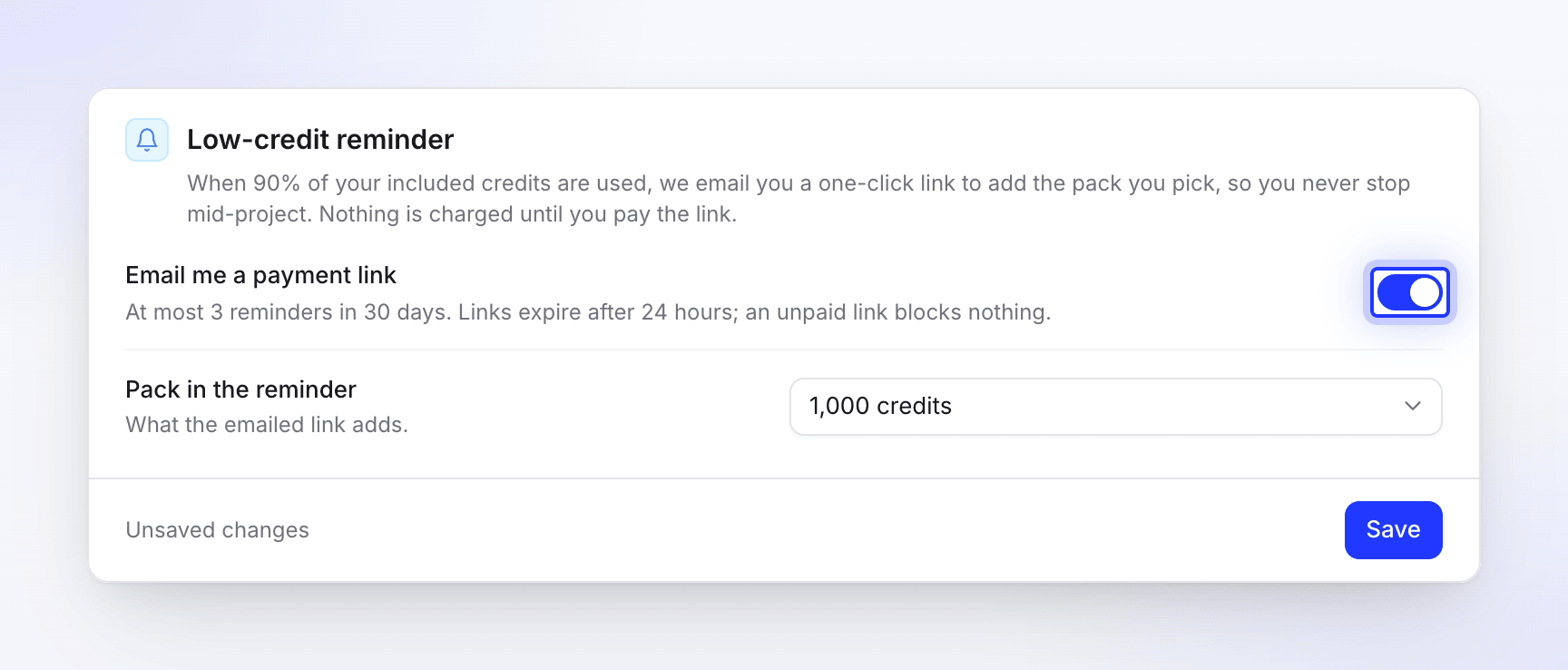
When 90 % of your included credits are used, Clevera emails you a one-click link to buy that pack and shows a banner. "Nothing is charged until you pay the link."
- At most 3 reminders in 30 days.
- Links expire after 24 hours; an unpaid link blocks nothing.
- While a link is open, Billing shows "A payment link for 1,000 credits is open. Credits are added once it's paid." with a Pay US$50.00 button.
- Reminders are paused while a subscription payment is overdue.
With the reminder off, you still see a banner when credits run low, such as "You're running low: 85 credits left." The owner gets a Buy 1,000 credits — US$50 button in it; other members see "Ask your team owner to add credits."

Troubleshooting
| Message | What to do |
|---|---|
| "Only the team owner can buy credits." | Ask the workspace owner to buy the pack, or to transfer ownership to you. |
| "Credit packs are available on active paid plans. If a payment is overdue, update your payment details first." | Upgrade from Free, or fix the overdue payment in Billing. |
| "We could not open the checkout. Please try again." | Try again in a minute. If it keeps happening, contact support from the chat in the app. |
| "Please choose a pack." | Pick an amount in Credits to add. |
| The credits haven't arrived | They are added when the payment provider confirms the payment, usually within a minute. If the payment shows as paid and the credits are still missing after a few minutes, contact support. |