

Write a brief that gets a good video
The brief is what you tell the AI in the "Tell us about it" box. Learn the length rules, what a brief changes for each kind of video, and see weak and strong examples for every type.
The brief is what you write in the Tell us about it box on the Compose page. It tells the AI what the video is about, who it's for and what must be in it. Everything else (format, voice, look, music) is set with the options under the box, so the brief can spend all its words on content.
Length rules
| Video type | Minimum | Maximum |
|---|---|---|
| Start from scratch (Custom brief) | 40 characters | 5,000 characters |
| Any social clip with nothing attached (no link, file or video) | 100 characters | 5,000 characters |
| Any other social clip | None: the brief is optional | 5,000 characters |
| How-to, Product demo, Clean-up and Article | None: the brief is optional | 5,000 characters |
| Styled for sharing | No brief box. Give the video a Title instead (up to 255 characters). | — |
Why the minimums: with nothing attached, the brief is the only thing the AI knows about your product. Every fact in the video either comes from it or would have to be invented, and 100 characters (a couple of sentences) is the least that describes a product well enough. Start from scratch has no type behind it, so even with material attached it needs a short sentence to work from.
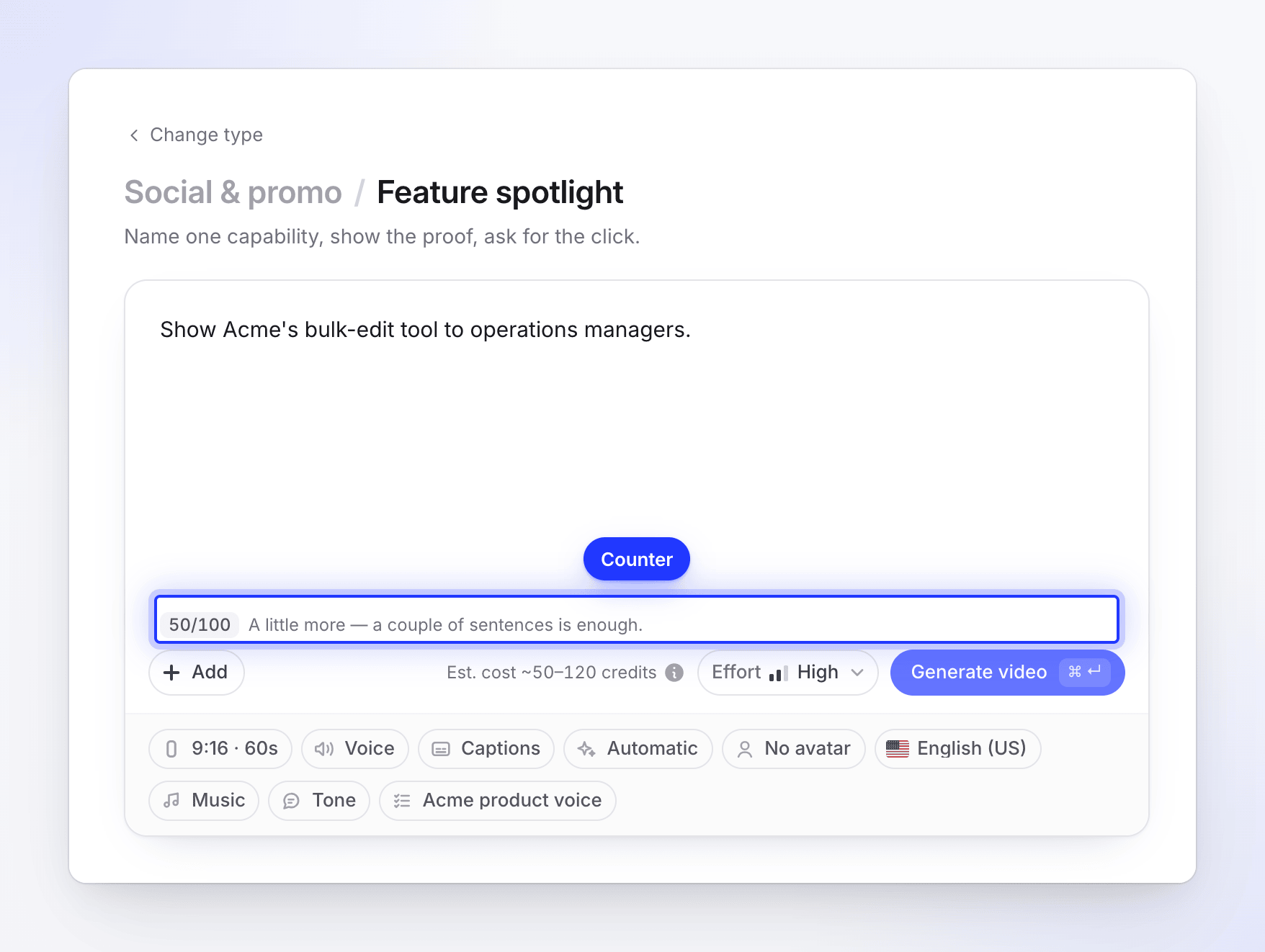
While you're under a minimum, the line next to Generate says "A little more — a couple of sentences is enough." with a counter such as 37/100. A counter also appears in the corner of the box once you pass 4,800 characters.
What the brief changes
The brief does a different job for each family.
| Family | What the brief steers |
|---|---|
| Social clips | The whole story: the angle, the claims, the facts, the call to action. The AI director treats it as your direction on top of the type you picked. |
| How-to | The words, not the order. The narration follows your recording from start to end, so use the brief for audience, terms and emphasis ("call them workspaces", "it's for new admins"). |
| Product demo and Clean-up | What to keep. These can skip parts of the recording, so you can say "skip the sign-up bit, focus on the dashboard". |
| Article | Audience, focus and terms, like a how-to. Length and voice come from the Depth and Tone options. |
What a good brief contains
You don't need all of these. Two or three sentences with the right facts beat a long paragraph of adjectives.
- One message. What the viewer should remember. One idea per video works best, especially under a minute.
- Who it's for. "For finance teams at agencies" changes the words, the examples and the pace.
- Hard facts. Product and feature names, numbers, prices, dates, places. The AI uses facts you give it and never makes up a customer quote, an offer or an event.
- The ask. What the viewer should do next: "Start a free trial at example.com", "Book a demo".
- Words to use or avoid. "Say 'workspace', never 'account'". For rules you want on every video, save them as AI rules.
- What to skip. On demos and clean-ups: "skip the login", "leave out the settings page".
Leave out what the options already decide: aspect ratio, length, voice, music and captions. If the brief and an option disagree, you get a muddled result.
Examples by type
Each pair shows a brief that leaves the AI guessing and one that gives it what it needs. The grey example in the box on Compose also changes with the type you pick.
Social clips
Feature spotlight
- Weak: "Our new feature."
- Strong: "Show Acme's bulk-edit tool: select 200 invoices and change their due date in one go. Teams save about 3 hours a week. For operations managers. End with: Try it free at example.com."
Hook reel
- Weak: "Make a reel about Acme."
- Strong: "Open on the claim 'Your invoices, sent in 30 seconds.' Then three fast proof points: one-click templates, automatic reminders, paid by card. Close on the Acme logo and 'Start free'."
Music & motion (no voice-over)
- Weak: "Something cool with music."
- Strong: "Launch line: 'Acme 3.0 is here.' Animate three short words over the music: Faster. Simpler. Yours. End with example.com/new."
Feature announcement
- Weak: "We shipped an update."
- Strong: "This week we shipped shared dashboards: anyone on a team can pin charts to one page and comment on them. It helps managers who report every Monday. Find it under Dashboards → Share."
Launch teaser
- Weak: "Teaser for the launch."
- Strong: "Acme Mobile launches on 4 November. Show three quick beats: scan a receipt, approve an expense, see it in reports. One line on why it matters: expenses done before you leave the taxi. Ask: Join the waitlist."
Mystery teaser
- Weak: "Tease the new thing."
- Strong: "Something new for finance teams on 4 November. Don't name it. Hint at speed and at never typing an invoice again. Ask people to sign up at example.com/soon."
Product tour
- Weak: "Explain Acme."
- Strong: "Acme is invoicing for small agencies. Hook: 'Stop chasing late payments.' Three features: recurring invoices, automatic reminders, card and bank payments. Close: Start a 14-day free trial."
AI avatar
- Weak: "Avatar talks about the product."
- Strong: "Friendly, direct. The presenter explains why we built Acme: agency owners spend Fridays chasing payments. Show the reminder settings while they talk. End with 'Try it free this week.'"
Customer story
- Weak: "A testimonial video."
- Strong: "Maya Chen, finance lead at Northwind Studio, cut invoicing time from two days to two hours a month. Her words: 'I stopped dreading month-end.' Show the invoice list and reports."
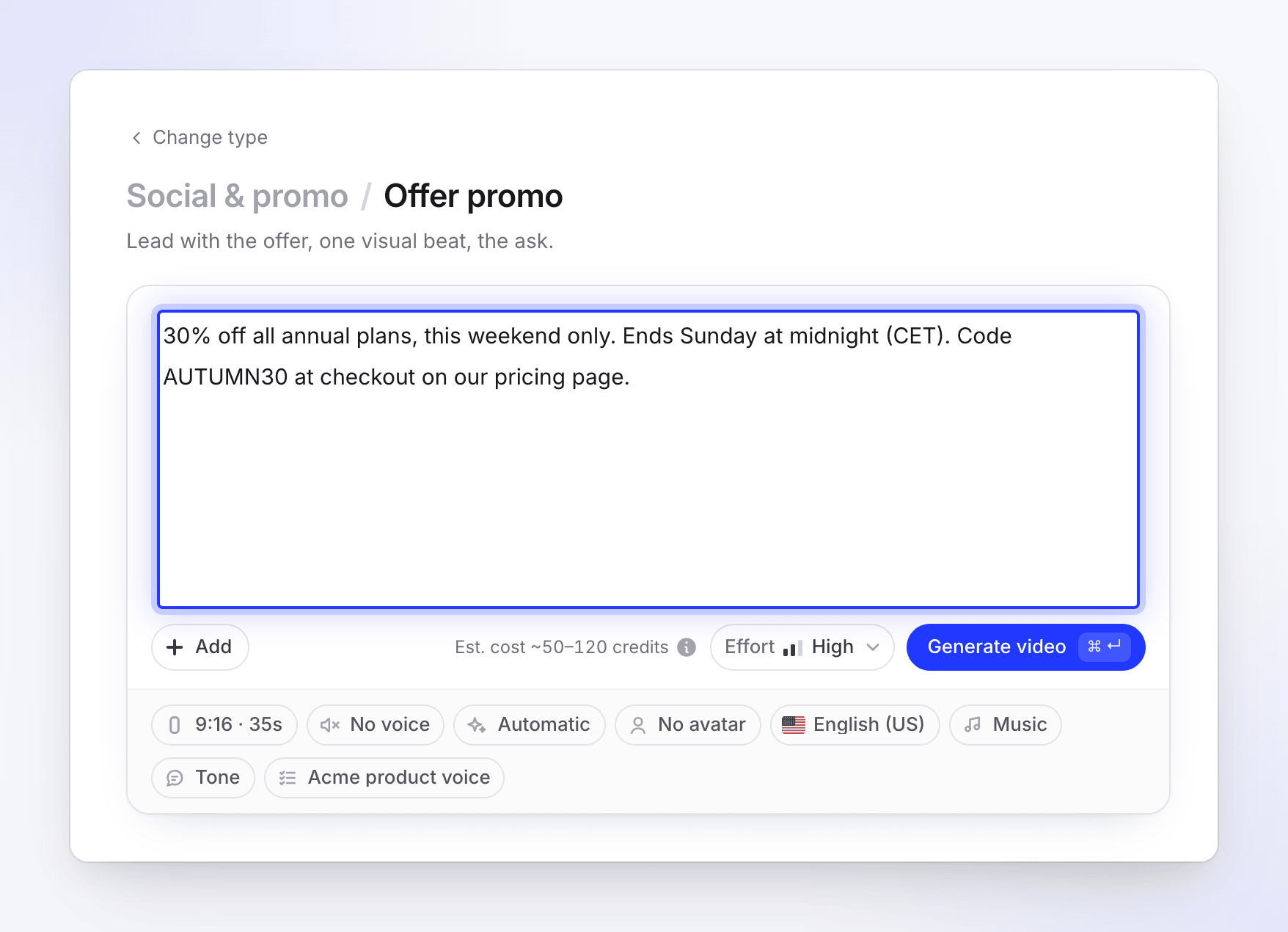
Offer promo
- Weak: "Promote our sale."
- Strong: "30% off all annual plans, this weekend only. Ends Sunday at midnight (CET). Code AUTUMN30 at example.com/pricing."
Event promo
- Weak: "Promote our event."
- Strong: "Acme Live: Design Ops Meetup. 12 June, 18:00, Factory Berlin. Talks on scaling design teams, free drinks, 120 seats. Register at example.com/live."
Brand film
- Weak: "A brand video."
- Strong: "We believe small agencies deserve tools as good as big companies get. Acme is for owners who'd rather design than do admin. Calm and confident, no hype."
Start from scratch (Custom brief)
- Weak: "A video for LinkedIn." (too short to start)
- Strong: "A 60-second LinkedIn video for agency owners about why late payments hurt cash flow, with one stat from our report (agencies wait 41 days on average) and a demo of automatic reminders. End with a link to the report at example.com/report."
Videos from your recording
How-to video
- Weak: "Make a tutorial."
- Strong: "For new admins. Call them 'workspaces', not 'projects'. Mention that only owners can see the Billing tab."
Product demo
- Weak: "Demo our app."
- Strong: "Sales demo for agency owners. Skip the sign-up and settings parts. Focus on creating an invoice and the payment reminder. End on the reports page."
Clean-up
- Weak: "Make it better."
- Strong: "Cut the first 20 seconds where I set up the window, and the part where I search for the file."
Article
- Weak: "Write docs."
- Strong: "For support agents. Use the menu names exactly as on screen. Add a note that exports need the Manager role."
Write in any language
You can write the brief in any language. The language of the video (script, voice and on-screen text) is set separately with the Language option, so a brief in English can make a video in Spanish. See Make a video in another language.