

Change your plan or seats
Upgrade, downgrade, switch between monthly and yearly, or add and remove Pro seats. Upgrades start now at a prorated price with a share of the extra credits; downgrades and fewer seats start at your renewal.
You can change your plan, billing period or number of Pro seats at any time from Billing. Changes that cost more start right away at a prorated price; changes that cost less start at your next renewal, so you keep what you paid for until then.
Before you start
- Only the workspace owner can change the plan or seats. Others see "Only the team owner can change the plan or payment details."
- Upgrades and extra seats need your payments to be up to date. If one is overdue, you'll see "Your last payment failed. Please update your payment method before upgrading your plan or adding seats." — fix the payment first. You can still schedule a downgrade while a payment is overdue.
- Custom plans are changed with our team: Billing shows "Your plan is managed by our team" and a Contact us button.
- On Free, you subscribe instead: see Choose a plan.
Change your plan
Open Change plan
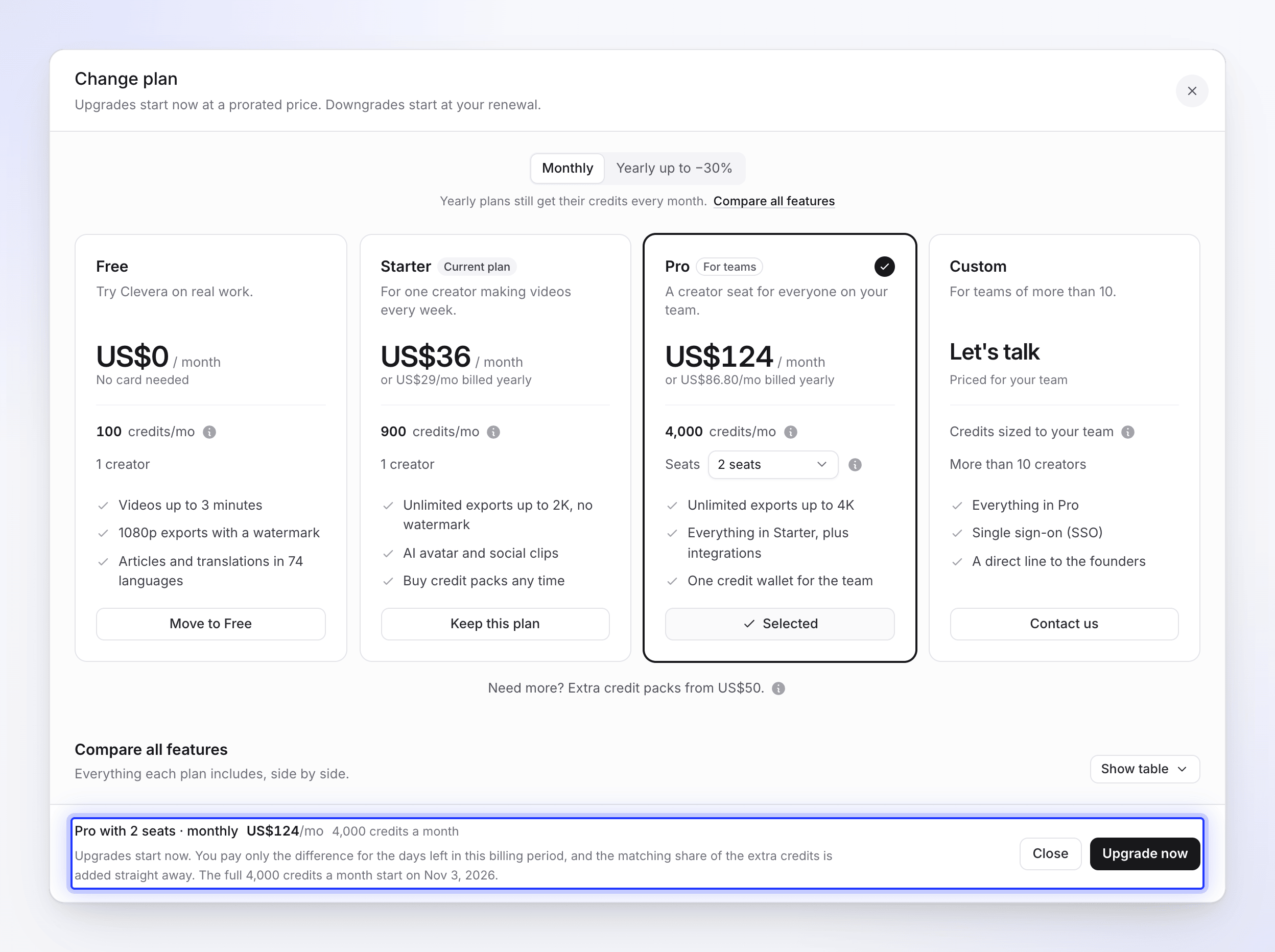
In Billing, click Change plan on the Plan card. The sheet opens with "Upgrades start now at a prorated price. Downgrades start at your renewal."
Pick the period, plan and seats
Choose monthly or yearly, then Select Starter or Select Pro. The plan you picked then reads Selected, with a check. For Pro, pick the number of seats. Your current plan shows Keep this plan.
Check the summary
The footer shows what you picked, its price and credits — for example "Pro with 3 seats · monthly US$160/mo 4,650 credits a month" — and exactly what happens today.
Confirm
Click Upgrade now or Schedule change. Your inbox confirms it, for example "Your plan is now Pro — 4,000 credits a month." or "Your plan changes to Starter on Nov 3".
What happens when
| Change | When it starts | What you pay today | Credits |
|---|---|---|---|
| Upgrade (Starter → Pro, more seats) | Now | Only the difference for the days left in this billing period | The matching share of the extra credits is added straight away. The full monthly credits start at your renewal. |
| Downgrade (Pro → Starter, fewer seats) | At your renewal | Nothing is charged or refunded | You keep your current plan and its credits until then. |
| Monthly → yearly | Now, as a new billing period | A year of the new plan, less credit for the unused part of your current period | The full monthly credits start now, and keep arriving every month. |
| Yearly → monthly | At your renewal | Nothing today | You keep your yearly plan until then. |
| Move to Free | At the end of the paid period | Nothing | Works like cancelling — see Cancel or restart your subscription. |
Example: Starter to Pro halfway through the month
You're on Starter ($36, 900 credits) and upgrade to Pro with 2 seats ($124, 4,000 credits) with 15 days of a 30-day period left. You pay about half the $88 difference today, about $44, and about half the 3,100 extra credits — around 1,550 — are added straight away. From your renewal you pay $124 and get 4,000 credits a month.
The wallet shows the prorated month as: "This period's allowance is prorated; from your next refill it is 4,000 included credits a month." The payment shows in Invoices as Plan change (prorated).
Scheduled changes
After you schedule a downgrade, the Plan card shows it, for example "Change to Starter scheduled for your renewal on Nov 3, 2026", with "Nothing was charged or refunded. You keep Pro and its credits until then, and your renewal is billed at the new price."
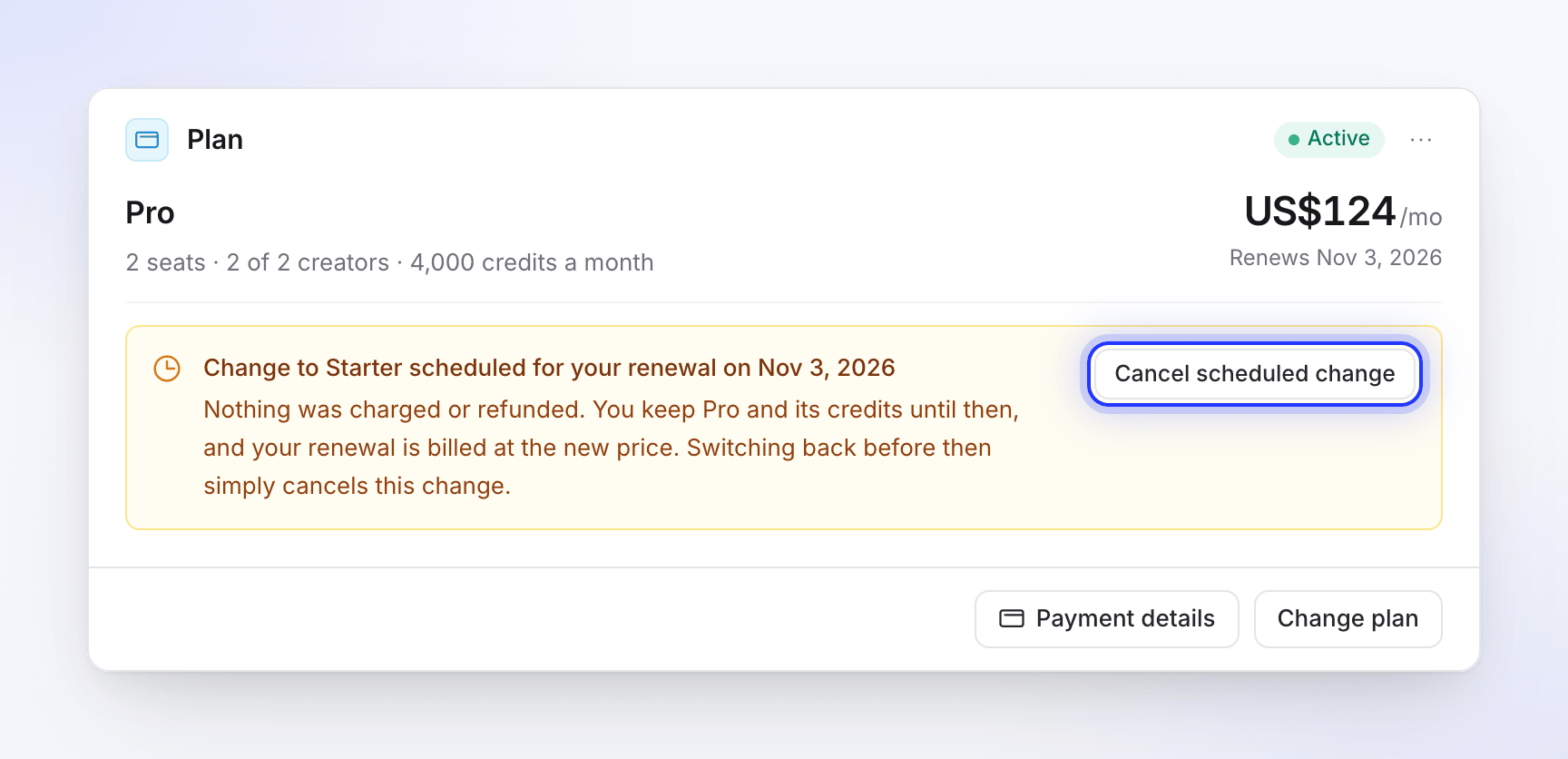
- To undo it, click Cancel scheduled change and confirm Cancel the change. Nothing is charged.
- To change it, open Change plan again: the sheet starts on the scheduled change. Pick your current plan to cancel it at no cost.
Add or remove Pro seats
On Pro, the Creator seats card shows "3 of 4 creators in use. Editors and viewers are free and unlimited."
Pick the new seat count
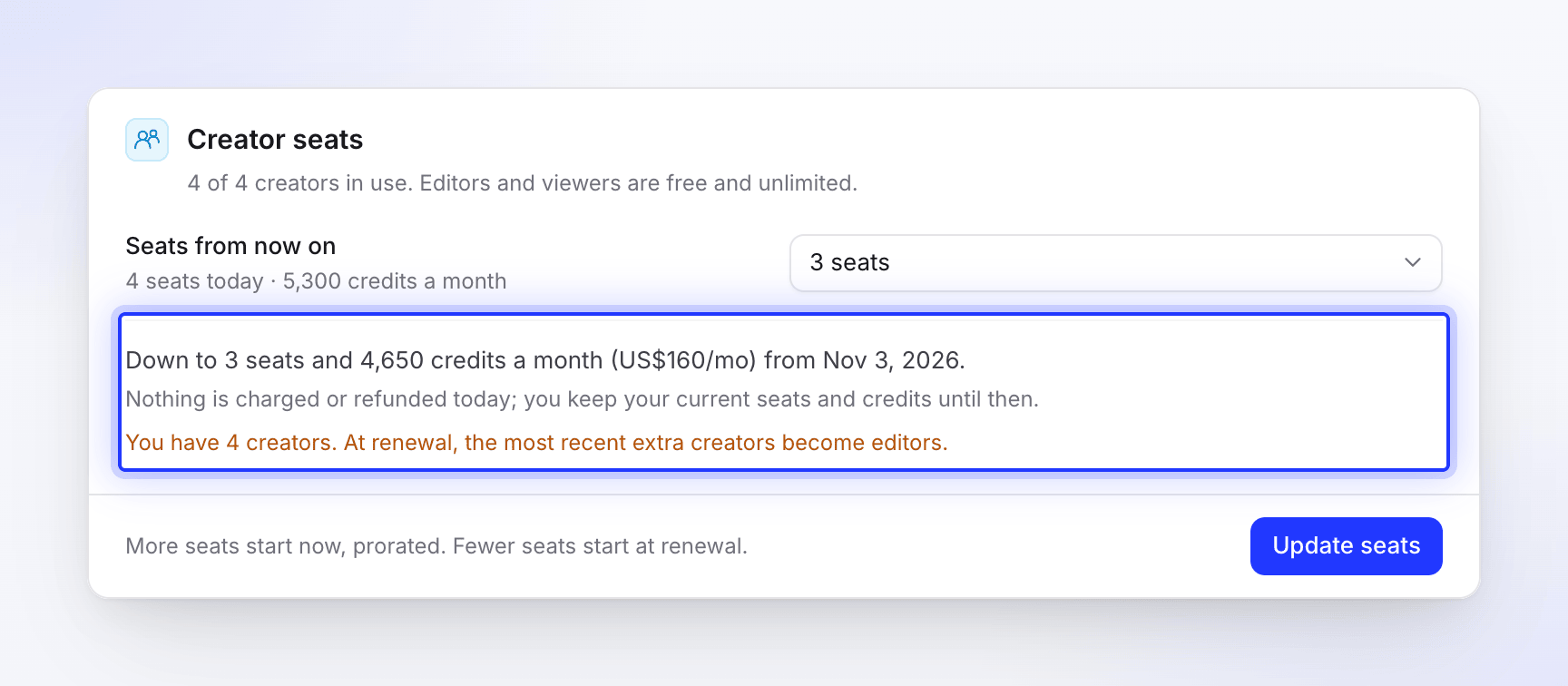
In Seats from now on, pick 2–10 seats. The card shows what changes before you confirm.
Check the change
- More seats: "+US$36/mo and +650 credits a month. You pay only the prorated difference for the rest of this billing period today, and the matching share of the extra credits is added straight away."
- Fewer seats: "Down to 3 seats and 4,650 credits a month (US$160/mo) from Nov 3, 2026." and "Nothing is charged or refunded today; you keep your current seats and credits until then."
Click Update seats
More seats start now; fewer seats start at renewal.
Add a seat while inviting
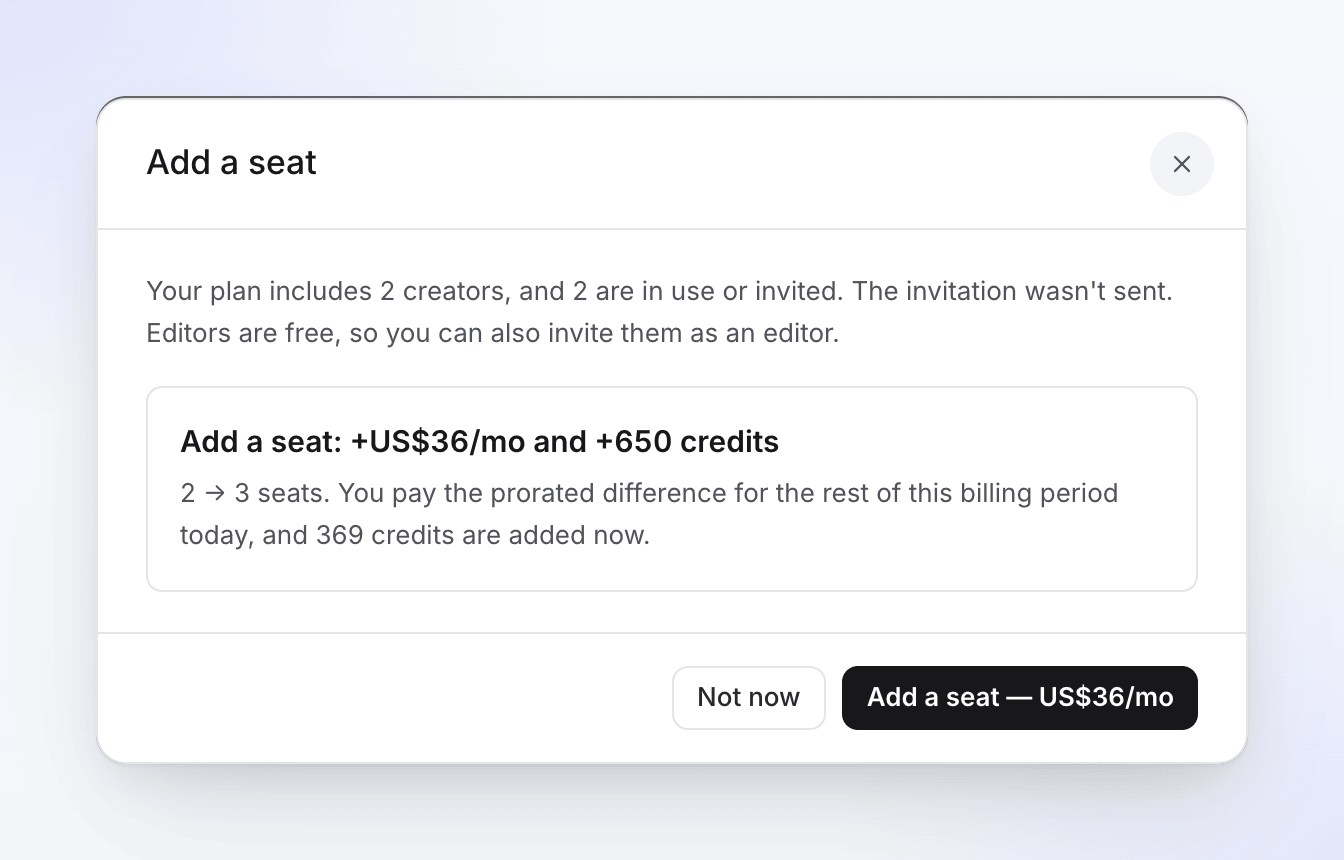
When you invite someone as a creator and every seat is taken, Clevera doesn't send the invitation and offers Add a seat — US$36/mo (+650 credits a month) instead. After you add the seat, invite them again as a creator. Editors are free, so you can also invite them as an editor. On Starter, the offer is to upgrade to Pro, which starts at 2 creators and 4,000 included credits a month. More than 10 creators needs a Custom plan: click Contact us.
See Understand workspaces, roles and creator seats.
Troubleshooting
| Message | What to do |
|---|---|
| "Your payment is past due. Upgrades and extra seats are blocked until you update your payment method." | Update your payment method in Billing, then try again. You can still schedule a downgrade in the meantime. |
| "You may need to complete bank verification such as 3D Secure on our secure payment page." | Your bank wants to confirm the charge. Follow the prompt on the payment page. |
| "This change is already scheduled for your renewal on Nov 3." | Nothing to do: the change happens at renewal. |
| Unable to change plan | The change didn't go through and nothing was charged. Try again; if it keeps failing, contact support from the chat in the app. |