

Understand credits
How Clevera credits work: the three kinds of credits in your workspace wallet, the order they are spent in, monthly refills (yearly plans too), what is always free, and what happens when a job runs past your balance.
Credits are the one currency Clevera uses for AI work: writing, voicing and building your videos, social clips, articles and translations. This article explains where your credits come from, the order they are spent in, when they refill and what happens when you run low.
What a credit is
A credit is a unit of AI work. Everything the AI does for you — reading your recording, writing the script, recording the voice-over, directing a social clip, translating — uses credits. Everything you do by hand is free.
- Before a generation starts, you see an estimate for your exact choices, for example Est. cost ~50–120 credits.
- While it runs, each AI step is charged as it happens.
- After it finishes, you have paid the credits the job actually used. That can be more or less than the estimate.
Clevera counts the small steps precisely and rounds up on your workspace's running total, not on every step, so a quick AI step doesn't cost a whole credit on its own.
| Uses credits | Always free |
|---|---|
| Generating videos, social clips and articles | Exporting videos as MP4, on every plan |
| Translations | Editing by hand: zooms, styles, music, scenes and text |
| The AI avatar | Sharing links, embeds and analytics |
| Edits you ask the AI assistant for | Recording with the desktop app |
| New voice-overs, for example after you change the script | Uploading recordings, pictures and PDFs |
| Record with AI and website research | Avatar look previews |
For the cost of each kind of video, see See what each kind of video costs.
One wallet per workspace
Credits belong to the workspace, not to a person: "One wallet for everyone on this team." Everyone who makes videos in the workspace spends from the same balance, and the Usage page shows who used what.
- Credits never move between workspaces. If you have two workspaces, each has its own wallet.
- Only the workspace owner can buy credits or change the plan. Other members see "Ask your team owner to add credits." when the wallet runs low.
The three kinds of credits
Your wallet holds up to three kinds of credits. You see each one on the Credits card in Billing and in the credits menu in the sidebar.
| Kind | Where they come from | When they expire |
|---|---|---|
| Included credits | Your plan, every month: 100 on Free, 900 on Starter, 4,000–9,200 on Pro | At the next monthly refill. Unused included credits don't carry over. They also end when a paid subscription ends. |
| Bonus credits | Inviting friends, promotions, and credits added by the Clevera team | Never |
| Bought credits | Credit packs you buy on Starter or Pro | Never |
Bonus and bought credits stay in the wallet when you change plans, cancel or move to Free.
The order credits are spent in
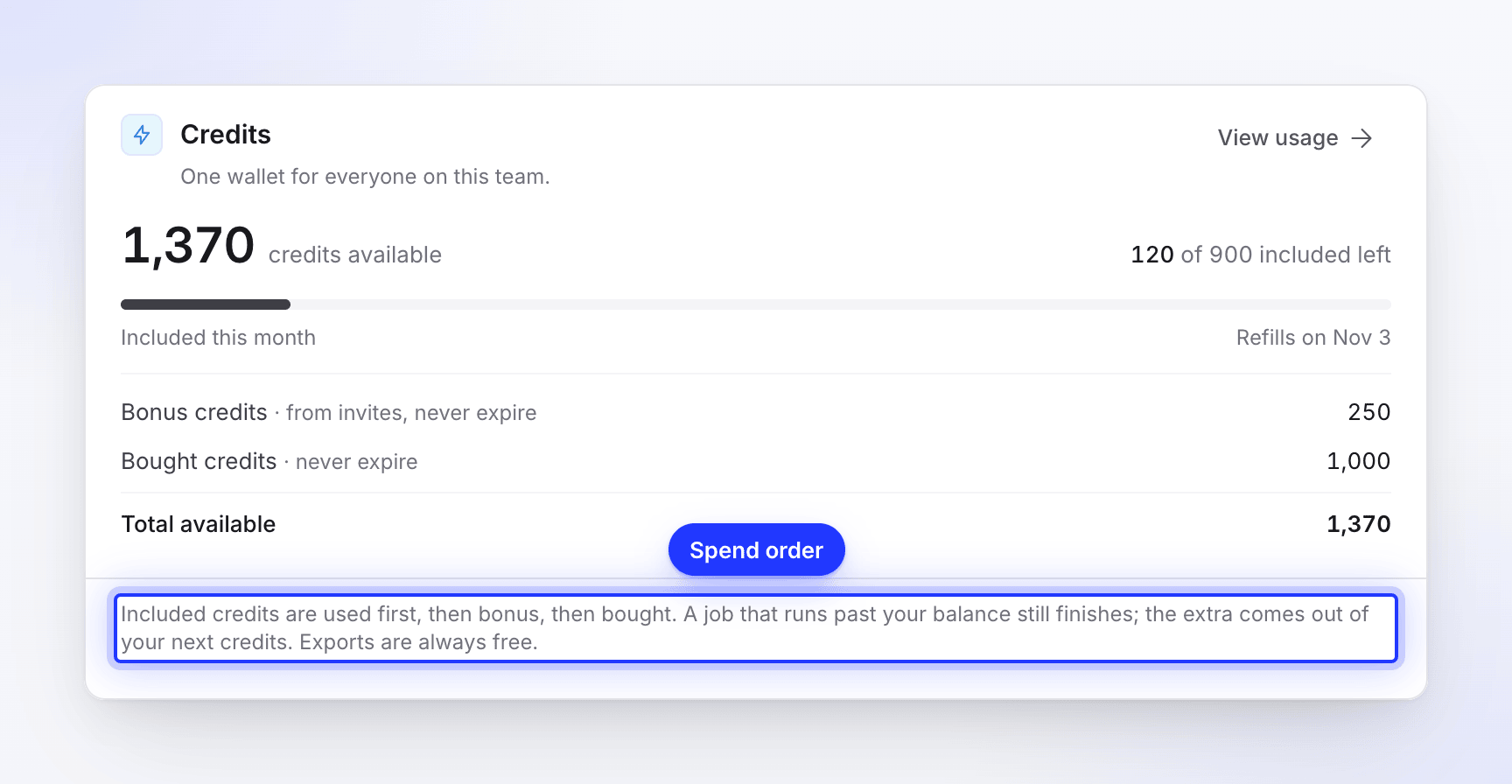
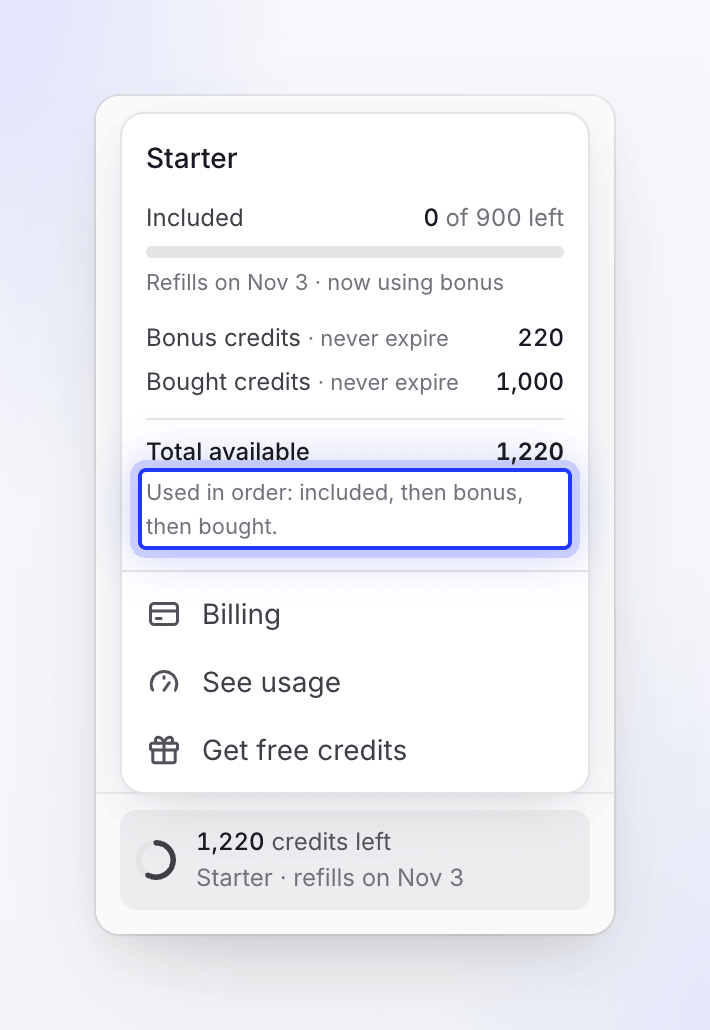
Clevera always spends included credits first, then bonus credits, then bought credits — the sidebar says "Used in order: included, then bonus, then bought." The credits that expire are used before the ones that don't, so you never lose bought credits to a monthly reset.
For example, a Starter workspace has 120 included credits left, 250 bonus credits and 1,000 bought credits, and generates a social clip that uses 150 credits:
| Included | Bonus | Bought | Total | |
|---|---|---|---|---|
| Before the clip | 120 | 250 | 1,000 | 1,370 |
| The clip uses 150 | −120 | −30 | 0 | −150 |
| After the clip | 0 | 220 | 1,000 | 1,220 |
When the included credits are gone, the wallet says so: "Refills on Nov 3 · using bonus credits now".
When included credits refill
Included credits refill once a month. At each refill, any included credits you didn't use expire, then the new month's credits are added. Your inbox shows both: "900 credits added for November" and "120 unused credits from last month expired."
| Plan | Included credits a month | When they refill |
|---|---|---|
| Free | 100 | Every month, on the day the workspace started on Free |
| Starter, monthly or yearly | 900 | Every month, on your billing day |
| Pro, monthly or yearly | 4,000 with 2 seats, plus 650 for each extra seat | Every month, on your billing day |
| Custom | Agreed with you | Every month |
The refill date is shown under the included-credits bar ("Refills on Nov 3") in the sidebar and in Billing.
After an upgrade in the middle of a month, the current month's included credits are a prorated share, and the wallet says: "This period's allowance is prorated; from your next refill it is 4,000 included credits a month." See Change your plan or seats.
When a job uses more than you have left
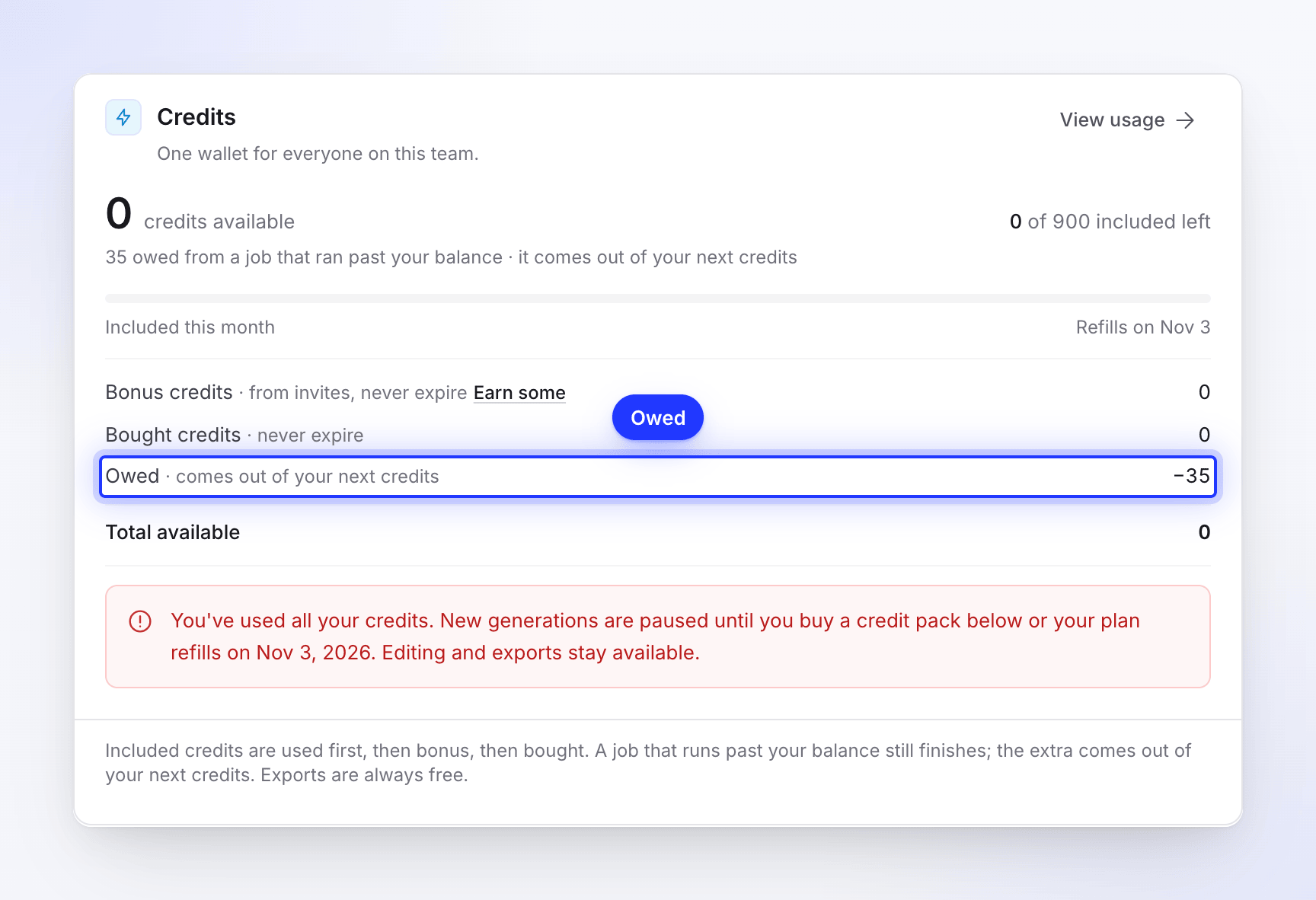
A job that has already started always finishes, even if it uses more credits than you have left. You never get half a video because the wallet ran dry mid-way.
The extra shows in the wallet as Owed · comes out of your next credits, and it is taken from your next credits — usually the next monthly refill. Billing explains it as "A job that runs past your balance still finishes; the extra comes out of your next credits."
Where to see your balance
| Where | What it shows |
|---|---|
| The credits widget in the sidebar | "N credits left". Open it for included credits left with the refill date, bonus and bought credits, Total available, and links to Billing, See usage and Get free credits. |
| Billing → Credits | The full wallet: credits available, "N of M included left", bonus, bought, anything owed, and View usage. |
| The estimate under Generate | Your balance next to the estimate, when it is lower than the estimate. |
| The Usage page | Every credit used and added, by activity, member, item and collection. See Check where your credits went. |
The widget turns amber when less than a quarter of your credits are left, and red below a tenth.
Running low
When credits run low, you see it in a few places:
- the sidebar widget and the Credits card in Billing change colour and show a short note, such as "120 credits left. Buy a credit pack below, or wait for your included credits to refill on Nov 3."
- the estimate under Generate says "You're running low on credits (40 left)." when your balance is below the top of the estimate, with a Buy credits link (Upgrade on Free).
- your inbox gets "Credits are running low" and, at zero, "Acme Inc. is out of credits".
Editing and exports keep working with an empty wallet. To add credits, buy a credit pack, earn bonus credits by inviting friends or change your plan.