

Cancel or restart your subscription
Cancel a Starter or Pro subscription from Billing: it runs to the end of the period you paid for, then the workspace moves to Free and keeps everything you made. Restore it before then, or subscribe again later.
You can cancel a Starter or Pro subscription at any time from Billing. It keeps running until the end of the period you paid for; then the workspace moves to the Free plan. Nothing you made is deleted, and you can restore or restart the subscription whenever you like.
Before you start
- Only the workspace owner can cancel.
- Custom plans are cancelled with our team: Billing shows "Your plan is managed by our team" with Contact us.
- If you only want to pay less, a downgrade may suit you better: change your plan or seats.
Cancel your subscription
Open the subscription menu
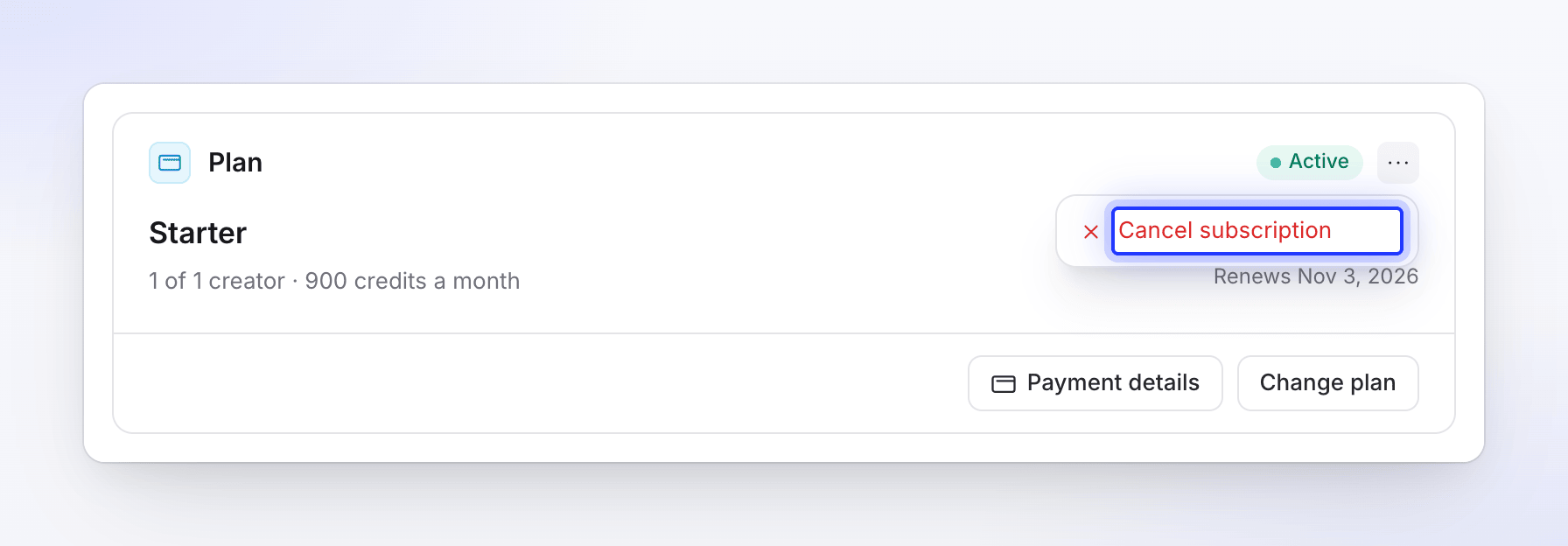
In Billing, click the ⋯ button (More subscription actions) on the Plan card, then Cancel subscription.
Confirm
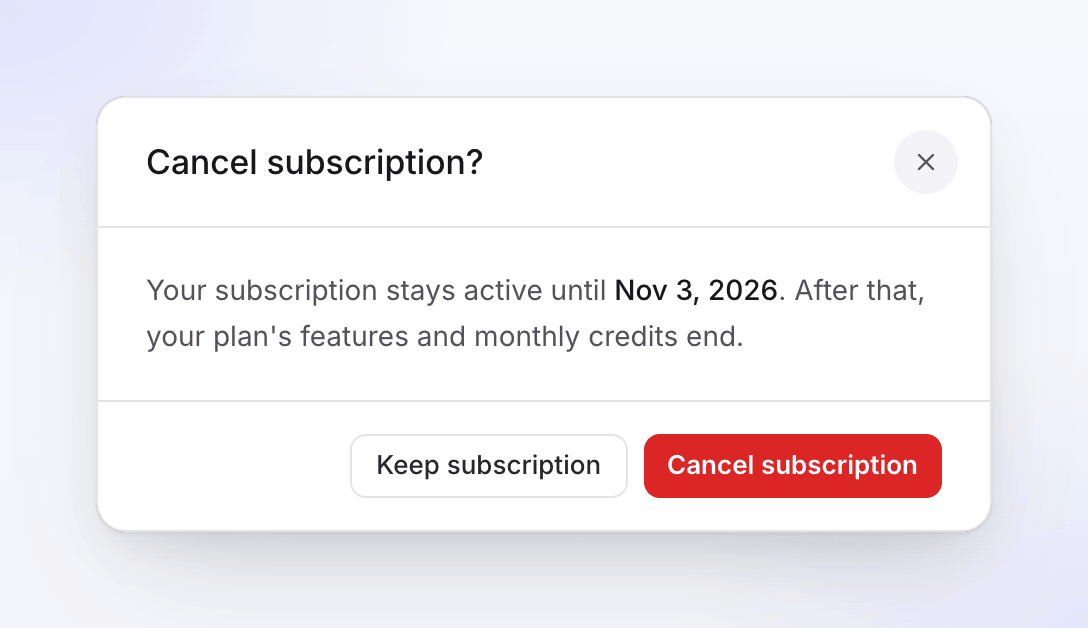
The dialog says "Your subscription stays active until Nov 3, 2026. After that, your plan's features and monthly credits end." Click Cancel subscription to confirm, or Keep subscription to go back.
Tell us why (optional)
Before you go asks for the main reasons, such as "Too expensive for the value I get" or "Project finished / no longer need it", with room to Tell us more. Click Submit, or Skip.
Your inbox confirms: "Your subscription ends on Nov 3 — You can resume it from Billing until then."
Until the period ends
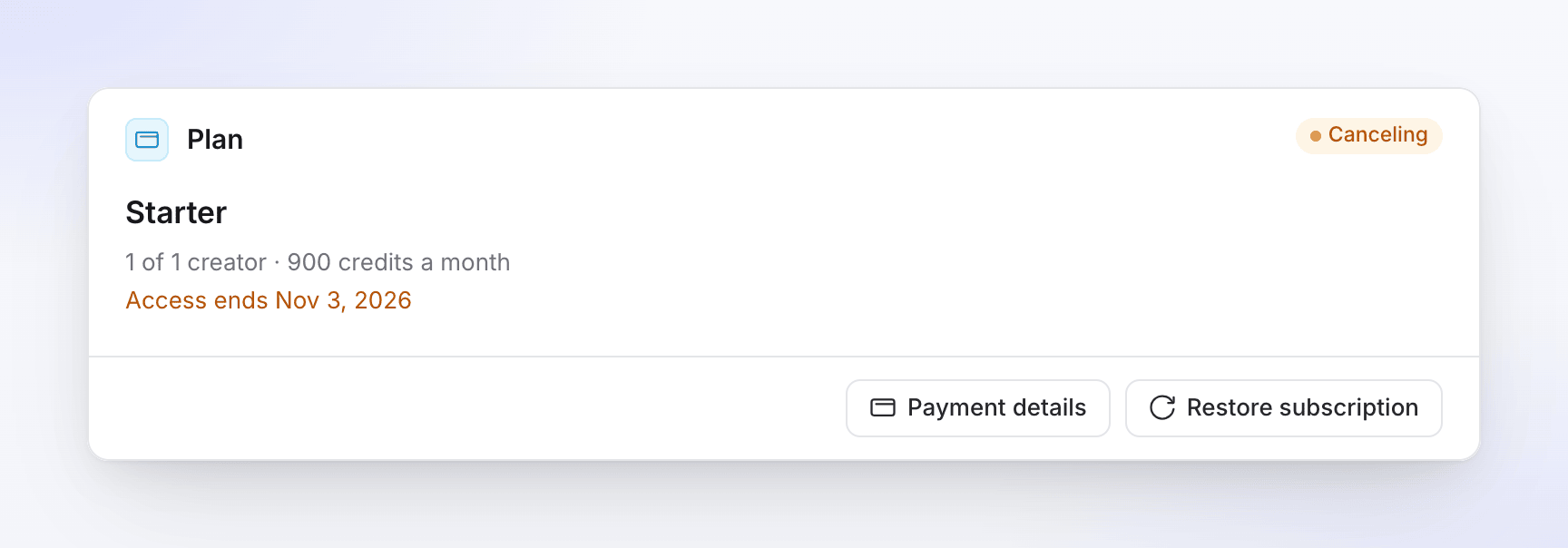
The Plan card shows a Canceling badge, "Access ends Nov 3, 2026" and a Restore subscription button. The Credits card and your Invoices stay on the page.
On the Credits card, Included this month reads "Ends on Nov 3" (or "Ends in 5 days", "Ends tomorrow" close to the date) instead of "Refills on…", because your included credits don't refill after a cancellation. If credits run low, the card says "Your plan ends on Nov 3, 2026 and its credits don't refill; restore your subscription to keep getting monthly credits."
Until that date:
- everything works as before: generating, exports at your plan's resolution, seats and integrations;
- you can keep spending the credits in your wallet;
- you can't buy credit packs. If the wallet runs out you'll see "You have used all your credits for this billing period. Since your subscription is set to cancel, please re-subscribe to continue." — restore the subscription to buy more.
Cancelling doesn't refund the current period; you keep using it until it ends.
When the subscription ends
On the end date the workspace moves to the Free plan, and your inbox says "You're on the Free plan now — Your Pro plan ended. Free includes 100 credits a month."
| What | What happens |
|---|---|
| Videos, recordings, articles, collections, share links | Kept as they are. |
| Included credits | End with the subscription: "Plan credits end with the subscription. Bonus and purchased credits stay." |
| Bonus and bought credits | Stay in the wallet, and you can spend them on Free. |
| Creators | Free has 1 creator seat. The most recently added admins and content creators become editors. |
| Plan limits | The Free limits apply: 100 credits a month, videos up to 3 minutes, no social clips or AI avatar, 15 watermarked 1080p exports a month. See Know what the Free plan includes. |
Restore a cancelled subscription
Changed your mind before the end date? In Billing, click Restore subscription on the Plan card, then confirm. "Your subscription will be restored and billing will resume on your regular schedule. You won't be charged until your next billing date." Your inbox shows "Your subscription is active again."
Subscribe again after it ended
Once the workspace is on Free, click See plans in Billing (or Upgrade in the credits menu in the sidebar), choose a plan and pay. You start a new subscription with the full monthly credits; bonus and bought credits are still there. See Choose a plan.
Restart a paused subscription
If our team paused your subscription for you, the Plan card shows a Paused badge and "Subscription is paused — restart to resume billing". Click Restart subscription and confirm: "Restarting will reactivate your subscription and billing will continue on your regular schedule." To pause a subscription, contact support from the chat in the app.
Questions about a charge
Your receipts are under Invoices in Billing: "Every payment on this workspace, with a receipt." If you think you were charged by mistake, contact support from the chat in the app. When a refund is issued, your inbox shows "A refund of US$36.00 was issued — It can take a few days to reach your account."