

Make a product demo from a recording
A product demo shows your product working, narrated for buyers, launches or release notes. Pick one of five kinds, add a recording and the AI writes a tight, benefit-led voice-over with title cards and a closing call to action.
A product demo shows your product working, narrated for the people you want to win over: buyers, new users at a launch, or customers reading about a release. Clevera makes it from a screen recording, the same way as a how-to, but the AI writes it to sell an outcome rather than teach every step.
How-to or product demo?
| How-to video | Product demo | |
|---|---|---|
| Goal | The viewer can repeat the task. | The viewer wants the product. |
| Narration | Every step, with the reasons and tips you give. | Benefits and outcomes, with the screen as proof. Never click-by-click. |
| Length | Follows your recording once it is cut. | Follows your recording too, but the AI trims harder to keep only the moments that sell. |
| Extra scenes | Intro card, and up to two chapter title cards in longer videos. | Intro card, short silent title cards between sections, and a closing call-to-action card. |
| Zooms | Follow each click and typing. | Short accents on the key moments. |
If your viewer needs to follow along, make a how-to video instead.
Make a product demo
Pick the occasion
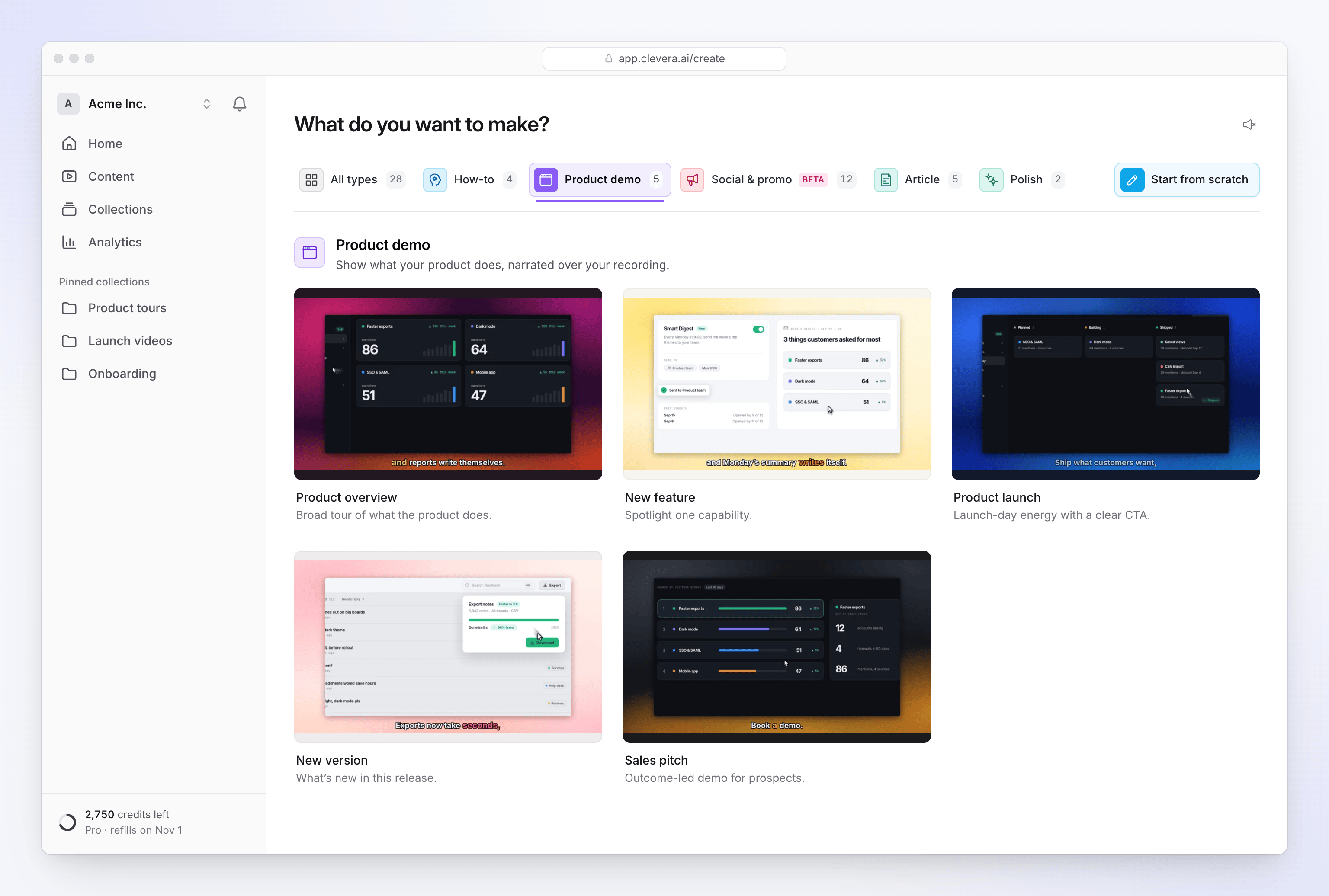
Click Create, open the Product demo family and pick one of the five kinds. See The five kinds of product demo.
Add your recording
Click + and choose Record your screen (opens the Clevera desktop app), Upload a video (MP4 up to 250 MB) or Choose from library. You can add up to 3 videos, 20 pictures and 3 PDFs; see Use several recordings, pictures and PDFs in one video. We recommend recordings under 30 minutes. No recording yet? You can make the demo from pictures or a PDF alone.
Say who it is for
The brief is optional, but a demo gets much better with one. Name the audience, the problem you solve, the one thing to remember and the call to action, for example: "For operations leads at logistics companies. Show that reports that took a day now take a minute. End with 'Book a demo at example.com'."
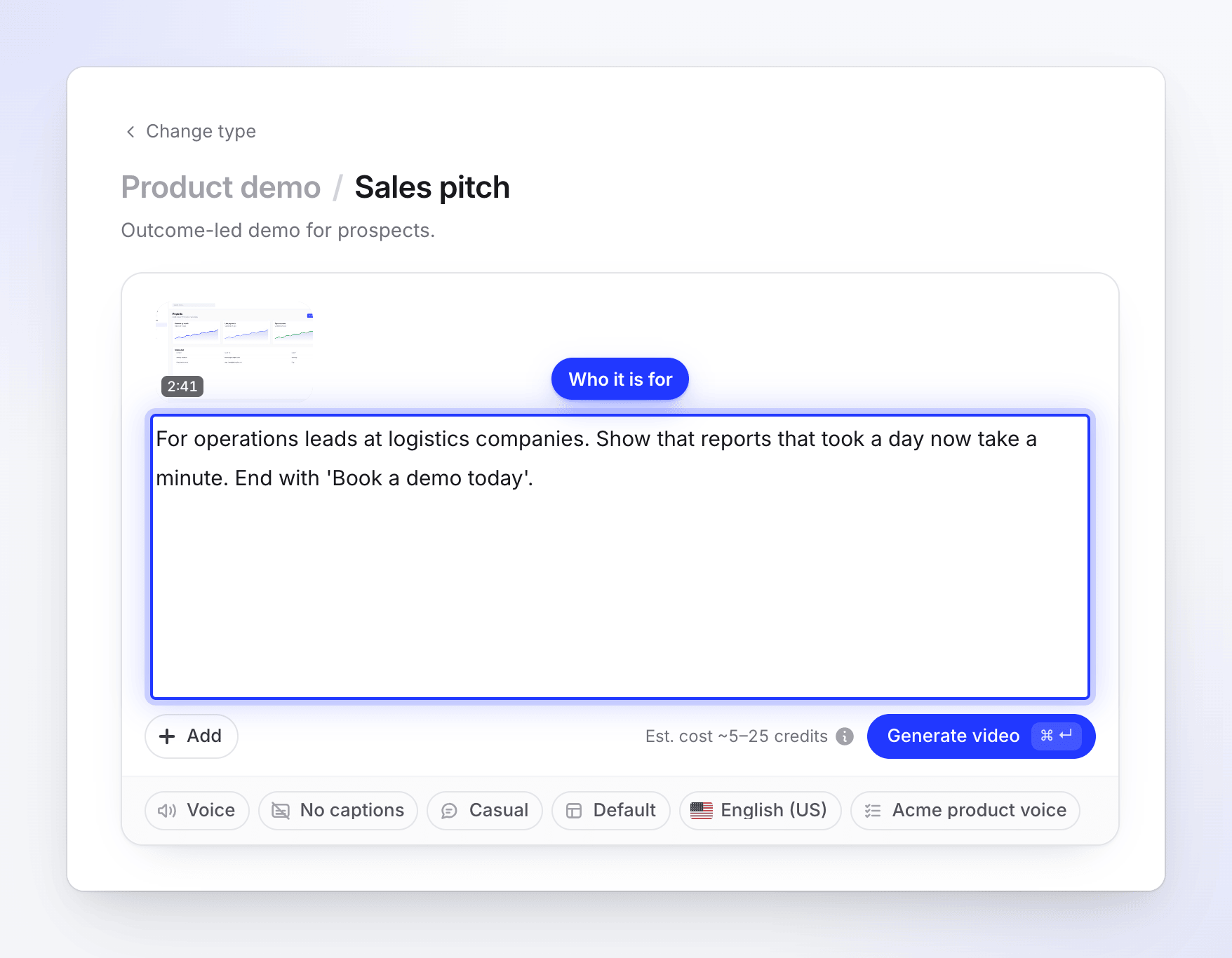
Name the audience, the outcome and the call to action. Check the options and generate
Pick a voice, tone, template and language in the pills, then click Generate video. The options are the same as for a how-to; see Options for how-to videos.
The demo follows the shape of your recording. You can change the aspect ratio in the editor after it's made.
The five kinds of product demo
| Kind | Use it for | How the AI writes it |
|---|---|---|
| Product overview | A broad tour of what the product does. | Opens on the product's promise, then one capability per part, building to the strongest payoff. Leaves out setup and configuration. |
| New feature | Spotlight one capability. | Opens on the feature's benefit and starts right at the new behavior: the happy path, then proof that it works. Leaves out legacy screens. |
| Product launch | Launch-day energy with a clear call to action. | A punchy problem-and-promise opening, quick high-impact beats of the product in motion, short confident lines, a call to action at the end. |
| New version | What's new in this release. | Opens on the most impressive improvement, then one improvement per part, said as a contrast ("Reports now load in seconds"). Skips unchanged screens. |
| Sales pitch | An outcome-led demo for prospects. | Opens on the buyer's pain, then alternates a claim with the product proving it. Ends on a specific call to action. |
There's no fixed length for a demo. The kind sets how tightly the AI cuts: a launch or new-version demo is usually shorter than an overview or a sales pitch made from the same recording.
What the AI adds to a demo
- A spoken opening over a hero frame or a few preview moments from your recording.
- Title cards between sections. Short silent cards, in your template's title-card design, mark the move to a new capability.
- A call-to-action card after the closing line. The AI writes it from your brief and the recording, so put your call to action in the brief if you want specific words.
- Speed and cuts. Navigation, loading and long typing are sped up or cut so the demo stays on what matters.
- Zoom accents. Zooms on a demo are short (at most 12 seconds) and never cover most of a section, so the viewer also sees the whole screen. See Understand automatic zooms and cursor effects.
- Music, background and logo from your video template.
Cost
A product demo costs the same as a how-to: usually 5–25 credits for a recording of up to 5 minutes, more for longer recordings. The estimate beside Generate video is not a limit: you are charged what the job actually uses. Exports are free.