

Pick a look: styles, palettes and colors
The Look sets the visual style every scene of a social clip follows. Leave it on Automatic, or pick one of seven styles and keep its colors, swap in one of ten palettes, or set up to five colors of your own.
The Look decides how a social clip looks from the first scene to the last: its layout, imagery, motion, colors and type. Leave it on Automatic and the AI chooses a look from your material and brand, or pick one of seven styles and, if you like, give it your own colors.
How the Look works
A look has two parts:
| Part | What it controls | Your choice |
|---|---|---|
| Style | Layout, imagery, motion and type for every scene | Automatic, or one of 7 styles |
| Colours | The colors the style paints with | The style's own colors (Original), one of 10 palettes, or up to 5 custom colors |
Fonts aren't a separate choice. Each style brings type that fits it, and with Automatic the AI picks the type too. Social clips don't use brand kits or uploaded brand fonts.
Pick a look
Open the Look
On the Compose page, click the Look pill. It reads Automatic until you choose a style, then the style's name, for example Zine collage · Ocean, with three dots in your colors. The Look window opens: "The style the AI follows for every scene of your video."
Choose a style
Under Style ("7 looks, or let the AI choose"), click a tile. Each tile is a small preview of the style. The panel on the right shows a larger sketch of the feel, with the style's name and summary.
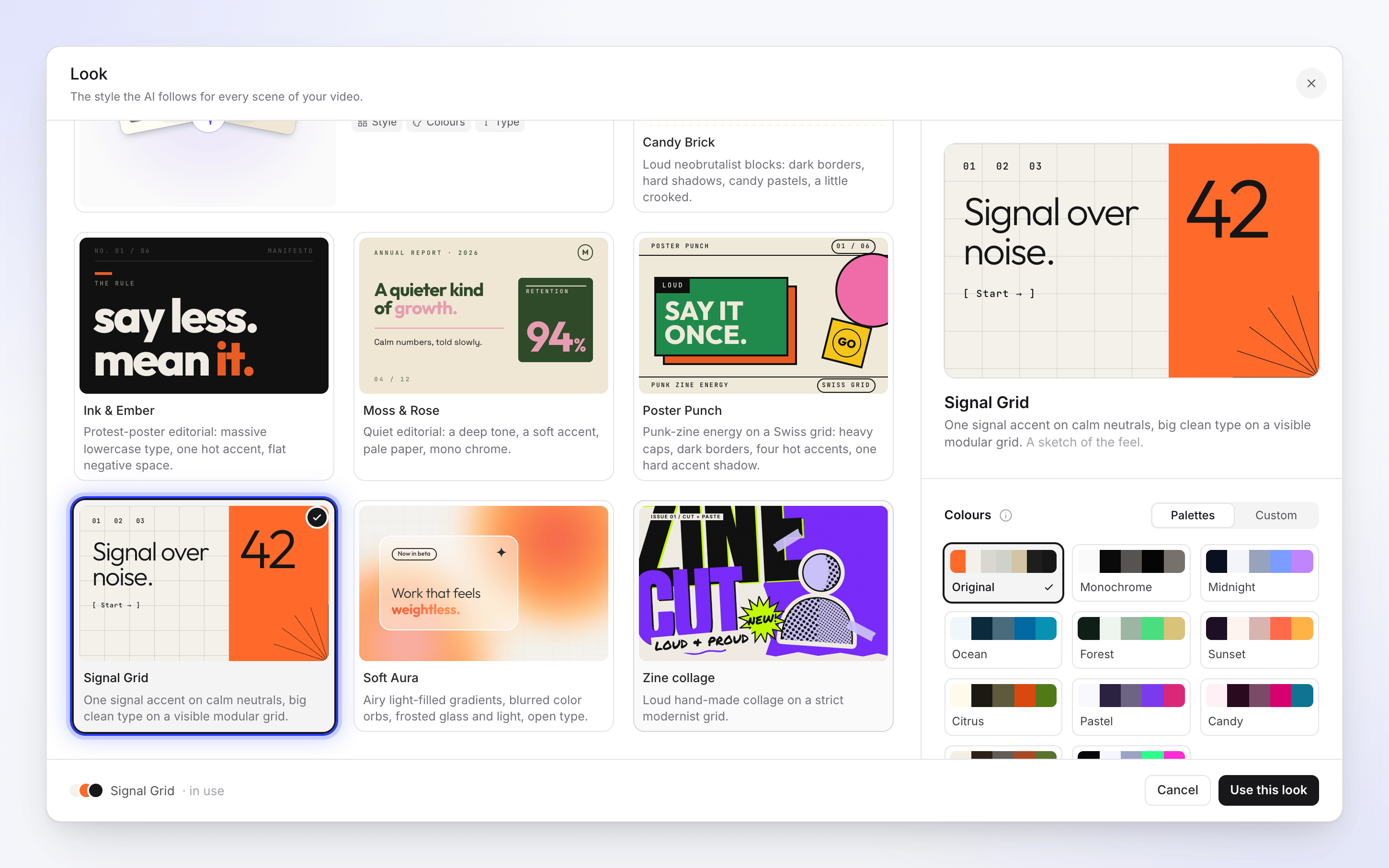
Choose the colors
With a style selected, the Colours section appears. Keep Original (the style's own colors), pick a palette under Palettes, or switch to Custom and set your own. See Colors.
Use it
Click Use this look. The pill updates, and the next clip you make starts with the same look. Click Cancel to keep what you had.
Styles
| Style | What it looks like |
|---|---|
| Automatic (AI picks) | "Style, colours and type, read from your material and brand." The AI chooses for each clip. |
| Candy Brick | Loud neobrutalist blocks: dark borders, hard shadows, candy pastels, a little crooked. |
| Ink & Ember | Protest-poster editorial: massive lowercase type, one hot accent, flat negative space. |
| Moss & Rose | Quiet editorial: a deep tone, a soft accent, pale paper, mono chrome. |
| Poster Punch | Punk-zine energy on a Swiss grid: heavy caps, dark borders, four hot accents, one hard accent shadow. |
| Signal Grid | One signal accent on calm neutrals, big clean type on a visible modular grid. |
| Soft Aura | Airy light-filled gradients, blurred color orbs, frosted glass and light, open type. |
| Zine collage | Loud hand-made collage on a strict modernist grid. |
With Automatic selected, the right side shows What Automatic picks instead of color controls:
- Style: "Layout, imagery and motion to suit your story."
- Colours: "Your brand colours, or ones that suit your material."
- Type: "Fonts that fit the style."
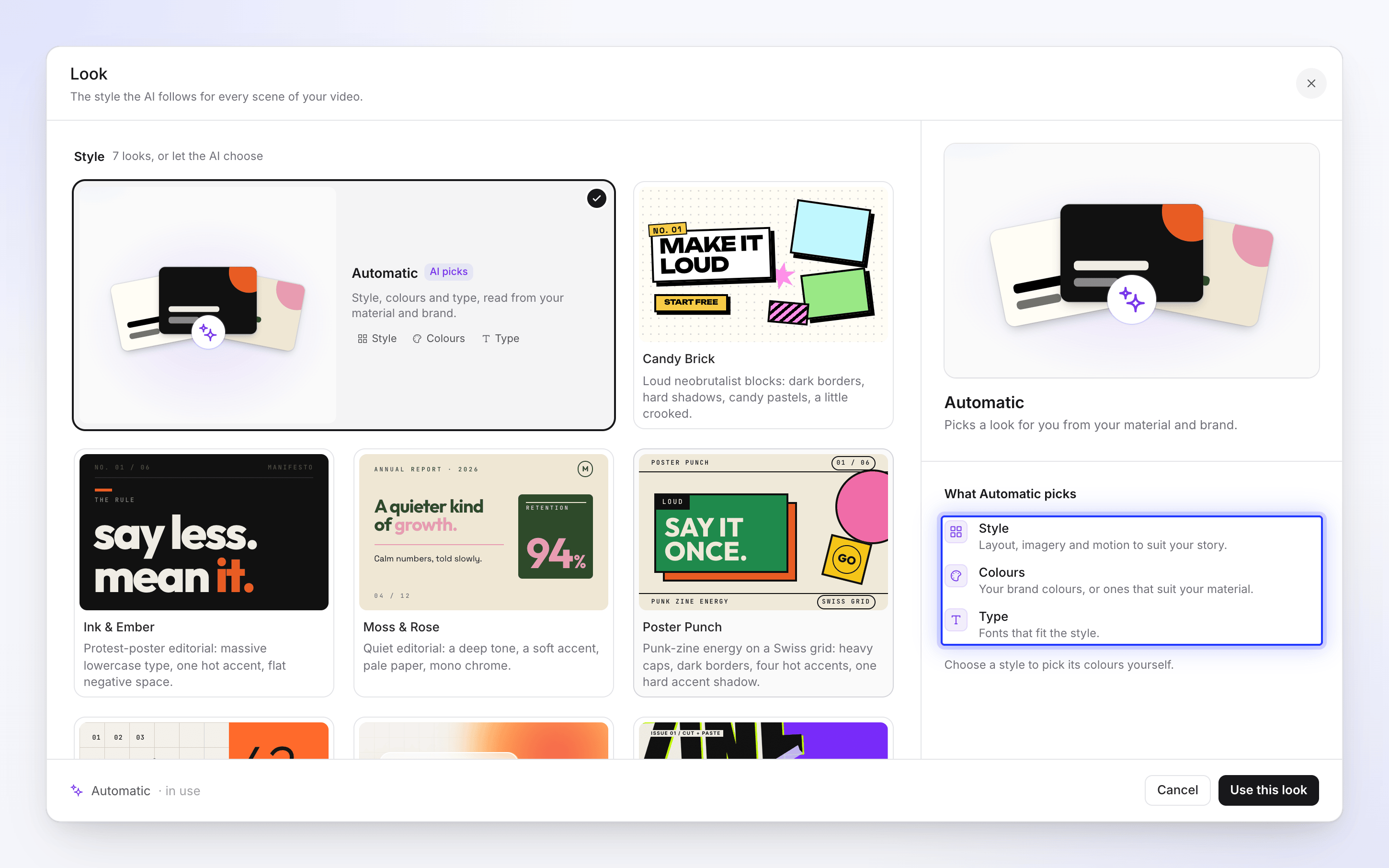
"Choose a style to pick its colours yourself." Palettes and custom colors need a style, because they recolor that style.
Colors
"A palette replaces the style's own colours." The Colours section has two tabs.
Palettes
The first row is Original, the style's own colors. The other ten are shared palettes, each marked Light ground or Dark ground so you know whether scenes will sit on a light or dark background:
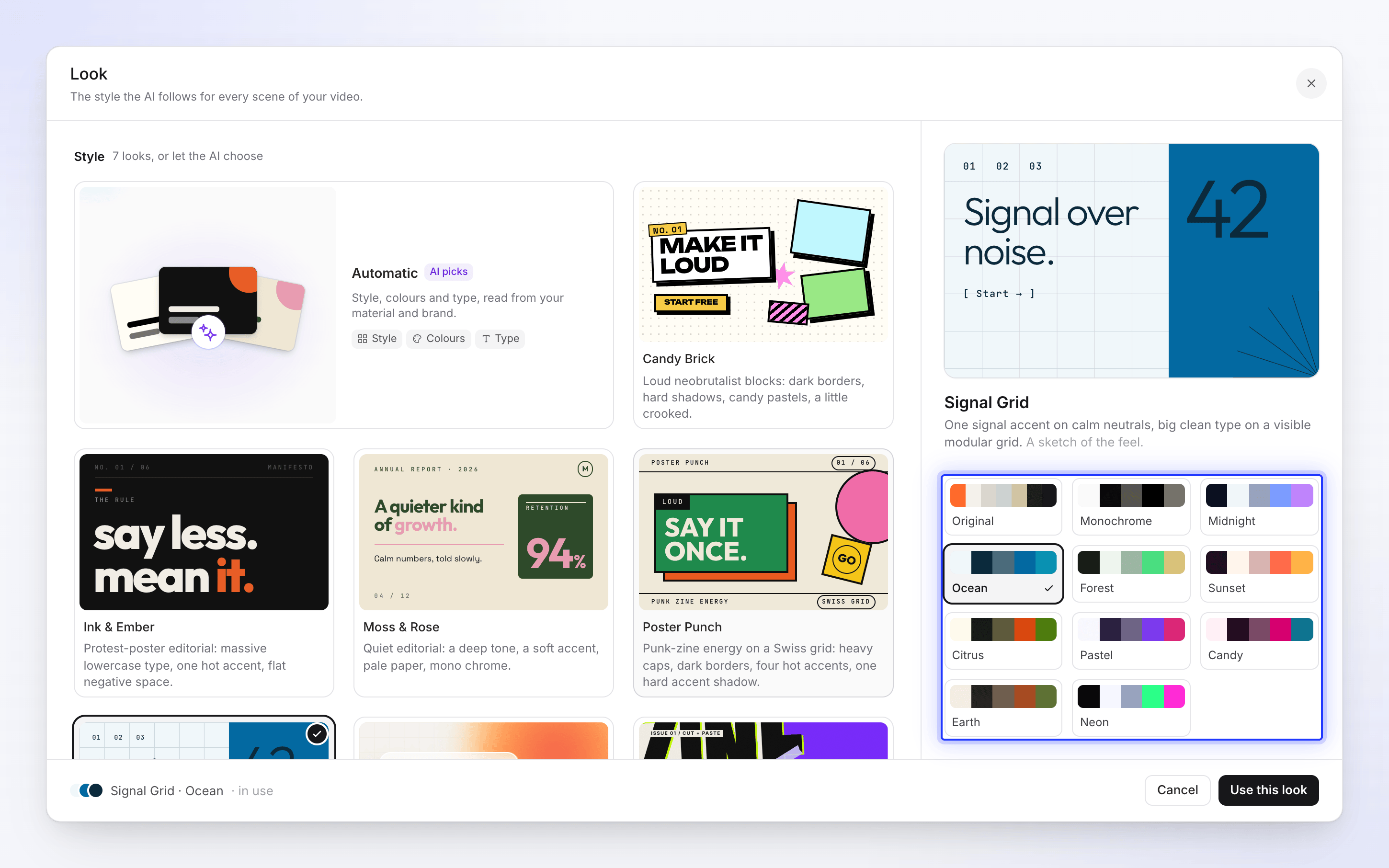
| Palette | Ground |
|---|---|
| Monochrome | Light |
| Midnight | Dark |
| Ocean | Light |
| Forest | Dark |
| Sunset | Dark |
| Citrus | Light |
| Pastel | Light |
| Candy | Light |
| Earth | Light |
| Neon | Dark |
Each palette has five roles (background, text, muted text and two accents), so it fits any style.
Custom
Switch to Custom to use your own colors, for example your brand colors. The list starts from the style's own colors, so you're editing rather than starting from blank:
- Click a swatch (Colour 1, Colour 2…) to change it in the color picker.
- Click Add a colour to add one, up to 5 in all. Remove one with its ✕.
- "Used instead of {style}'s colours. The AI places each one." You choose the colors; the AI decides which one is the background, the text and the accents.
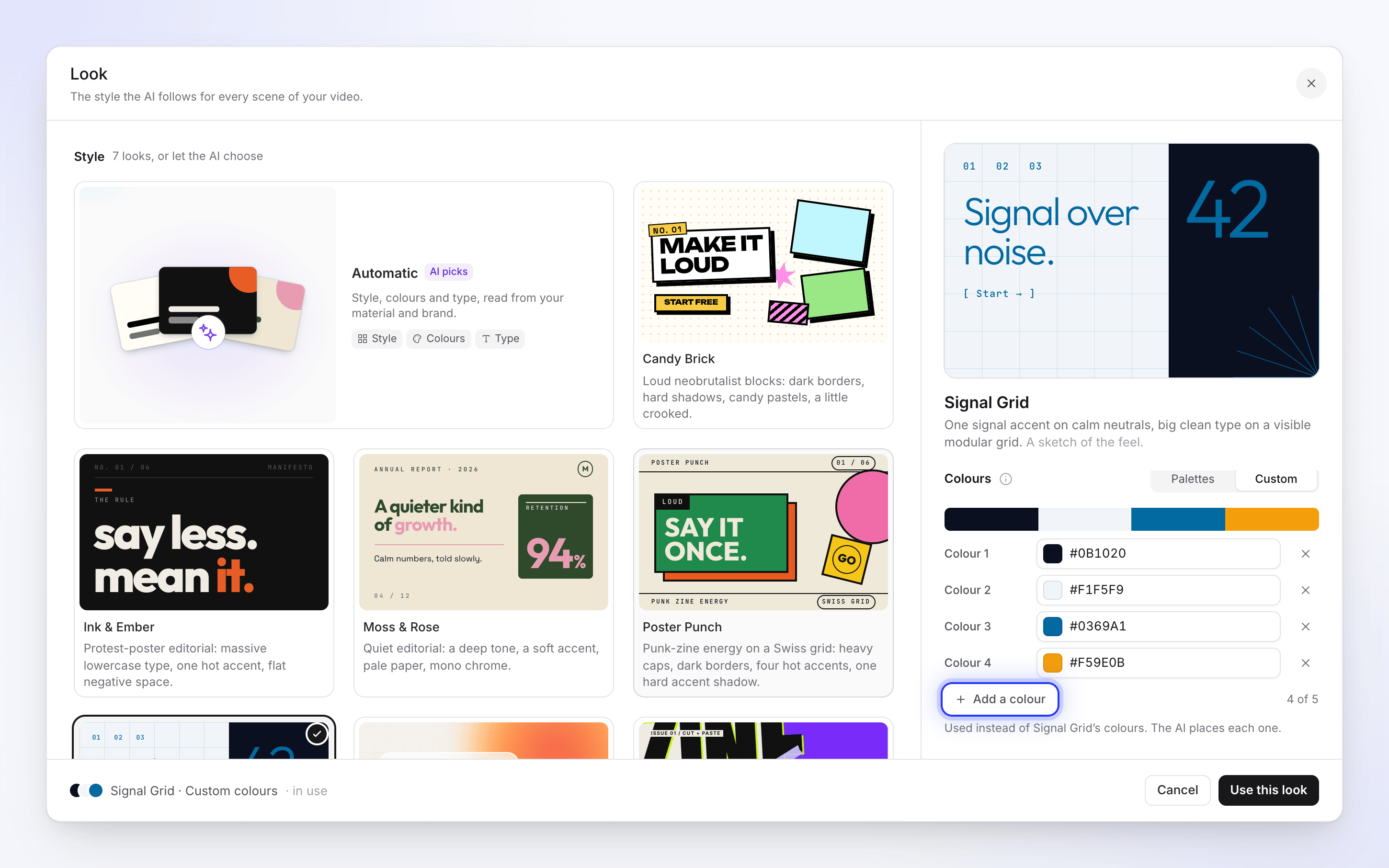
The pill then reads, for example, Signal Grid · Custom colours.
What the look doesn't change
The look is visual only. Your brief, the type, the format, the voice, the music and the effort are separate settings. The same look also doesn't mean identical scenes: the AI director designs each clip fresh inside the style.
To get your logo into the clip, see Get your logo into a social clip.
Troubleshooting
| What you see | What to do |
|---|---|
| "We could not load the styles" / "Check your connection and try again." | Click Try again. Use this look stays unavailable until the styles load. |
| The Palettes and Custom tabs are missing | You're on Automatic. Pick a style first. |
| A color isn't where you expected | Custom colors are placed by the AI. Ask the assistant in the editor to change a color in a scene. See Edit a social clip. |