

Use voice tags in narration
Add pauses, laughs, sighs and tone cues to a narration line with voice tags. Every tag, what Built-in, ElevenLabs and avatar voices do with each one, and tips for natural results.
Voice tags are short cues in a narration line, such as a pause or a laugh, that change how the AI voice reads it. This article lists every tag, what each kind of voice does with it, and how to get good results.
Before you start
- Voice tags work in the narration of how-to videos and product demos: the lines in the Script tab (see Edit the script and voice-over) and the voiceover of a List scene.
- A tag takes effect when the line is recorded, so saving a line with a new tag uses credits like any other re-recorded line.
Add a voice tag
Open the line
In the Script tab, hover a step and click Edit narration.
Put the cursor where the cue goes
Click in the text right where the pause or sound should happen, for example after "Settings,".
Pick a tag
Type /. A list opens under the line ("Voice tags · adapted to each voice"). Keep typing to filter it, use the arrow keys, and press Enter, or click a tag. You can also click Voice tag under the text ("Add a voice tag (or type /)"), which opens a searchable Voice tags picker ("Each voice engine reads these its own way.").
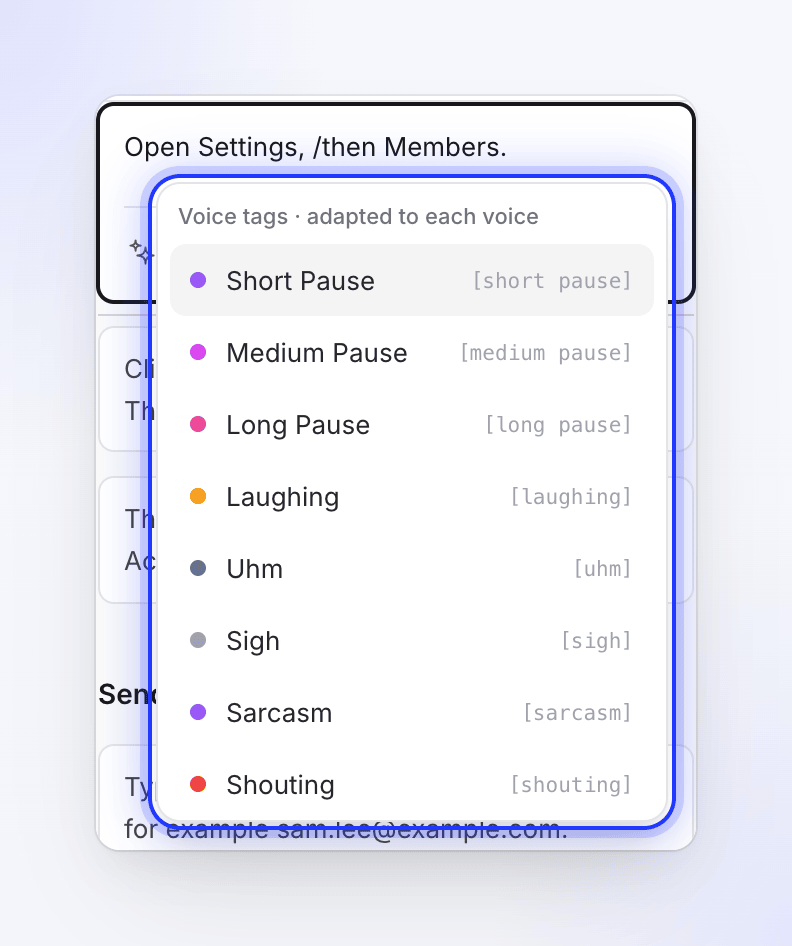
Type / where the cue should go. Save
Click Save or press ⌘ Enter / Ctrl Enter. The line is recorded again with the tag.
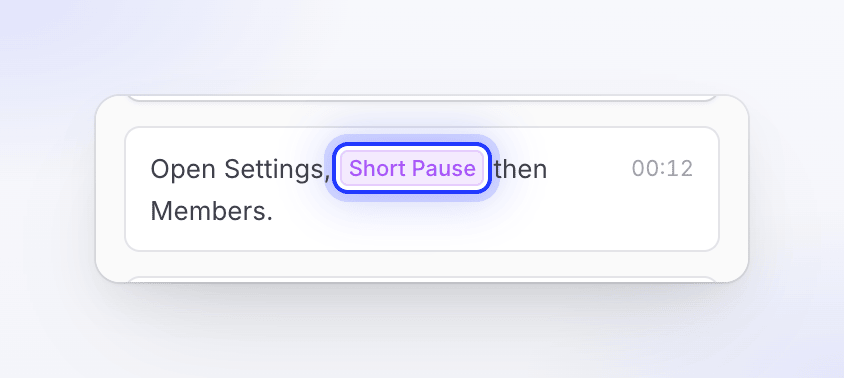
The tag is written into the text in square brackets, for example [short pause]. You can also type it by hand; the brackets and the exact words matter, capital letters don't. In the Script tab a saved tag shows as a colored chip with its name; on the timeline you see the bracketed text.
Every tag
| Tag | Written as | What it asks for |
|---|---|---|
| Short Pause | [short pause] |
"Brief pause (~250ms)." |
| Medium Pause | [medium pause] |
"Standard pause (~500ms)." |
| Long Pause | [long pause] |
"Significant pause (~1000ms+)." |
| Laughing | [laughing] |
"Inserts a laugh sound." |
| Uhm | [uhm] |
"Inserts a hesitation sound." |
| Sigh | [sigh] |
"Inserts a sigh sound." |
| Sarcasm | [sarcasm] |
"Imparts a sarcastic tone." |
| Shouting | [shouting] |
"Increases the volume." |
| Fast | [extremely fast] |
"Increases the speed." |
| Curious | [curious] |
"Spoken word with curious tone." |
| Bored | [bored] |
"Spoken word with bored tone." |
How each voice reads them
Different voices understand different cues. Clevera translates each tag for the voice that records the line, and drops the ones a voice can't perform, so a tag is never read out loud as a word.
| Tag | Built-in voices | ElevenLabs voices | Avatar voices |
|---|---|---|---|
| Short Pause | Short pause | Short pause | Ignored |
| Medium Pause | Short pause (there's no medium step) | Pause | Ignored |
| Long Pause | Long pause | Long pause | Ignored |
| Laughing | Laugh | Laughs | Ignored |
| Uhm | Ignored | Says "uhm" | Ignored |
| Sigh | Sigh | Sighs | Ignored |
| Sarcasm | Ignored | Sarcastic delivery | Ignored |
| Shouting | Shout | Shouting | Ignored |
| Fast | Ignored | Speaks quickly | Ignored |
| Curious | Ignored | Curious tone | Ignored |
| Bored | Ignored | Bored tone | Ignored |
The column that applies is the source of the video's current voice, shown as a tab in the voice picker. See Change voice, music and sound.
Built-in voices use a pause, laugh, sigh or shout as a short event at that point. The tone tags (Sarcasm, Curious, Bored, Fast) have no effect on them. Uhm is left out for every language because a filler sound would only suit English.
ElevenLabs voices from your own account understand all eleven tags; how strongly a voice reacts depends on the voice.
Avatar voices read the words only. Every tag is removed before recording.
Tags and the rest of your video
| Question | Answer |
|---|---|
| Do tags show in captions? | No. Captions are made from what the voice actually says, so a tag never appears as a word. |
| Do tags survive a translation? | Yes. The translation keeps your tags where they were in the sentence, and the new language's voice reads them as in the table above. |
| Do tags carry over when I change the voice? | Yes. The text keeps its tags, and each line is recorded again with the new voice's reading of them. A tag the new voice can't perform is skipped. |
| Does a pause make the step longer? | Yes. Pauses add to the line's length, and a step lasts at least as long as its narration. |
Can I write my own tag, like [whisper]? |
Only the eleven tags in the list are treated as tags. Other text in square brackets is sent to the voice as written and may be read out. |
Tips
- Use pauses for structure: a Short Pause after a menu name, a Long Pause before a new idea. They're the tags every voice except avatar voices respects.
- Put a tone tag right before the words it should color: "That's it.
[curious]Want to see what happens next?" - One or two tags per line is plenty. Many tags make a line sound staged and harder to time.
- If a tag doesn't seem to do anything, check the table above: the current voice may not support it.
- Press Regenerate voice to hear another take. Each take can sound slightly different.