

Choose a social clip type
Social clips come in 13 kinds, from a Feature spotlight to an Event promo. See what each one is for, the format and length it starts on, whether it speaks, and what it needs from you.
Clevera makes 13 kinds of social clip. Each kind tells the AI director what shape the story should take (one feature proven, a teaser, an offer, a customer's words) and sets the defaults the Compose page opens with. This page helps you pick the right one and shows what each needs from you.
Before you start
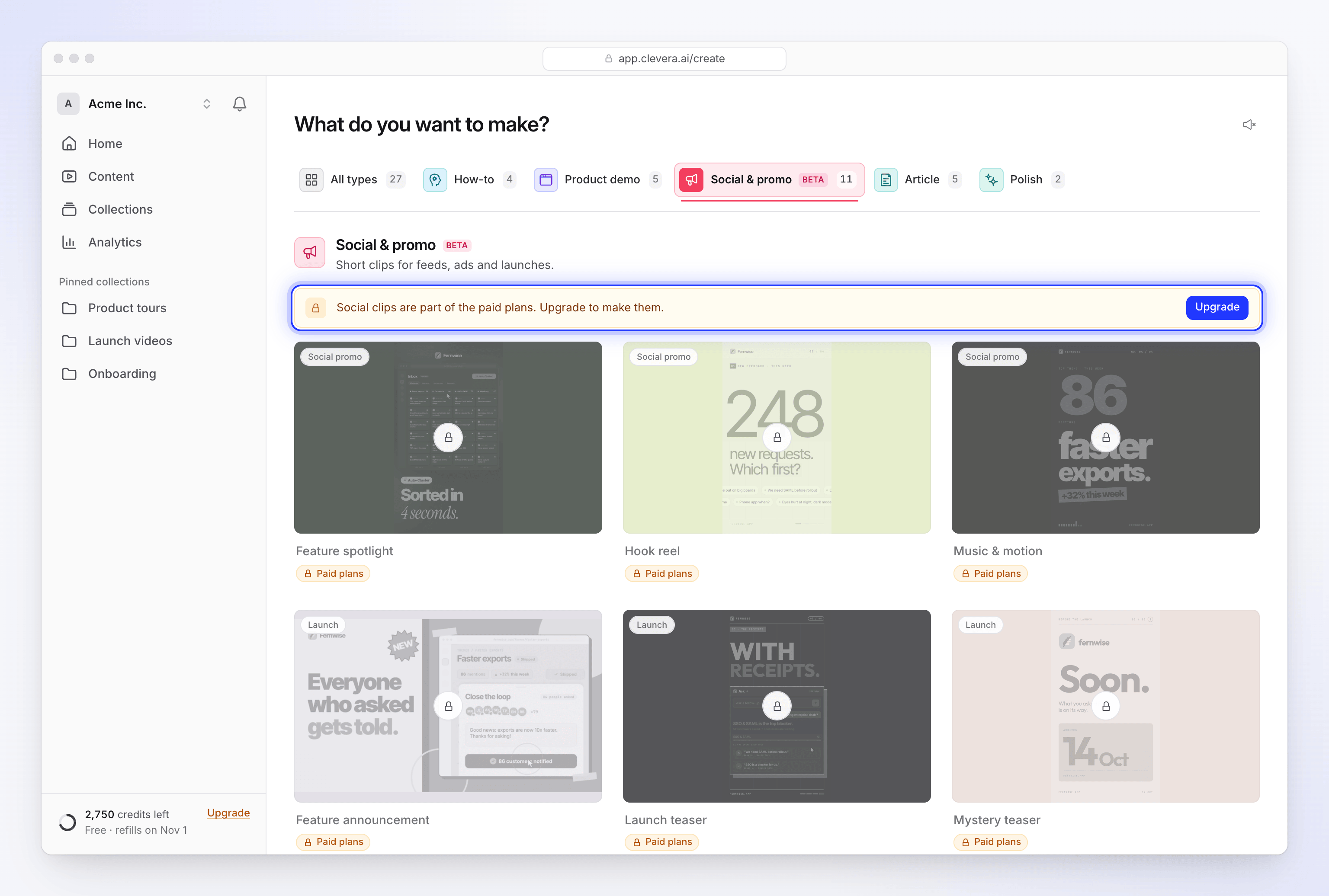
Social clips are part of the paid plans. On the Free plan the gallery shows 11 of the types, each with a Paid plans tag, so you can see what they make before upgrading. The AI avatar card and Start from scratch (Custom brief) don't appear on Free. See Know what the Free plan includes.
Where the types live
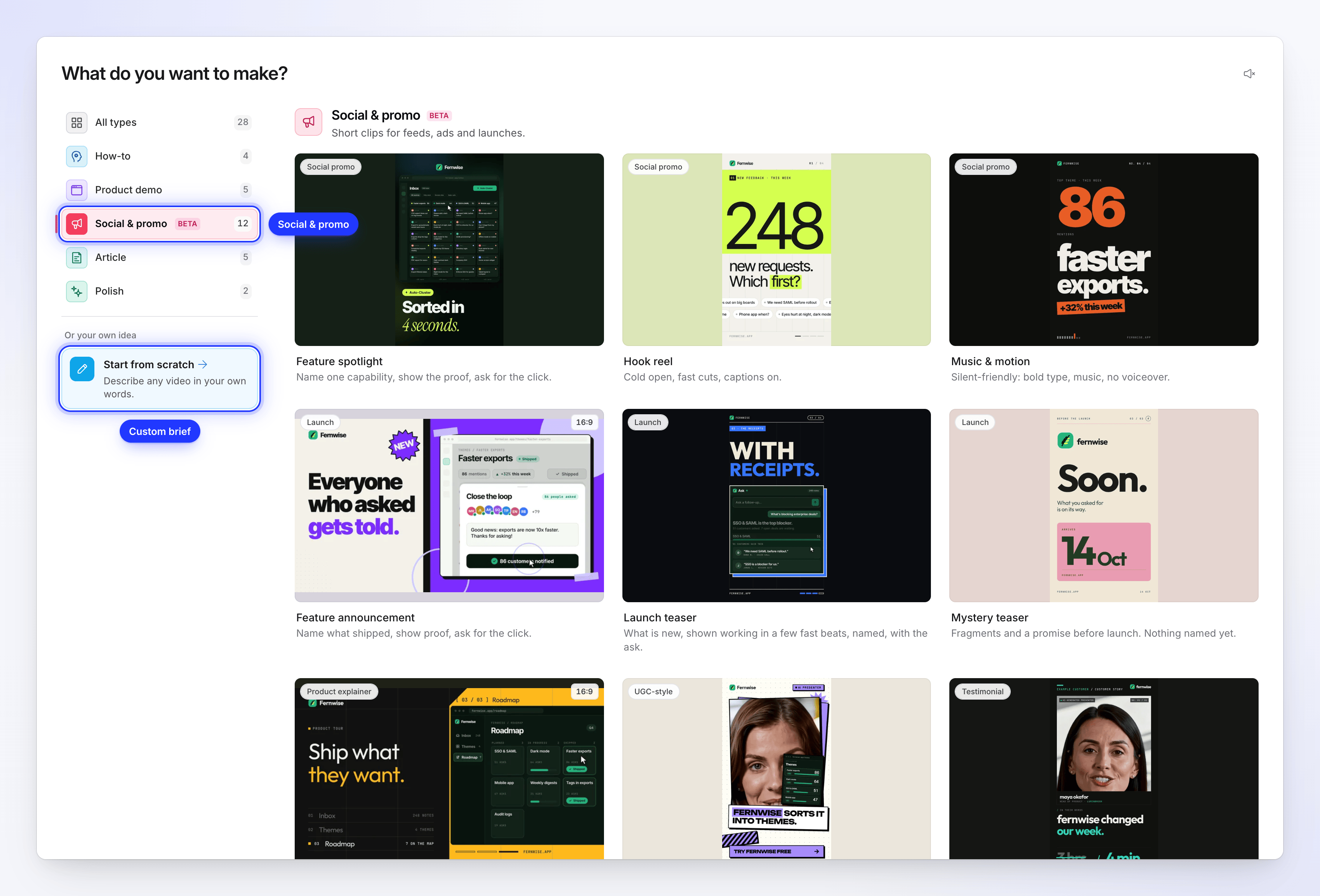
Open Create and pick Social & promo in the tabs (on wide screens, in the list on the left). Every card is one kind of clip; its small tag names the group it belongs to, such as Social promo, Launch or Offer. Hover a card to play a muted preview; the sound button above the grid switches previews to Play previews with sound.
The 13th kind, Custom brief, isn't a card: open it from Start from scratch ("Or your own idea") at the end of the tabs or the list.
Every type at a glance
| Group | Type | What it makes |
|---|---|---|
| Social promo | Feature spotlight | "Name one capability, show the proof, ask for the click." One feature, seen working once, one ask. |
| Social promo | Hook reel | "Cold open, fast cuts, captions on." Opens already moving, then a few fast proofs and the ask. |
| Social promo | Music & motion | "Silent-friendly: bold type, music, no voiceover." Bold type and your best pictures cut to music, readable with the sound off. |
| Launch / announcement | Feature announcement | "Name what shipped, show proof, ask for the click." Name two or more changes and it becomes a short update. |
| Launch / announcement | Launch teaser | "What is new, shown working in a few fast beats, named, with the ask." |
| Launch / announcement | Mystery teaser | "Fragments and a promise before launch. Nothing named yet." Shows glimpses, your logo and a date if you give one. |
| Product explainer | Product tour | "Hero hook, three feature beats, call to action." Your main features in the order your material ranks them. |
| UGC-style video | AI avatar | "An AI avatar talks the viewer through it." A presenter as host, a first-person story or a first look. |
| Customer story | Customer story | "Their words or their result, told with attribution." |
| Offer | Offer promo | "Lead with the offer, one visual beat, the ask." The deal, the terms and the deadline. |
| Offer | Event promo | "The date, the place, the reason to show up." Name, date, place, one reason to come, how to register. |
| Brand story | Brand film | "What you believe, who it is for, what you make." Calm, ends on your logo. |
| Describe what you want | Custom brief | "You describe the outcome; Clevera builds it." No preset story: your brief is the plan. |
Defaults each type starts with
Every default can be changed with the pills on the Compose page before you generate. See Set the format, size and length.
| Type | Shape | Length | Voice-over | Captions |
|---|---|---|---|---|
| Feature spotlight | 9:16 | Standard (~60 s) | Yes | On |
| Hook reel | 9:16 | Short (~35 s) | Music only | On |
| Music & motion | 9:16 | Standard (~60 s) | Music only | On |
| Feature announcement | 16:9 | Standard (~60 s) | Yes | On |
| Launch teaser | 9:16 | Short (~35 s) | Music only | Off |
| Mystery teaser | 9:16 | Short (~35 s) | Music only | Off |
| Product tour | 16:9 | Standard (~60 s) | Yes | On |
| AI avatar | 9:16 | Standard (~60 s) | Yes, the avatar speaks | On |
| Customer story | 9:16 | Standard (~60 s) | Yes, calm pace | On |
| Offer promo | 9:16 | Short (~35 s) | Music only | On |
| Event promo | 1:1 | Short (~35 s) | Music only | On |
| Brand film | 16:9 | Standard (~60 s) | Yes, calm pace | On |
| Custom brief | 9:16 | Standard (~60 s) | Yes | On |
"Music only" types start with No voice on the Voice pill, so on-screen text and music carry the clip. Pick a voice on the pill to add a voice-over. Captions show the spoken words, so they only appear when the clip has a voice.
What each type needs from you
| Type | Needs | Why |
|---|---|---|
| Every type | A link, a picture, a PDF or a video, or a brief of at least 100 characters | With nothing attached, every fact in the clip has to come from your brief. |
| Custom brief | A brief of at least 40 characters, even with files attached | There's no preset story, so the brief is the whole plan. |
| Customer story | A real quote with who said it, or a result with a number | The AI won't invent a customer. |
| Offer promo | The offer: the deal, the price and the deadline | The clip is built on the offer. |
| Event promo | The event's name, date and place, and why people should come | The clip is built on those facts. |
| AI avatar | An avatar chosen on the AI avatar pill | "Choose an avatar — this style is built around one." |
If a Customer story, Offer promo or Event promo can't find its fact in your brief or materials, the AI stops early and asks you for it on the generation page. If nobody answers within 10 minutes, the run stops. Put the fact in the brief to skip the question. See Make an offer, event or customer-story clip.
Which type should I pick
| You want to… | Pick |
|---|---|
| Promote one feature in a feed or an ad | Feature spotlight |
| Stop the scroll with a fast, bold opener | Hook reel |
| Post something that works with the sound off | Music & motion |
| Announce what shipped this week | Feature announcement |
| Show off a launch in a few fast beats | Launch teaser |
| Build curiosity before anything is public | Mystery teaser |
| Explain the whole product from your website | Product tour |
| Have a person talk viewers through it | AI avatar |
| Share a customer's quote or result | Customer story |
| Push a sale, a discount or a deadline | Offer promo |
| Fill seats at a webinar, meetup or conference | Event promo |
| Say who you are and what you stand for | Brand film |
| Something none of these fit | Custom brief |
All 13 types cost the same for the same effort: typically 30–60 credits at Medium, 50–120 at High and 80–160 at Extra. An AI avatar adds credits on top. See Choose an effort level.
Cards you might see dimmed
| Label on the card | Meaning |
|---|---|
| Paid plans | Your workspace is on the Free plan. Upgrade to use it. |
| Temporarily unavailable | We've paused this type for a while, with the reason, for example "Scheduled maintenance". Try again later. |
| Not enabled | The type isn't available in your workspace. Contact support. |