

Know when credits are charged
When Clevera checks and charges credits: the estimate before you generate, the balance you need to start, charging as the AI works, jobs that run past your balance, and what happens to credits when you stop a generation or one fails.
Clevera charges credits while the AI works, not as a fixed price up front. This article explains the estimate you see before you generate, the balance you need to start a job, how credits are charged during the job, and what happens when you stop a generation or one fails.
The estimate before you start
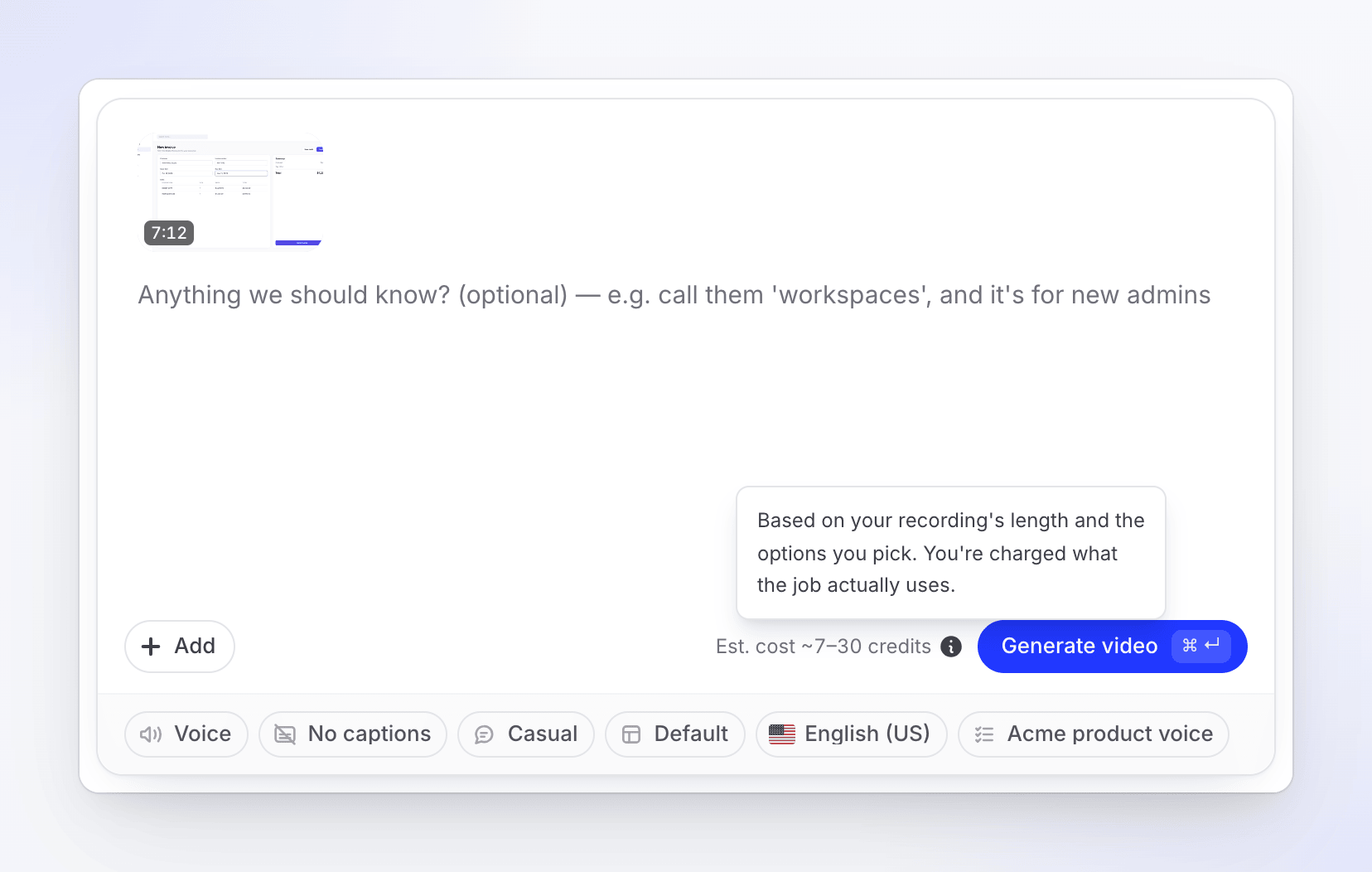
Under Generate on the Create page, Clevera shows an estimate for your exact choices, such as Est. cost ~50–120 credits. While it works it out, the line says "Estimating credits…".
Hover the ⓘ (What affects the credit cost) for what the range is based on. For a video from a recording it says "Based on your recording's length and the options you pick. You're charged what the job actually uses." For a social clip it names effort, length and what you add. A recording longer than 5 minutes can cost more than a typical video.
Some work has no estimate: AI assistant edits, and website research or Record with AI, which show as extra lines ("Plus website research — billed by how much the AI reads"). Styled for sharing in Polish has its own, smaller estimate, because only its automatic zoom pass uses the AI: 1–5 credits for a recording up to 5 minutes, more for a longer one, and never shown above 6 credits. For the ranges, see See what each kind of video costs.
What your balance needs to start
A generation needs enough credits to start. Clevera compares your workspace balance with the low end of the estimate, not the high end: if your balance covers the low end, the job can start. If it doesn't, the job doesn't start until you add credits.
| Your balance | What you see under the estimate |
|---|---|
| At or above the top of the range | Nothing extra. |
| Between the low and high end | "You're running low on credits (40 left)." with a Buy credits link. The job can still start. |
| Below the low end | "You have 12 credits." with a Buy credits link (Upgrade on Free). The job can't start: add credits first. |
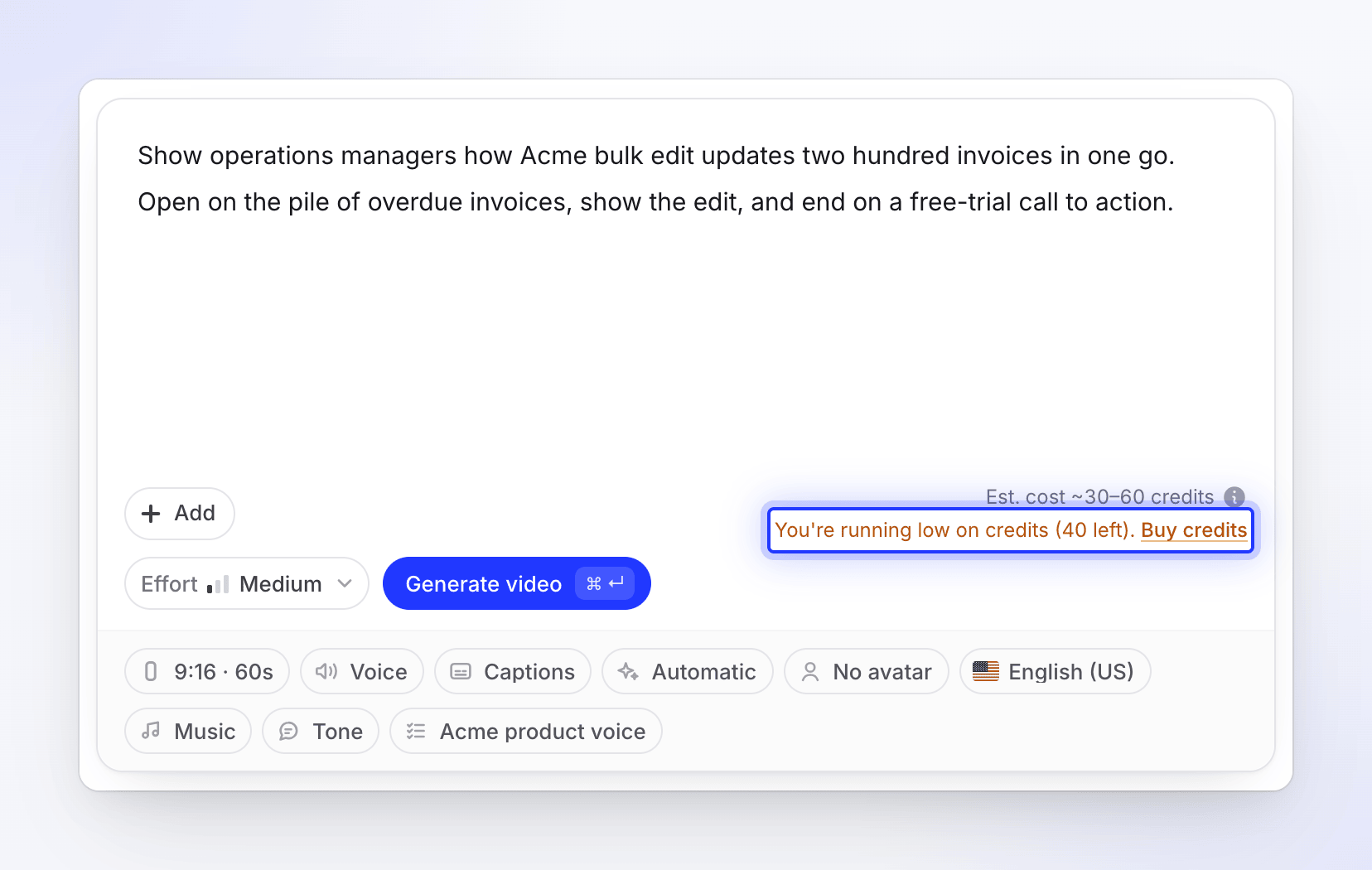
On a paid plan, the owner can buy a credit pack or change the plan. Other members see "Ask your team owner to add credits."
On Free, a generation doesn't start once the month's Free credits are used up: "You have used this month's Free plan credits. Upgrade to keep creating, or wait for your credits to renew on Nov 3." See Know what the Free plan includes.
Credits are charged as the AI works
Nothing is set aside when a job starts. Each AI step — reading your material, writing, recording the voice-over, building scenes, checking its work — is charged when it happens, from your wallet in the usual order: included credits, then bonus, then bought.
- The Usage page fills in while the job runs.
- Website research and Record with AI can take up to 30 minutes after the run to show their final usage.
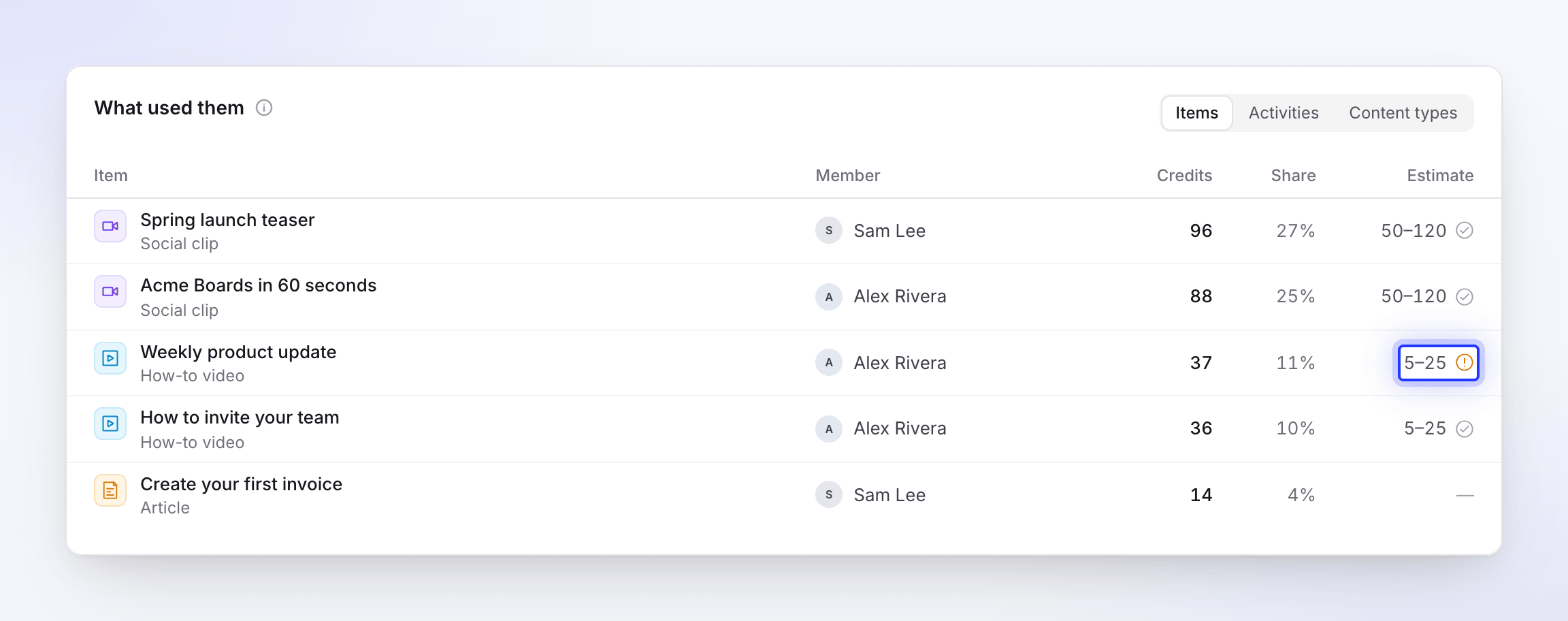
- When the job is done, the Usage page shows its estimate next to what it used: "Within the estimate of 50–120" or "Above the estimate of 50–120".
When a job uses more than you have left
A job that has started always finishes, even if it uses more credits than your wallet holds. The extra shows as Owed · comes out of your next credits and is taken from the next credits you get, usually your next monthly refill.
Stopping a generation
When you click Stop and confirm, the AI finishes the step it is on and starts nothing new. You're charged for what it used up to that point; nothing after the stop is charged. An AI avatar that had already started rendering when you stopped is charged too. A stopped generation can't be resumed — start a new one when you're ready. See Stop, retry or clear a generation.
When a generation fails
If a run fails on our side, it doesn't cost you anything: every credit it used goes back to the part of your wallet it came from (included, bonus or bought). This covers social clips, videos and articles from a recording, translations, website research and Record with AI, including an AI avatar the failed video had already rendered.
- The credit history on the Usage page shows the return as its own line, such as "Failed run refunded · Social clip generation". See Check where your credits went.
- A failed Record with AI or website research run is refunded once it can't be recovered. If Clevera recovers the recording of a failed Record with AI run, you get the take and the run stays charged.
- Try again on a failed social clip picks up from the step that failed. The failed attempt has already been refunded; the retry is charged only for the new work it does, and the steps it reuses from the failed attempt stay free.
- Try again on an article starts it fresh, and it is charged as it runs.
Some runs end without finishing but aren't failures on our side, so they stay charged for what they used:
| The run ended because | What you're charged |
|---|---|
| You clicked Stop | What it used up to the stop, including an AI avatar that had started rendering. See Stopping a generation. |
| Your workspace ran out of credits | What it used before it stopped. |
| The AI asked you for a fact it needed and didn't get an answer | What it used before it stopped. |
| A link you gave couldn't be read | What it used before it stopped. See Fix a website the AI couldn't read. |
After the video is made
The generation's charge covers making the video. Later changes are charged when you make them:
| Later change | Charged? |
|---|---|
| Editing by hand | No |
| Exporting, in any resolution your plan allows | No |
| Asking the AI assistant for a change | Yes, as the edit happens, with no estimate |
| A new voice-over after you change the script | Yes |
| Translating into another language | Yes, 3–10 credits per language for most videos |
Messages you might see
| Message | What it means |
|---|---|
| "You're running low on credits (N left)." | You can start, but your balance is below the top of this job's range. |
| "You have N credits." | Your balance is below the low end of this job's estimate. Add credits first. |
| "This needs about N credits and you have M left. Buy more credits or upgrade your plan in Billing to continue." | The job's low end is more than your balance, so it can't start. |
| "You have used all your credits for this billing period. Buy more credits or upgrade your plan in Billing to continue. Your included credits renew on your next billing date." | The wallet is empty, so new jobs can't start. |
| "You have used all your credits for this billing period. Since your subscription is set to cancel, please re-subscribe to continue." | The wallet is empty and your subscription is ending, so packs can't be bought. Restore the subscription in Billing. |