

Understand on-device and cloud rendering
Clevera renders your MP4 in your browser first and hands it to our servers when your device can't. Learn what each label means, when you can close the tab, device requirements, Free server-render limits and where the file goes.
When you export, Clevera first tries to make the MP4 in your own browser, and hands the job to our servers when your device can't do it well. You don't choose; the panel tells you where it's running so you know whether you can close the tab.
Both routes are free, make the same resolution at 60 fps, and put the finished file in the same place: the video's Download tab, kept for 90 days.
Where your render runs
| Label in the panel | What it means | Can you close the tab? |
|---|---|---|
| On this device | Your browser renders the video, then uploads the file so it's kept with the video. | No. Closing the tab stops the render. |
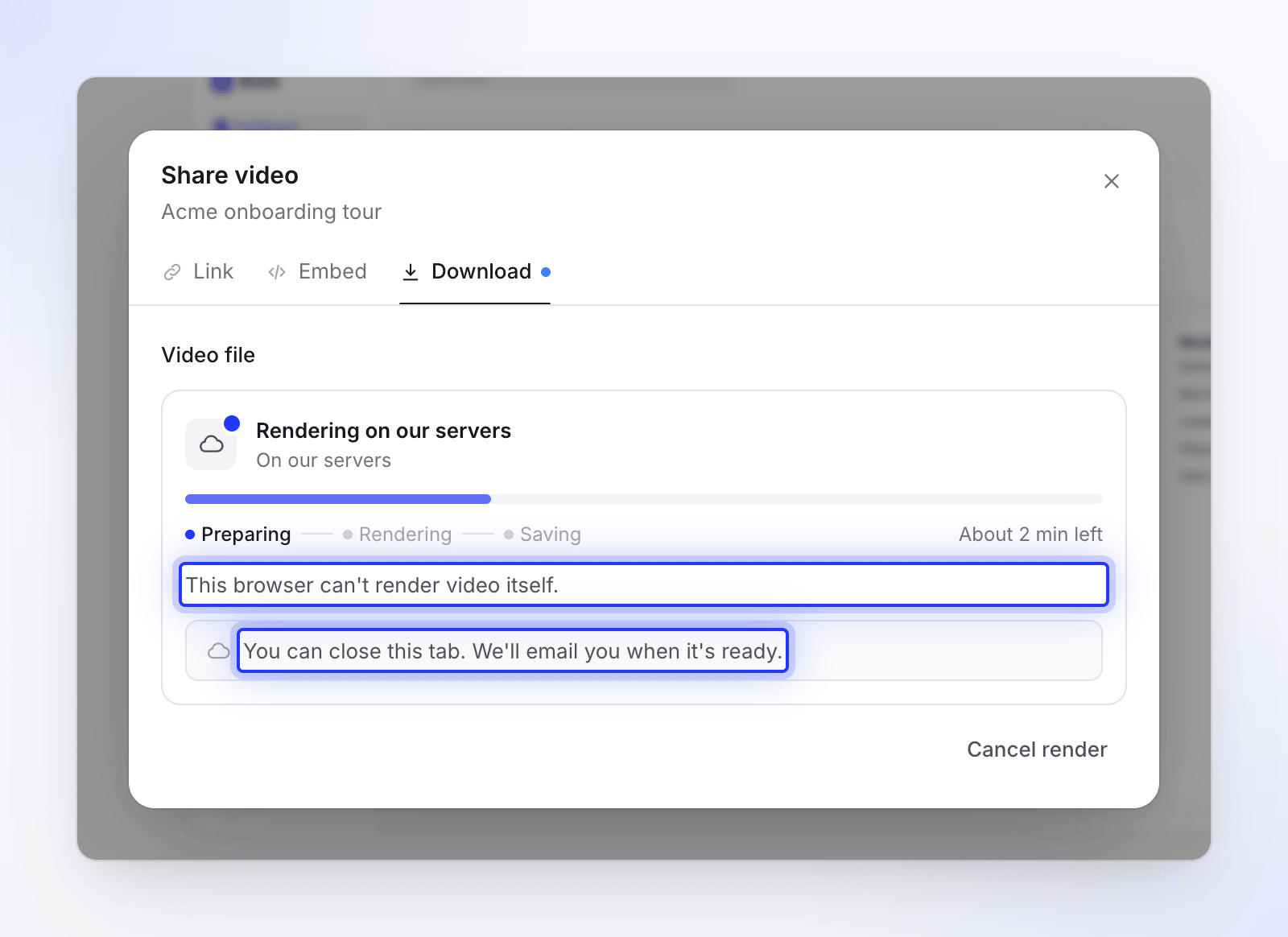
| On our servers | Our servers render the video from start to finish. | Yes. We email you when it's ready. |
| Finishing on our servers | Your device started, then handed the rest to our servers. | Yes. |
The panel repeats this as a note: "Keep this tab open until it finishes. Closing it stops the render." or "You can close this tab. We'll email you when it's ready."
When a render goes straight to our servers
Before it starts, Clevera runs a quick check of your browser and device. The render goes to our servers instead when:
| What the panel says | Why |
|---|---|
| "This browser can't render video itself." | On-device rendering needs desktop Chrome or Brave. Other browsers, such as Safari and Firefox, render on our servers. |
| "This device can't encode 4K video." (or 2K) | The device's video encoder can't produce that size. |
| "This device would be slow for this video." | Not enough memory, processor cores or storage for this resolution. A render that crashed this browser in the last 30 days also counts. |
| "Videos rendered from phones and tablets run on our servers." | Phones and tablets always use our servers. |
| (no reason shown) | Social clips always render on our servers. |
What a device needs
| Resolution | Memory | Processor cores |
|---|---|---|
| 1080p | 4 GB or more | 2 or more |
| 2K | 4 GB or more | 4 or more |
| 4K | 8 GB or more | 6 or more |
The device also needs a video encoder that can make the chosen size. Clevera tests it for you; there's nothing to set up.
When a render moves to our servers mid-way
A render that starts on your device keeps being watched. If it falls behind, our servers finish it and the panel switches to Finishing on our servers:
| What the panel says | Why |
|---|---|
| "This device would need about 14 min, so our servers are finishing it." | Your device is rendering much slower than our servers would. |
| "This tab was in the background too long, so our servers are finishing it." | Browsers slow down hidden tabs. After about 2 minutes in the background, the render moves. |
| "Your browser ran into a problem, so our servers are finishing it." | The browser's video encoder or memory failed. |
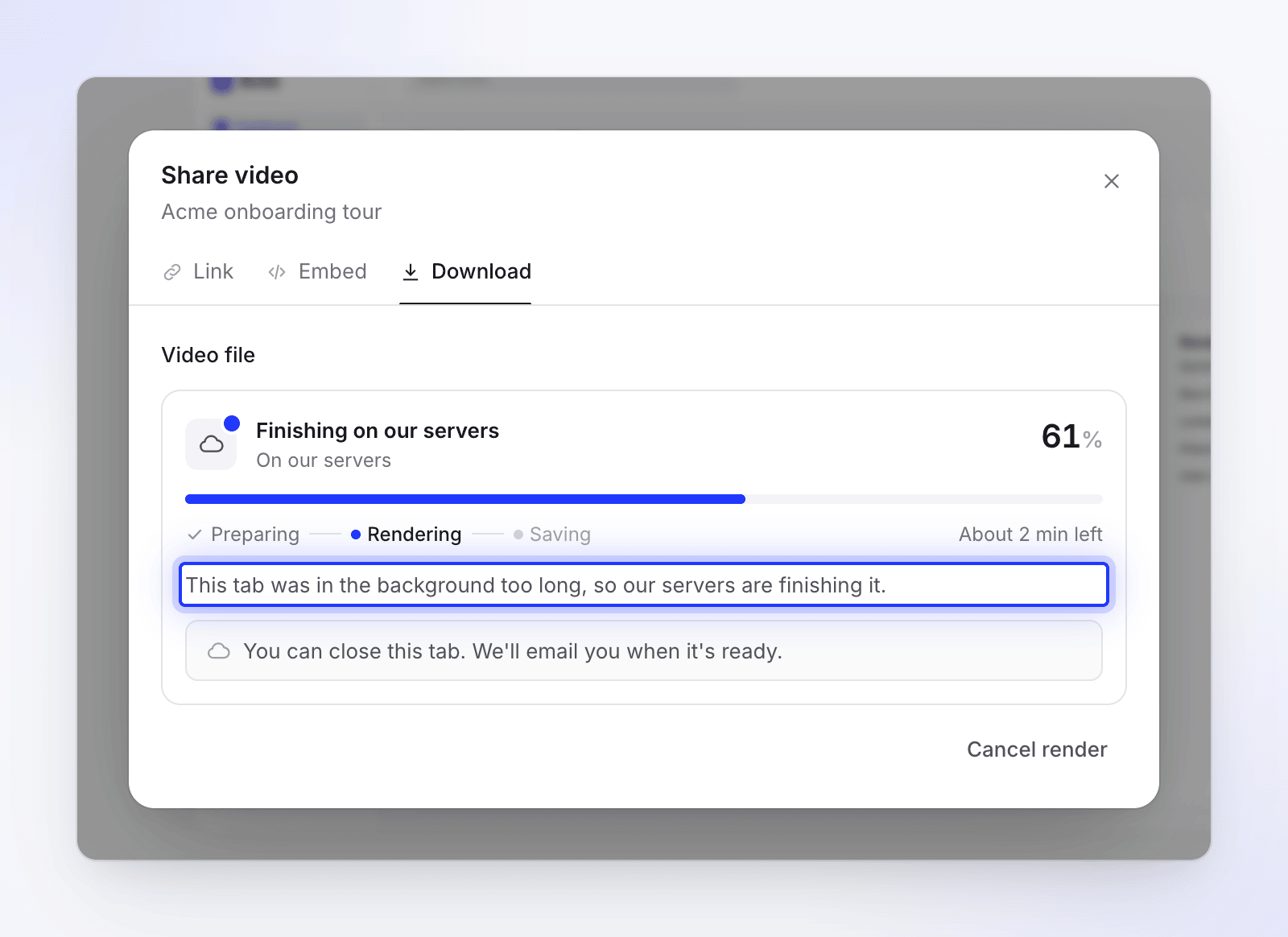
If you're looking at another page, a short message pops up instead, such as "Our servers are finishing your render." You also get the inbox notification "Export of title moved to our servers".
What you see while it renders
| Stage | On this device | On our servers |
|---|---|---|
| Preparing | "Getting ready…", then "Preparing media" with a count such as "3 of 8 files" | Waiting for a server and loading your media |
| Rendering | A percentage and "About 3 min left" ("Almost done" near the end, "Paused while in background" when hidden) | A percentage and an estimate such as "About 2 min left" |
| Saving | "Saving your video" — "You can download it now." Keep the tab open until it's saved. | Storing the file |
If you start a render in one tab and open the video in another, the second tab shows "Rendering in another tab" and "Keep that tab open until it finishes."
How long it takes on our servers
Server renders take roughly 45 seconds to start, then about this long per minute of video:
| Resolution | Per minute of video | A 2-minute video |
|---|---|---|
| 1080p | about 36 seconds | about 2 minutes |
| 2K | about 48 seconds | about 2½ minutes |
| 4K | about 72 seconds | about 3 minutes |
These are estimates; the panel shows the live one.
If you close the tab
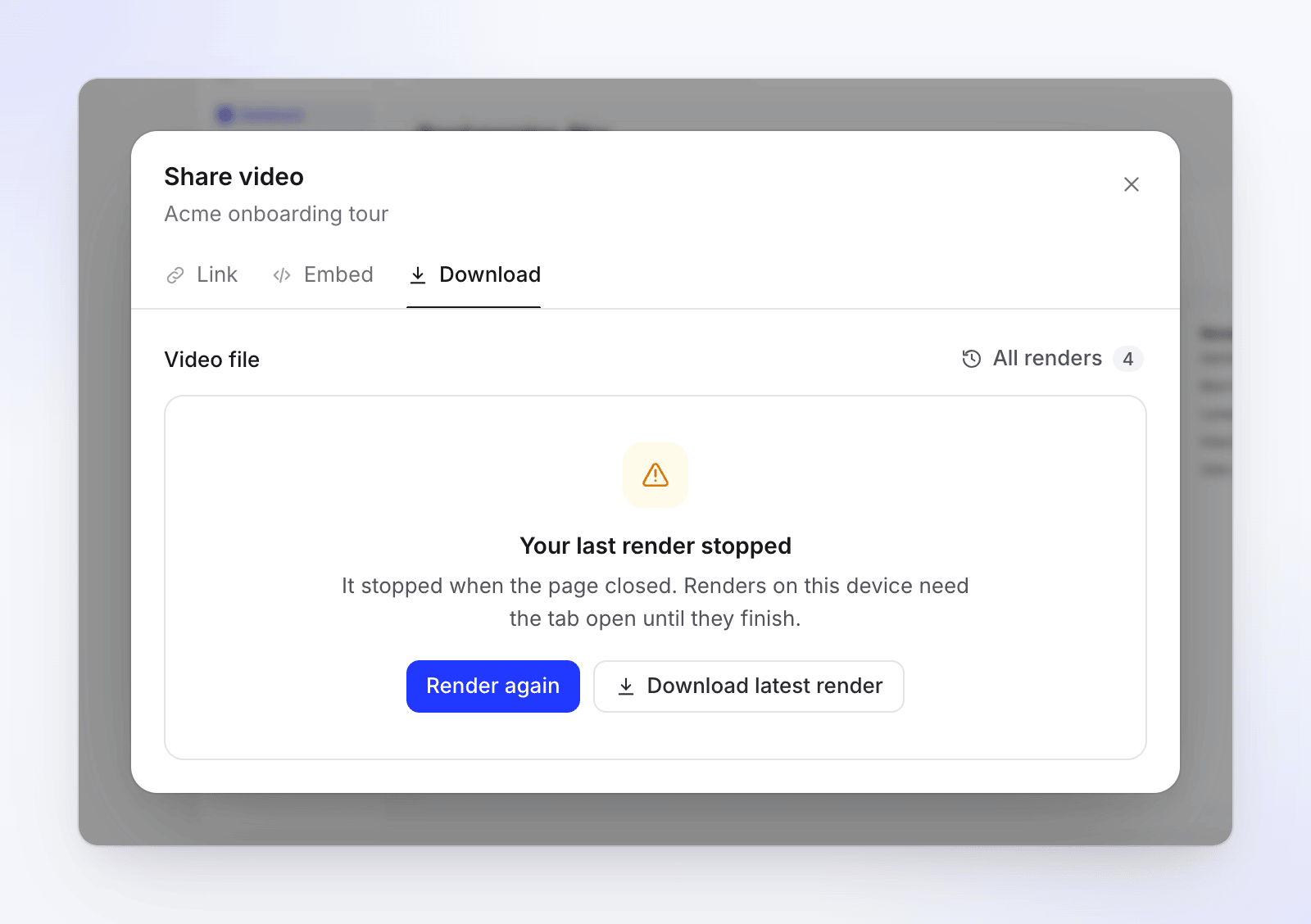
- On this device: the render stops. When you come back, the Download tab shows "Your last render stopped" and "It stopped when the page closed. Renders on this device need the tab open until they finish." Click Render again. We don't move a closed-tab render to our servers.
- After a browser crash: you see "Your browser stopped while rendering. The next render runs on our servers."
- On our servers: nothing happens to the render. Close the tab; we email you and the file waits in the Download tab.
On the Free plan
Free renders run on your device. Our servers can render for a Free workspace 2 times a calendar month, for videos up to 3 minutes. After that, if your device can't render a video, the panel shows "This device couldn't finish the render" with "Finishing renders on our servers is part of paid plans." Click Upgrade, or Try again on a computer with desktop Chrome.
Paid plans have no monthly limit on server renders, only short-term limits that stop runaway clicks (for example, 2 server renders running at once per person).
Where the file goes
Every finished render, wherever it ran, is stored with the video. Open Share → Download → All renders to see each one, labeled This device, Our servers or This device, finished on our servers. Files are deleted 90 days after they finish; the row stays and shows Deleted after 3 months. See Export a video as MP4.
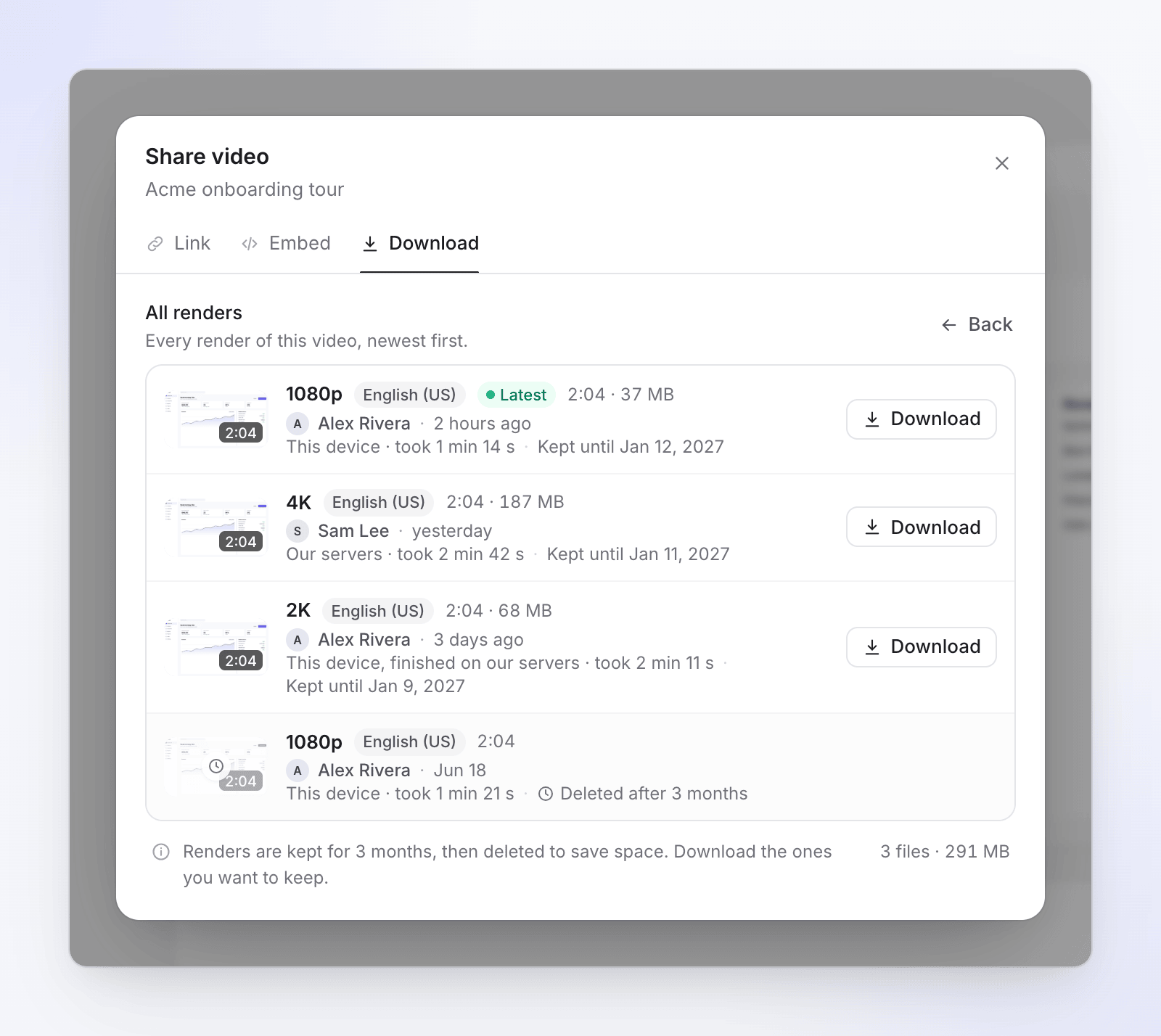
Files from our servers are sometimes smaller than device renders of the same video. Both are full quality: the two encoders pack static screen footage differently.