

Use a sample video to set a clip's style
Show the AI director a video you like and it makes your social clip in that style: pacing, music and sound. The sample is only a reference; it never appears in your clip, and its content and brand are never copied.
When it's easier to show the style you want than to describe it, add a sample video to a social clip. The AI director studies it and makes your clip in that spirit: its pacing, camera and type, its colors and effects, and its music and sound. The sample is only a reference. It never appears in your clip, and the director never copies its content or its brand.
Before you start
- Social clips only. The option appears on Compose for social clips, not for how-to videos, product demos, Polish or articles.
- An .mp4 file. The upload dialog shows the size limit.
- One sample per clip. Uploading another replaces the first.
Add a sample video
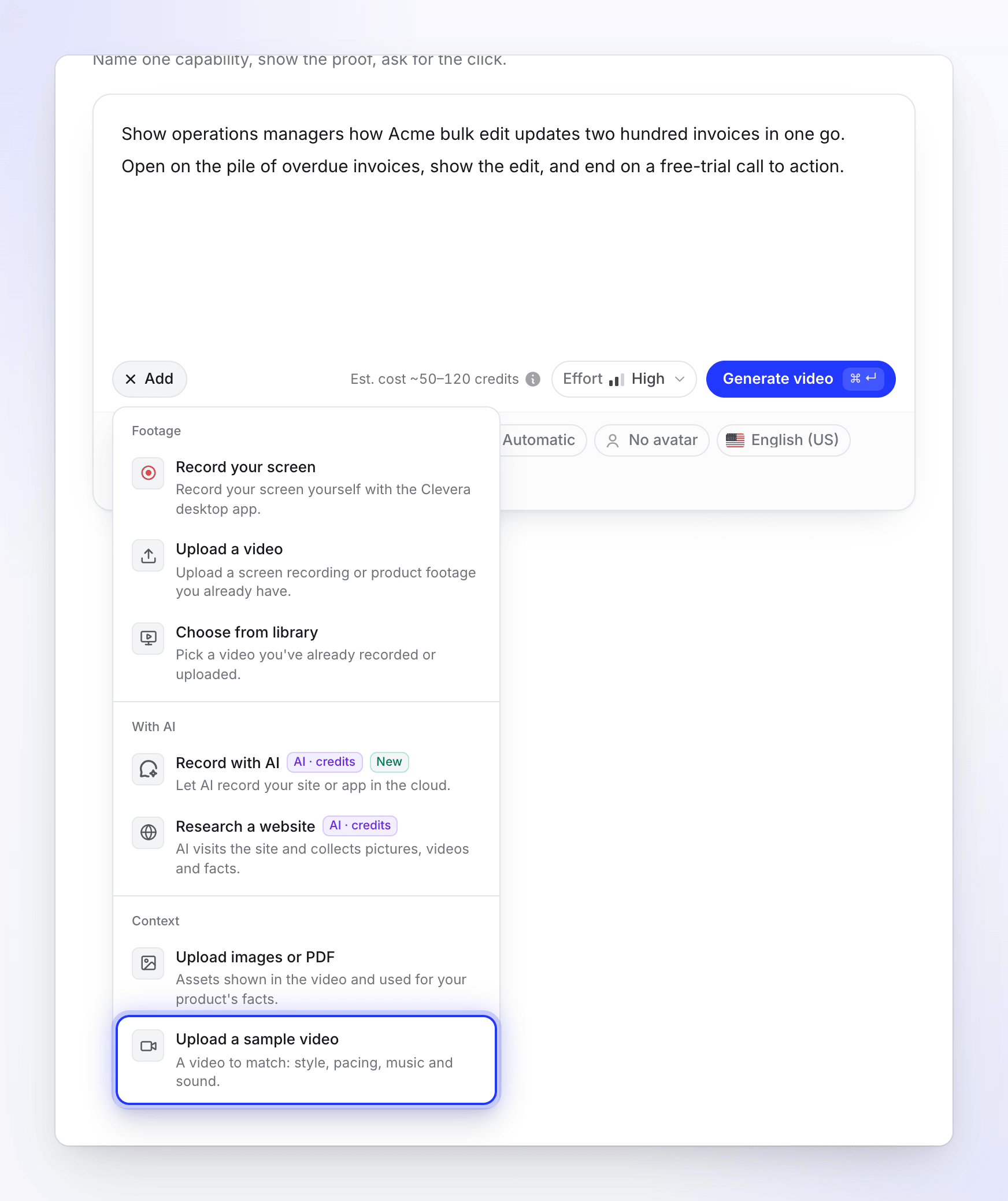
Open the + menu on Compose
Click + in the brief box. Under Context, choose Upload a sample video ("A video to match: style, pacing, music and sound.").
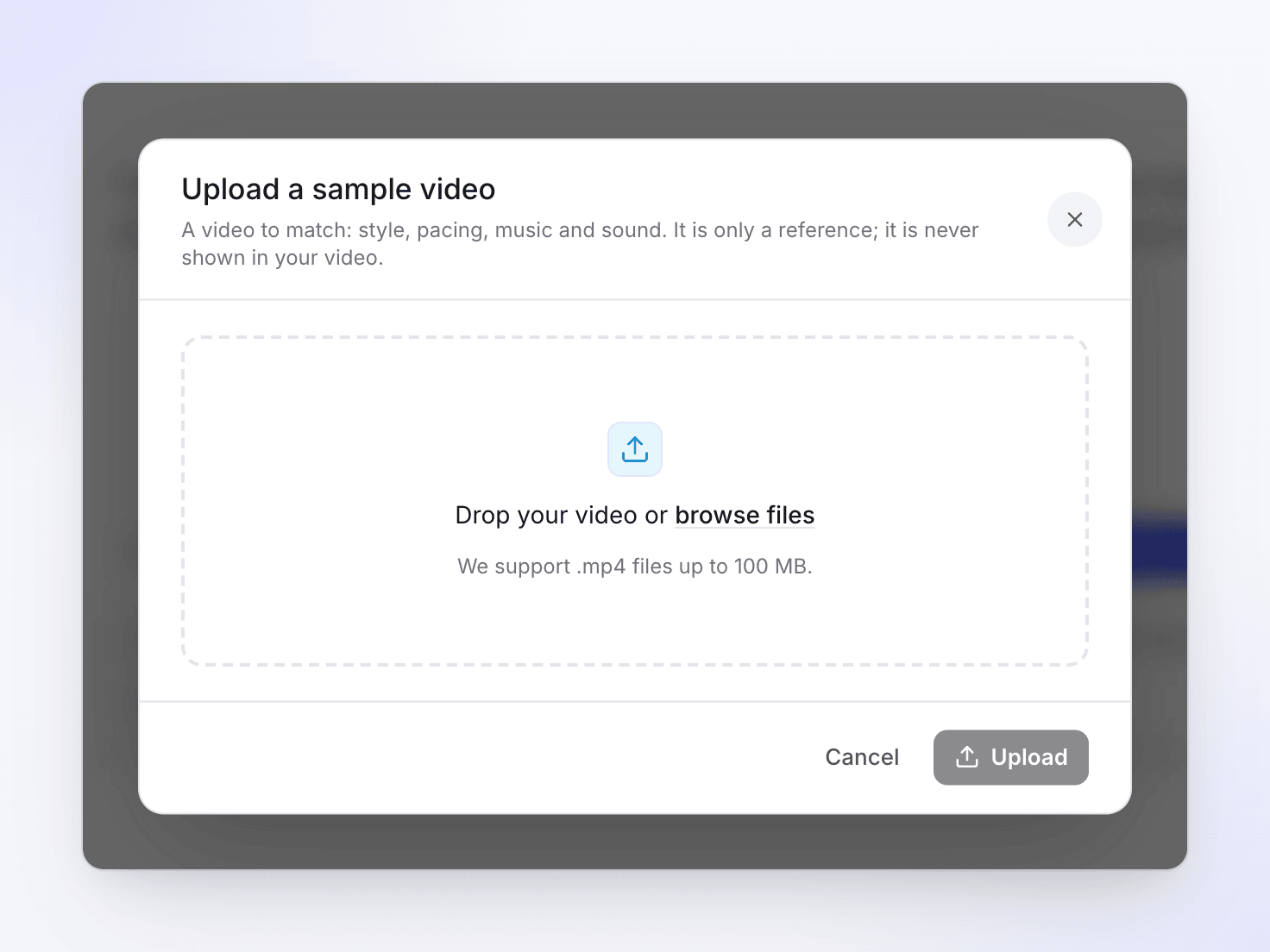
Upload the video
Drop the file in the dialog or choose it. The dialog reads "A video to match: style, pacing, music and sound. It is only a reference; it is never shown in your video." When the upload finishes, it says "Your video will take its cue from it."
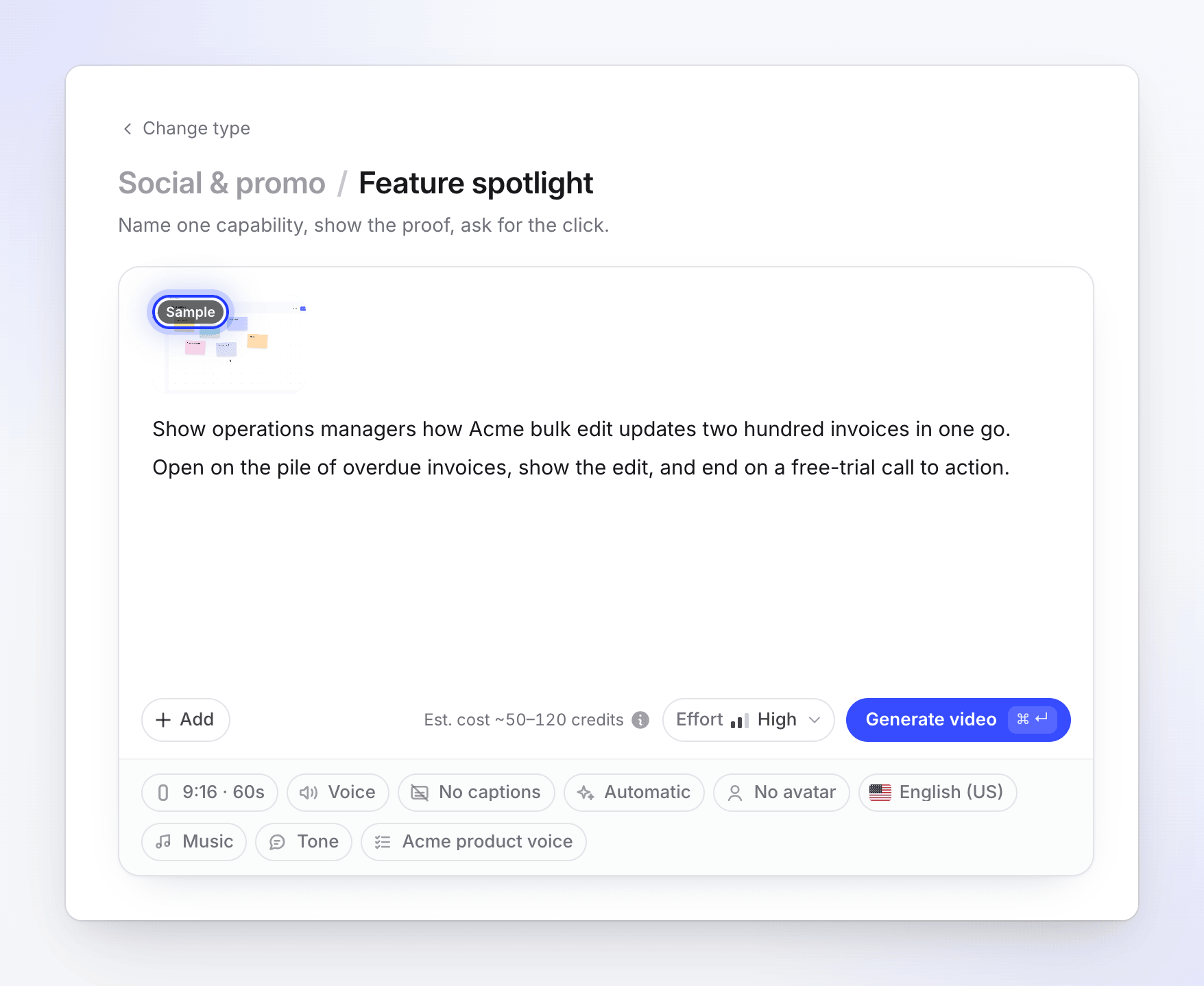
Check the tile
The sample shows beside your other materials with a Sample badge. Click it to open it again, or remove it with its ×.
Generate
Press Generate as usual. If the sample is still uploading, Compose says "Wait for the sample video to finish uploading." and waits for it.
What the AI takes from it
| Taken from the sample | Never taken |
|---|---|
| Pacing and how often it cuts | The sample's subject, words or claims |
| Camera moves, type and layout style | Its logo, brand name or brand colors as yours |
| Color mood and effects | Any of its footage: it never appears in your clip |
| The feel of its music (tempo, energy, where it builds) and its use of sound effects |
Your clip is still about your product, built from your brief, website, pictures and other materials, in the format, length and effort you chose. The sample doesn't change the effort level or the estimate's range.
Tips
- Pick a sample close to your format. A vertical Reel is a better guide for a 9:16 clip than a widescreen ad.
- Keep the brief about your product. Describe what to say in the brief and let the sample carry the style. Writing "make it like the sample" isn't needed.
- Music choice still applies. If you set Music to No music, the clip has none, whatever the sample does.
If the AI can't study the sample (for example, the file can't be read), the clip is still made, just without the reference.