

Create an API token for an AI agent
Create an API token in the four-step wizard (Purpose, Permissions, Limits, Review): presets, permissions, expiry, doc sites, spend caps and IP allowlist. The token is shown once.
An API token lets Claude Code, Codex, Cursor or your own script work in your workspace as you, with only the access you pick. You create it in a four-step wizard (Purpose, Permissions, Limits, Review), and Clevera shows the token once.
Before you start
- AI agents & API is on the Pro, Business and Custom plans. On other plans New token says "The API and agent access are on Pro and up."
- Any workspace member can create tokens for themselves. A token can only get permissions your role allows. See Agent permissions.
- A workspace can have 50 active tokens. At the limit, New token is disabled: "Your workspace has reached its limit of 50 active tokens. Revoke one first."
- Use one token per agent or script, so you can see what each one did and revoke one without stopping the others.
Create a token
Open the Tokens tab
Open the workspace menu and choose AI agents & API. On the Tokens tab, click New token.
Purpose: name it and pick what it's for
Give it a Name you'll recognize in the token list and the activity log, up to 100 characters, like "Docs writer (Claude Code)". Under What is it for?, pick a preset. It ticks the permissions for that job; you can fine-tune them next.
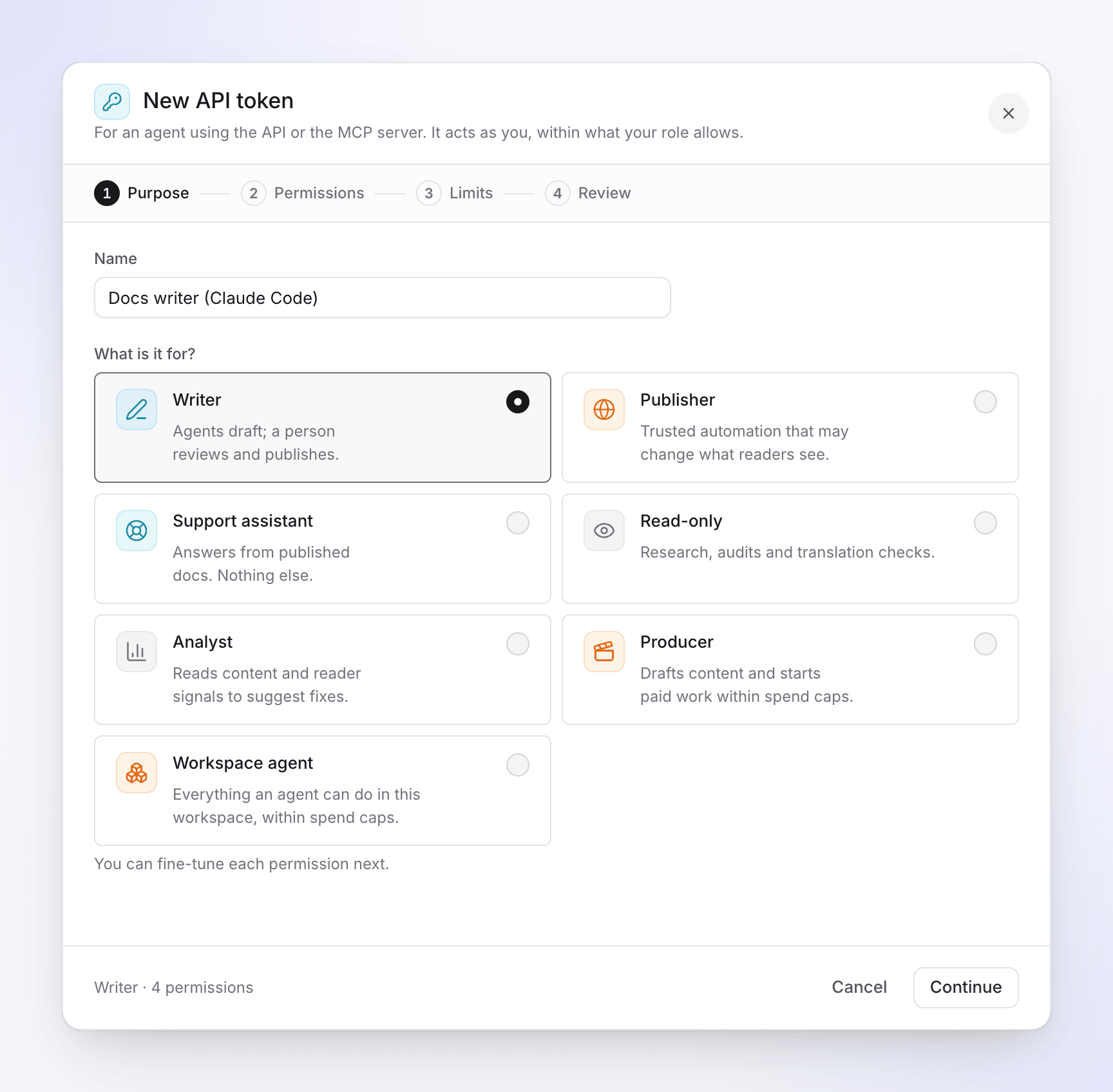
Pick the preset closest to the agent's job. Preset Use it for Writer "Agents draft; a person reviews and publishes." Doc site drafts. Publisher "Trusted automation that may change what readers see." Doc sites, including publishing. Support assistant "Answers from published docs. Nothing else." A help bot. Read-only "Research, audits and translation checks." Analyst "Reads content and reader signals to suggest fixes." Producer "Drafts content and starts paid work within spend caps." Requesting videos, clips and articles. Workspace agent "Everything an agent can do in this workspace, within spend caps." A greyed-out preset holds a permission your role can't grant: "Your role can’t grant every ability in this preset."
Permissions: check each permission
The step lists every permission, grouped by Docs, Videos and Workspace, each with what it allows and a badge (Read, Edit, Publish, Manage or Spends credits). Tick or untick any. Once you change the preset's set, the heading shows Customised and Reset to preset undoes your changes.
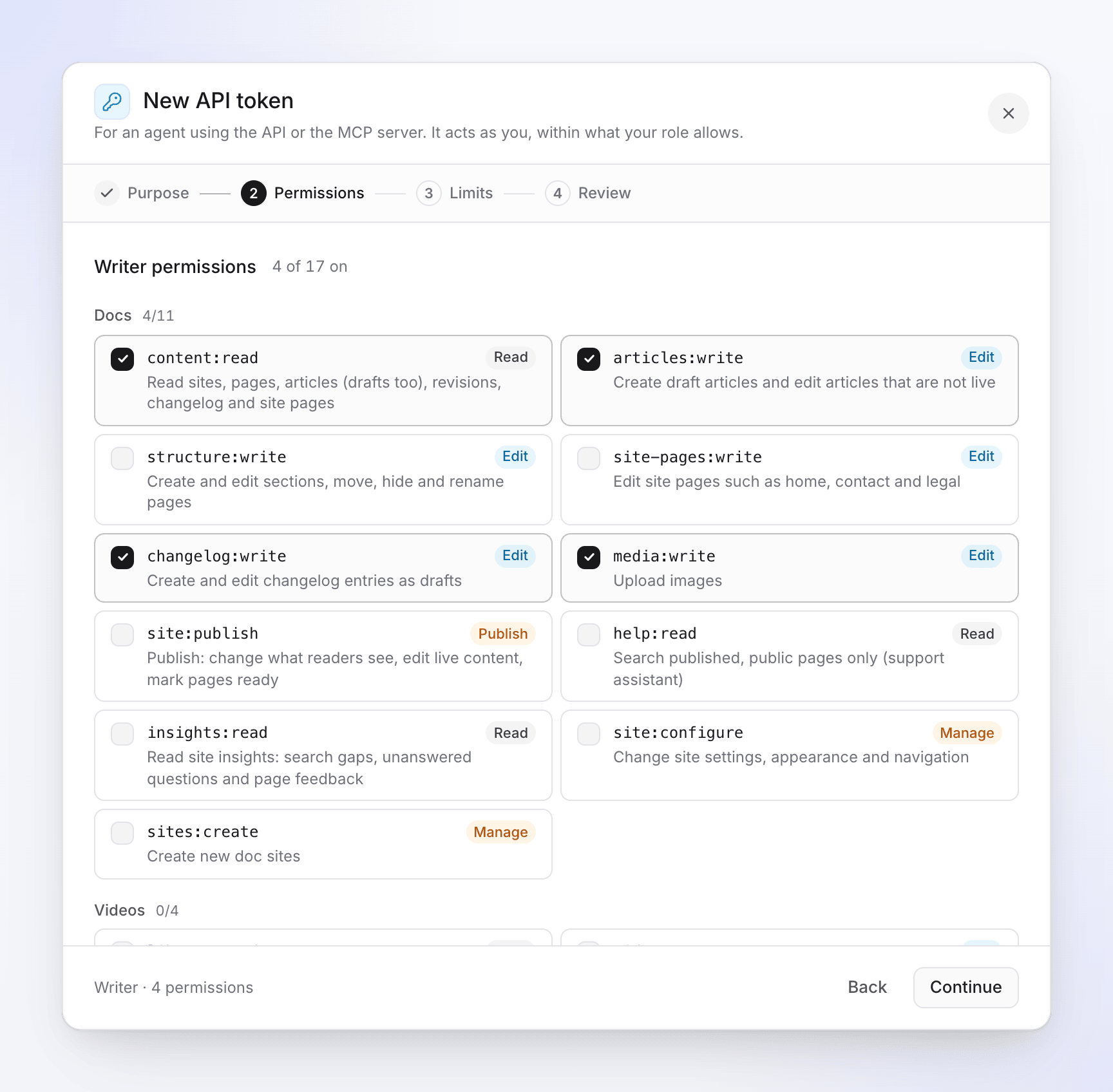
Each permission says what kind of thing it allows. What each permission allows: Agent permissions.
Limits: set expiry, sites, spending and addresses
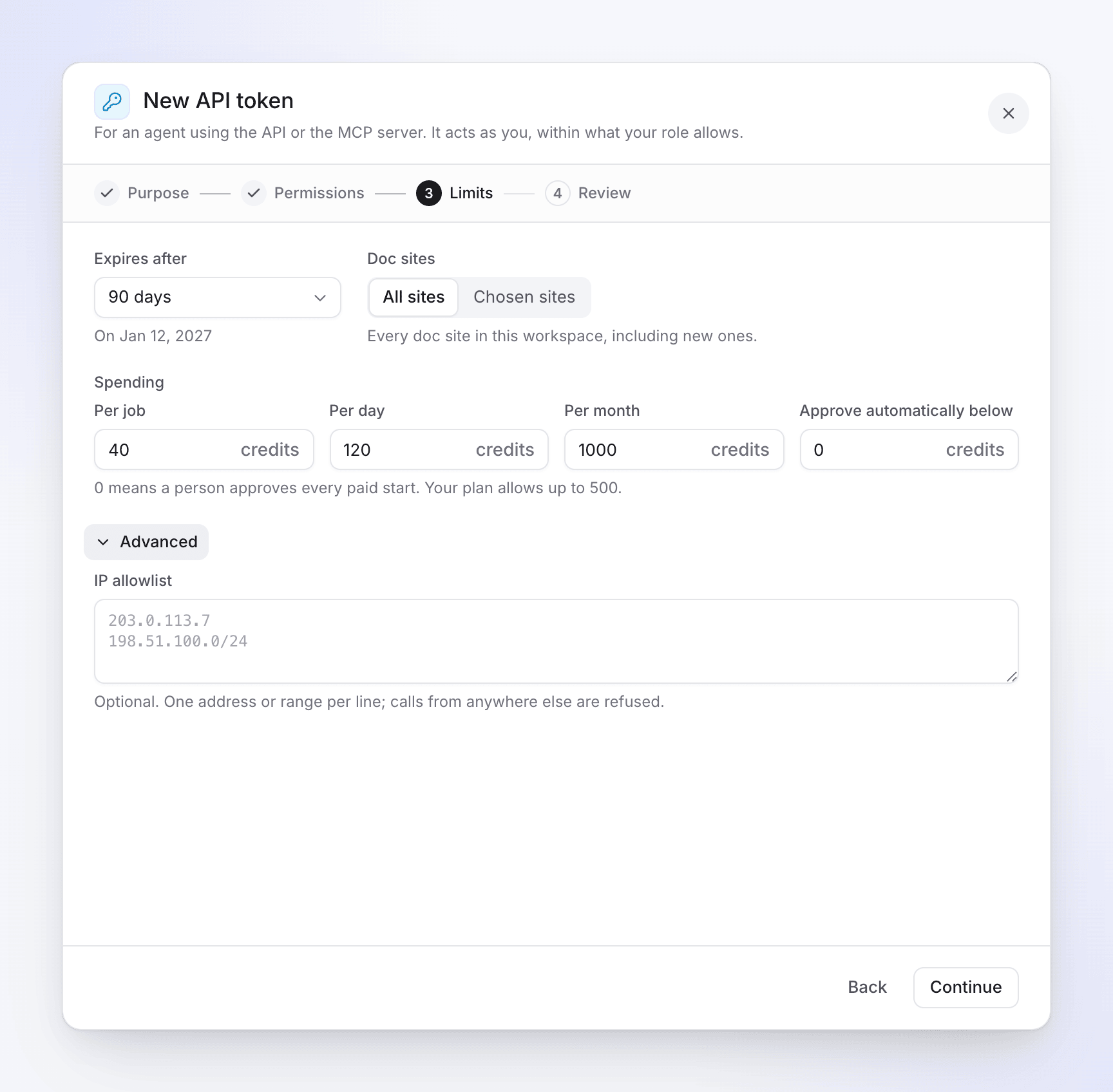
Spending appears only when the token may spend credits. See Limits options below.
Review and create
The review says in plain words what the token can do (Can read, Can create and edit, Can publish, Can manage sites, Can spend credits) and its limits. "It acts as you, within what your role allows." Click Create token.
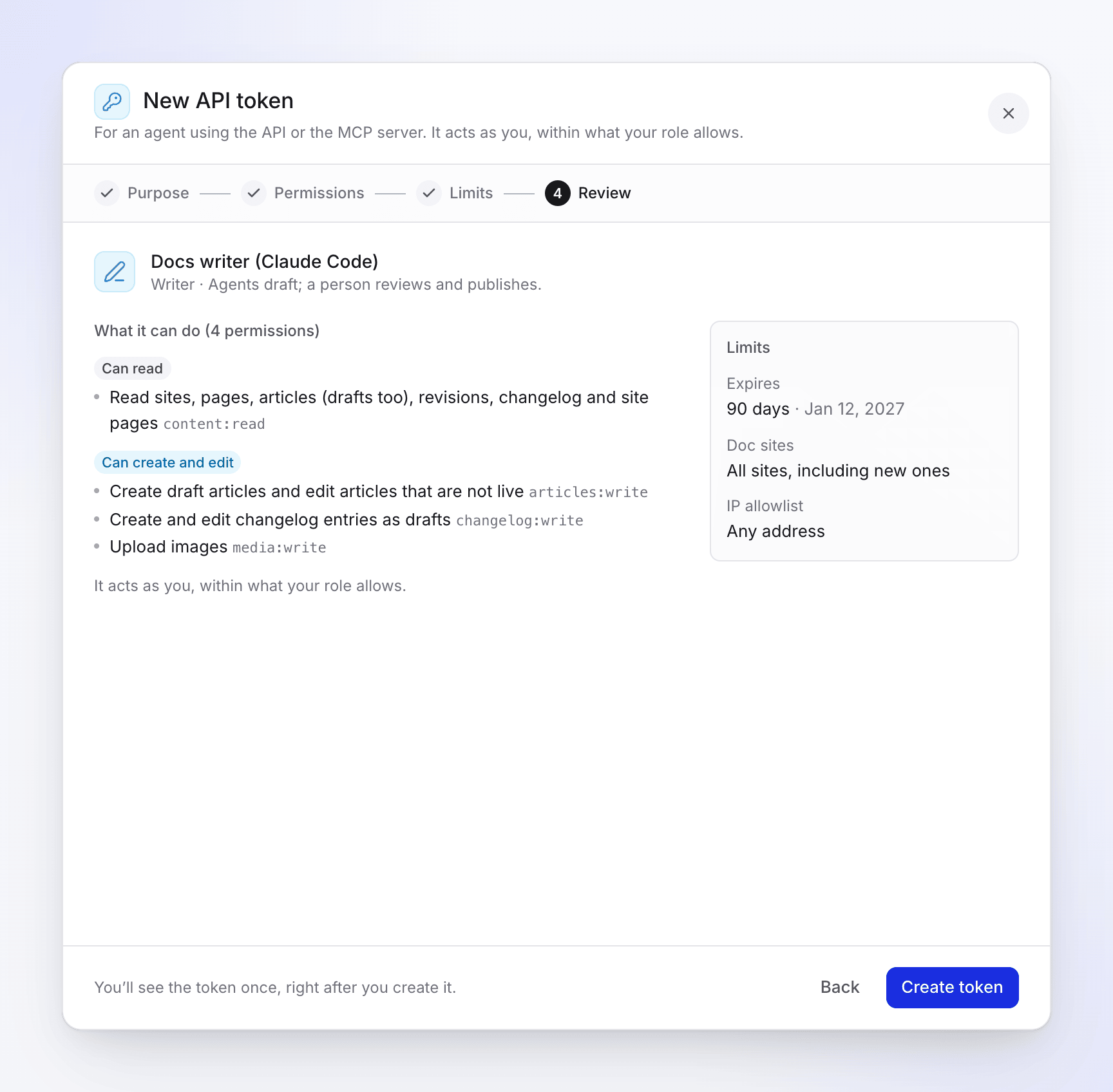
Check the summary, then click Create token. Copy the token
Token created shows the token, starting with
clv_agent_: "Copy it now: you won’t see it again." Copy it into a secret store or an environment variable. Connect an agent below it has ready-made setup for Claude Code, Codex CLI,.mcp.json,curland Claude.ai, ChatGPT. Click I’ve stored it when you're done.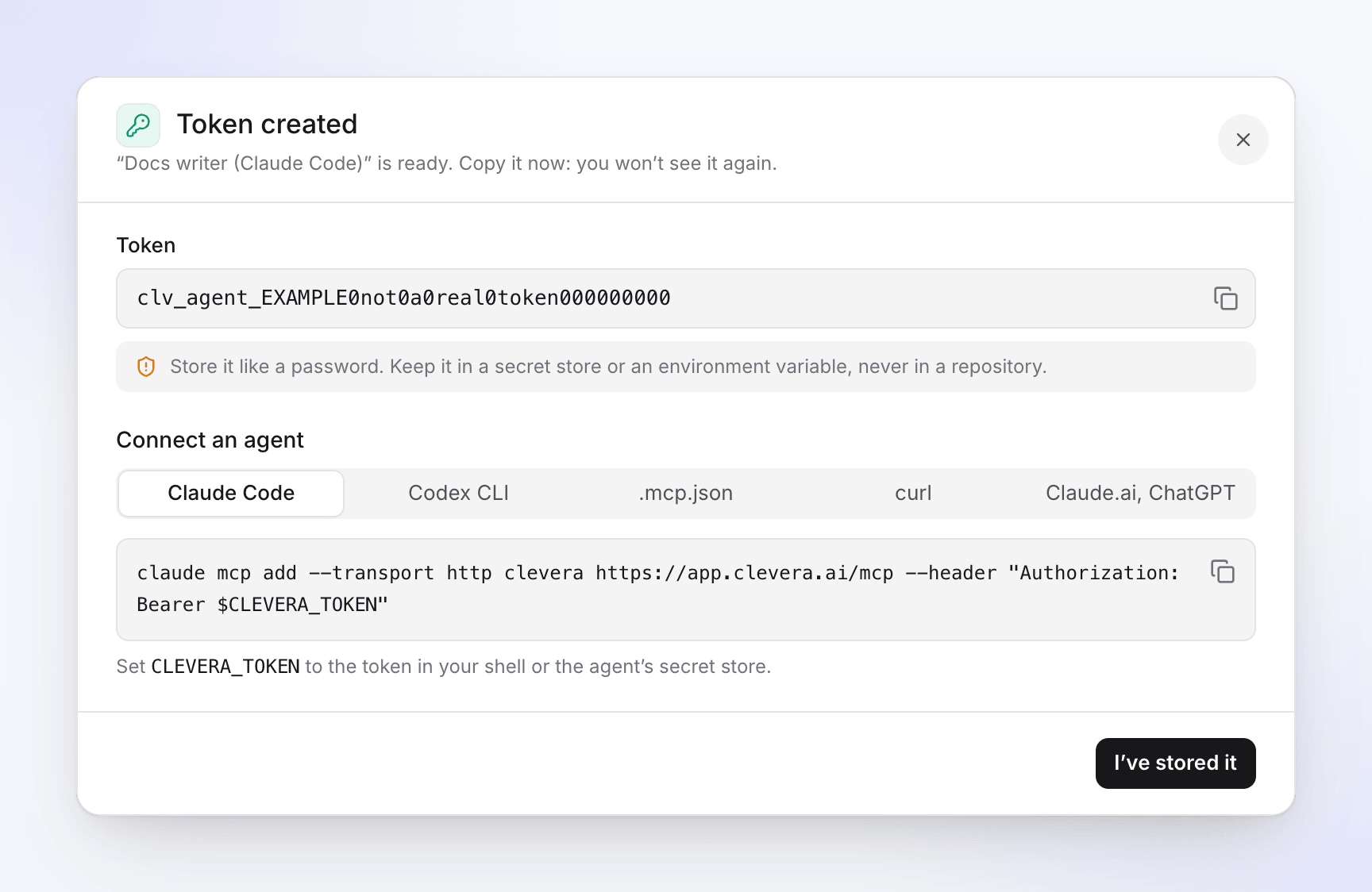
The token is shown only once.
Back keeps everything you entered. Closing the wizard after changing something asks "Discard this token?": "The setup you started is lost. No token is created."
Limits options
| Option | What it does | Default |
|---|---|---|
| Expires after | 7 days, 30 days, 90 days or 1 year. The date shows below ("On date"). Tokens always expire. | 90 days |
| Doc sites | Shown when the token has doc site permissions. All sites ("Every doc site in this workspace, including new ones.") or Chosen sites. | Chosen sites when the workspace has more than one doc site, otherwise All sites |
| Spending → Per job | The most one start may be quoted at, in credits. Empty: No cap. | No cap |
| Spending → Per day / Per month | The most the token may spend (and hold for running jobs) in a calendar day or month. | No cap |
| Spending → Approve automatically below | Starts quoted below this many credits run without a person. "0 means a person approves every paid start. Your plan allows up to 500." (1,000 on Custom.) | 0 |
| Advanced → IP allowlist | "Optional. One address or range per line; calls from anywhere else are refused." Up to 20 IPv4/IPv6 addresses or CIDR ranges, like 203.0.113.7 or 198.51.100.0/24. |
Empty: any address |
Spending only appears when the token has credits:spend (the Producer and Workspace agent presets). How caps and approvals work together: Control agent spending and approvals.
What happens next
- The token works right away over MCP (
https://app.clevera.ai/mcp) and the REST API. - The workspace owner and admins get a notification: "A new API token, name, was created for workspace", with who set it up and its access.
- The token shows on the Tokens tab with its last four characters, like
clv_agent_…k7Qe, and each use updates Last used. - After you create it, its permissions and limits can't be changed. To change them, create a new token and revoke the old one. See Manage API tokens.
Troubleshooting
| Message | Cause | Fix |
|---|---|---|
| "Give the token a name." | The name is empty. | Type a name. |
| "Choose at least one ability." | No permission is ticked. | Tick at least one. |
| "Choose at least one site." | Chosen sites with none picked. | Pick a site, or choose All sites. |
| "Enter a whole number of credits." | A spending field has a decimal or text, or 0 in a cap. | Enter a whole number, or leave the cap empty. |
| "Your plan approves agent work automatically below 500 credits at most." | Approve automatically below is over your plan's maximum. | Lower it. |
| "value is not an IP address or range." | An IP allowlist line isn't valid. | Fix or remove that line. |
| "Your role can’t grant some of these abilities." | A permission is beyond your role. | Untick it, or ask an owner or admin to create the token. |
| "Your workspace has reached its limit of 50 active tokens. Revoke one first." | 50 active tokens. | Revoke one you don't use. |
| "The API and agent access are not on your plan." | The workspace isn't on Pro, Business or Custom. | Upgrade to Pro. |
| "Couldn’t create the token. Try again." | Something went wrong. | Try again; contact support if it keeps happening. |