

Stop, retry or clear a generation
Stop a video that's being made, try a failed one again, or clear it off your dashboard. Learn what each button does for social clips, videos from a recording and articles, and how credits work when a run stops or fails.
While a video is being made you can stop it. If it fails, you can often try again from where it stopped, or start a fresh one. Either way, you can clear it off your dashboard when you're done with it.
Stop a video
Click Stop
On the generation page, click the red Stop button at the top right. It's there while the video is queued, running or waiting for your answer, for every type of video and for articles.
Confirm
The button changes to Yes, stop for 3 seconds. Click it again to stop. If you don't, it goes back to Stop and nothing happens.
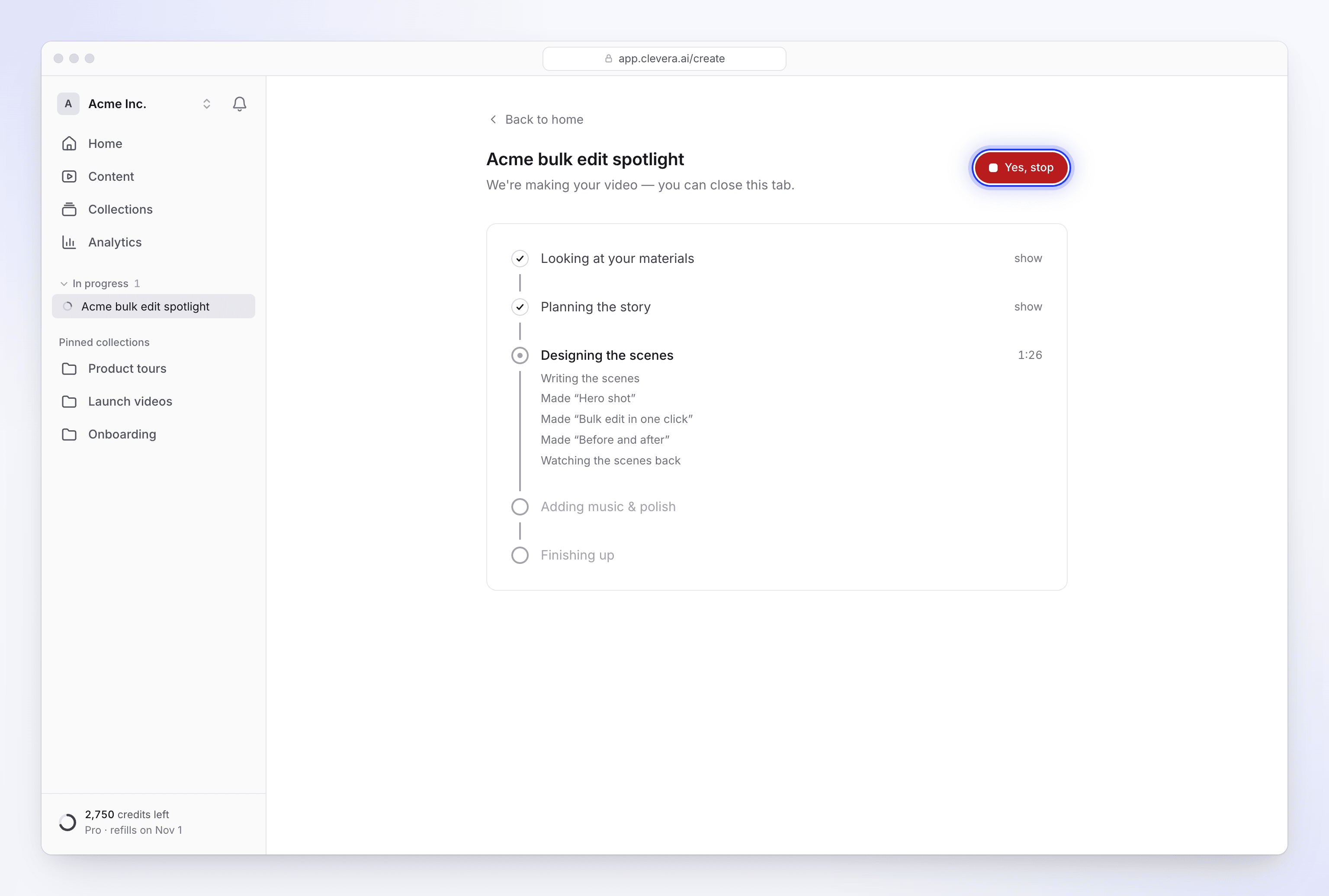
Stopping is polite rather than instant: the step the AI is working on finishes, and nothing after it starts. An open question is closed. The page then says "We stopped before there was a video. Start again whenever you're ready." with Make another and Discard.
- A stopped run can't be resumed. Use Make another to start again; your recording and uploads are still in your library.
- Deleting a video while it's being made also stops it.
- If stopping fails, you see "We couldn't stop it. Try once more."
When a video fails
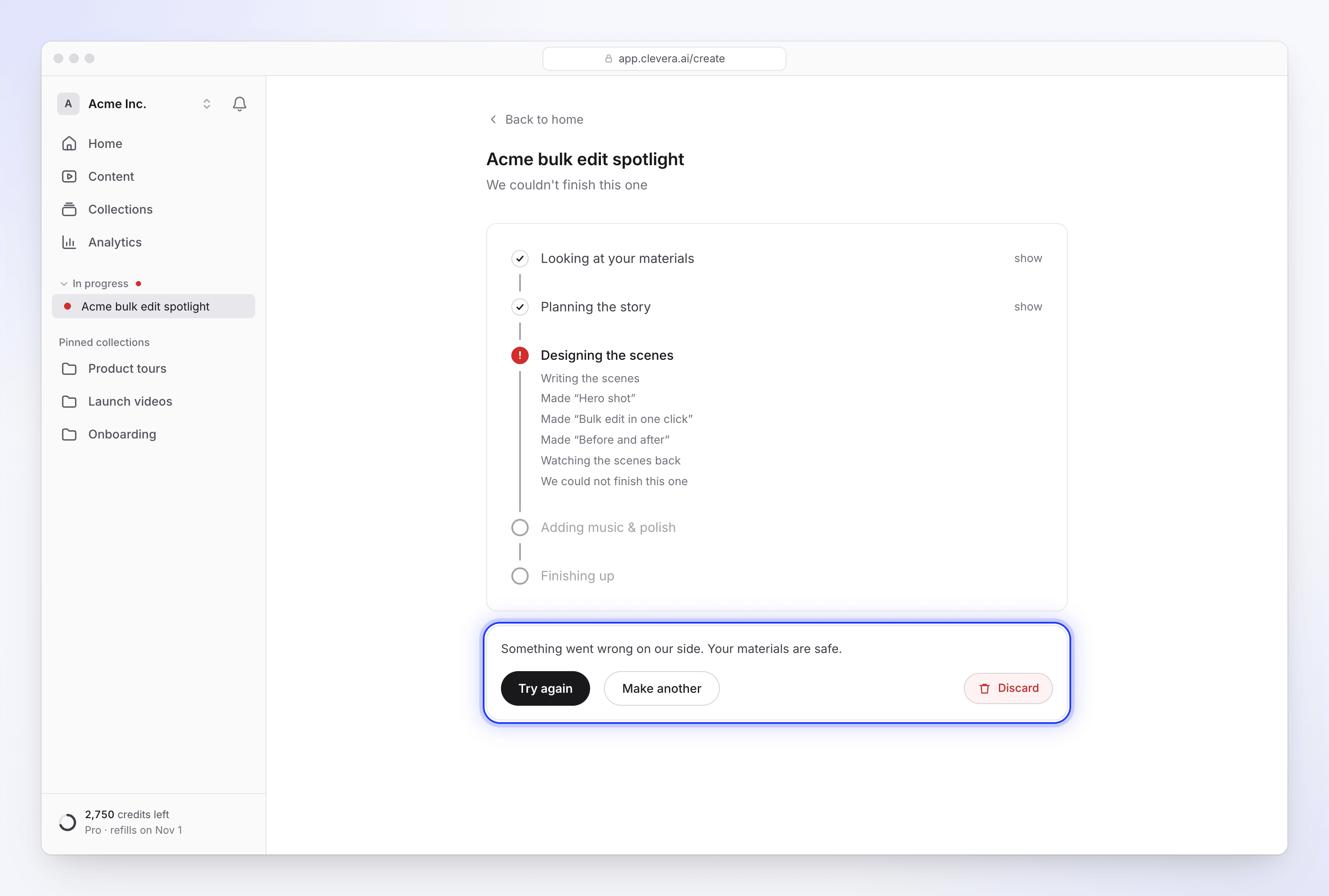
The page says "We couldn't finish this one" and, below it, why:
| Message | What it means |
|---|---|
| "Something went wrong on our side. Your materials are safe." | A problem on our side. Try again. |
| "We couldn't read example.com: … Fix the link (or remove it) and start again." | A link couldn't be read while making the video. See Fix a website the AI couldn't read. |
| "An offer promo needs the offer itself, and I could not find one. Add the deal, the price and the deadline to the brief, then try again." (and the same for event and customer story) | The fact the video rests on wasn't in your brief or materials. |
| "I asked for the offer but didn't hear back in time, so I stopped. Start again with the deal, the price and the deadline in the brief." | Nobody answered the AI's question within 10 minutes. |
A run that shows no progress at all for 2 hours is also marked as failed. Every failure message and its fix: My video couldn't be finished.
Try again
Try again appears under a failed run when it can be picked back up. What it does depends on the type:
| Type | What Try again does |
|---|---|
| Social clips | Picks the run up from the step that failed. Work that was already done, such as reading your materials or planning, isn't redone. |
| Articles | Starts a new run with the same settings. If the draft was already written, it's reused. |
| How-to, Product demo and Polish | These can't be retried, so there's no Try again button. Use Make another with the same recording. |
Try again isn't offered when a social clip failed because a fact was missing or a link couldn't be read: the same thing would happen again. Fix the brief or the link and use Make another.
Other messages you may see:
| Message | Meaning |
|---|---|
| "This one is still going." | It's already running again, perhaps from another tab. |
| "This one already finished." | Refresh the page to open it. |
| "There is nothing to try again." | There's no run to pick up. Use Make another. |
| "That didn't work. You can start over instead." | Use Make another. |
Try again runs the same plan checks as Generate, so a Free plan limit can show its own message here too.
Make another
Make another takes you back to create a new video. It doesn't change or delete the run you were looking at.
Clear it off your dashboard
A failed or stopped run stays in In progress on Home and in the sidebar until you clear it.
- Click Discard ("Take this off your dashboard. Nothing is deleted.").
- Confirm with Yes, clear it in Clear this one?, or click Keep it.
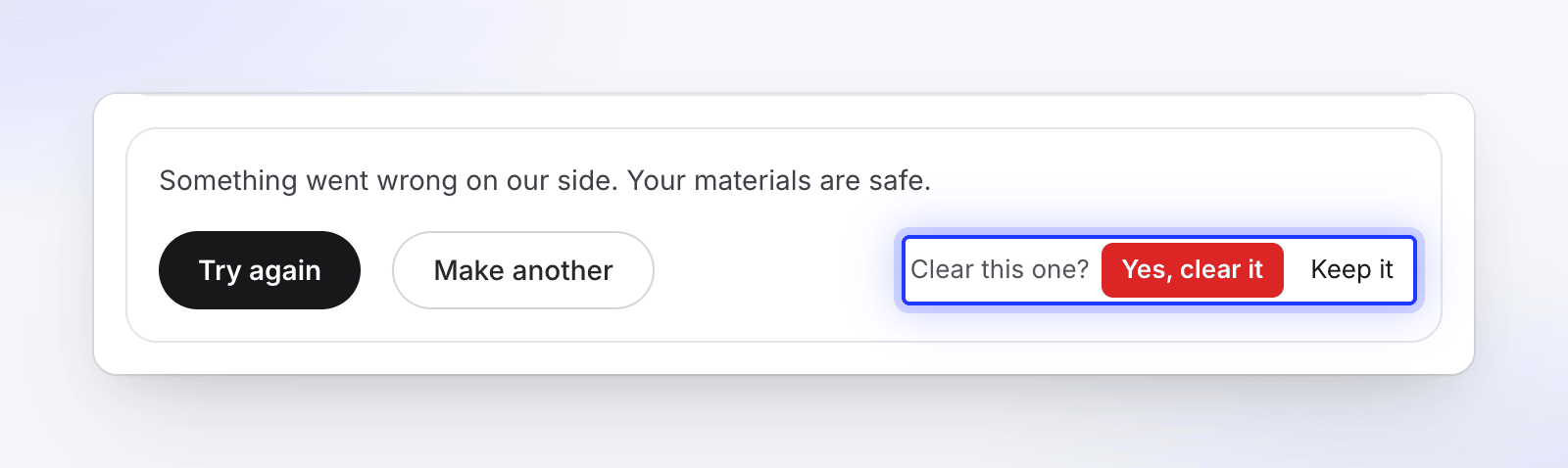
On Home's In progress list, a run that couldn't finish has Clear and Keep on its row. Clearing only hides the row; nothing is deleted. If it fails: "We couldn't clear it. Try once more."
Finished videos leave In progress by themselves after 2 minutes. Your own failed runs drop off after 2 hours, and teammates' after 48 hours.
Credits when a run stops or fails
| What happened | Credits |
|---|---|
| The video failed on our side, or stopped after 2 hours without progress | Every credit it used, including an AI avatar it had rendered, goes back to the kind of credits it came from. The Usage page shows a "Failed run refunded · …" line. |
| You clicked Try again on a failed social clip | The retry is charged only for the new work it does. The failed attempt was already refunded, and the steps it reuses stay free. |
| It stopped because a fact was missing or a link couldn't be read | You're charged for what it used before it stopped. |
| You stopped it yourself | You're charged for what it used up to the stop. An AI avatar that had already started rendering is charged. |
See Know when credits are charged.