

Make an offer, event or customer-story clip
Offer promos, event promos and customer stories are built on one fact you supply: the offer, the event details, or a customer's words or result. Put it in the brief and the clip runs straight through; leave it out and the AI stops to ask.
Three social clip types are built on a single fact that only you know: Offer promo needs the offer, Event promo needs the event, and Customer story needs a customer's words or result. The AI director never invents these. Put the fact in your brief and the clip runs straight through; leave it out and the AI stops to ask you for it.
What each type needs
| Type | It needs | Put in the brief | Defaults |
|---|---|---|---|
| Offer promo ("Lead with the offer, one visual beat, the ask.") | The offer | The deal, the price and the deadline | 9:16, Short (~35 s), music only |
| Event promo ("The date, the place, the reason to show up.") | The event | Its name, the date, the place and the reason to come | 1:1, Short (~35 s), music only |
| Customer story ("Their words or their result, told with attribution.") | A quote or a result | Their quote, or their result with a number, then their name and role | 9:16, Standard (~60 s), voice-over at a calm pace |
Pictures, a website or a PDF help the AI show your product, but it only uses the offer, the event or the customer's words when they are actually in what you give it.
Write the brief
Pick the type
In Create → Social & promo, click Offer promo or Event promo (both under the Offer tag) or Customer story.
Put the fact first
Start the brief with the fact, in plain words. The placeholder shows the shape:
- Offer promo: "30% off this weekend only, ends Sunday at midnight"
- Event promo: "Design Meetup, 12 June in Berlin, and why people should come"
- Customer story: "how Maya cut her invoicing time in half, and use her quote"
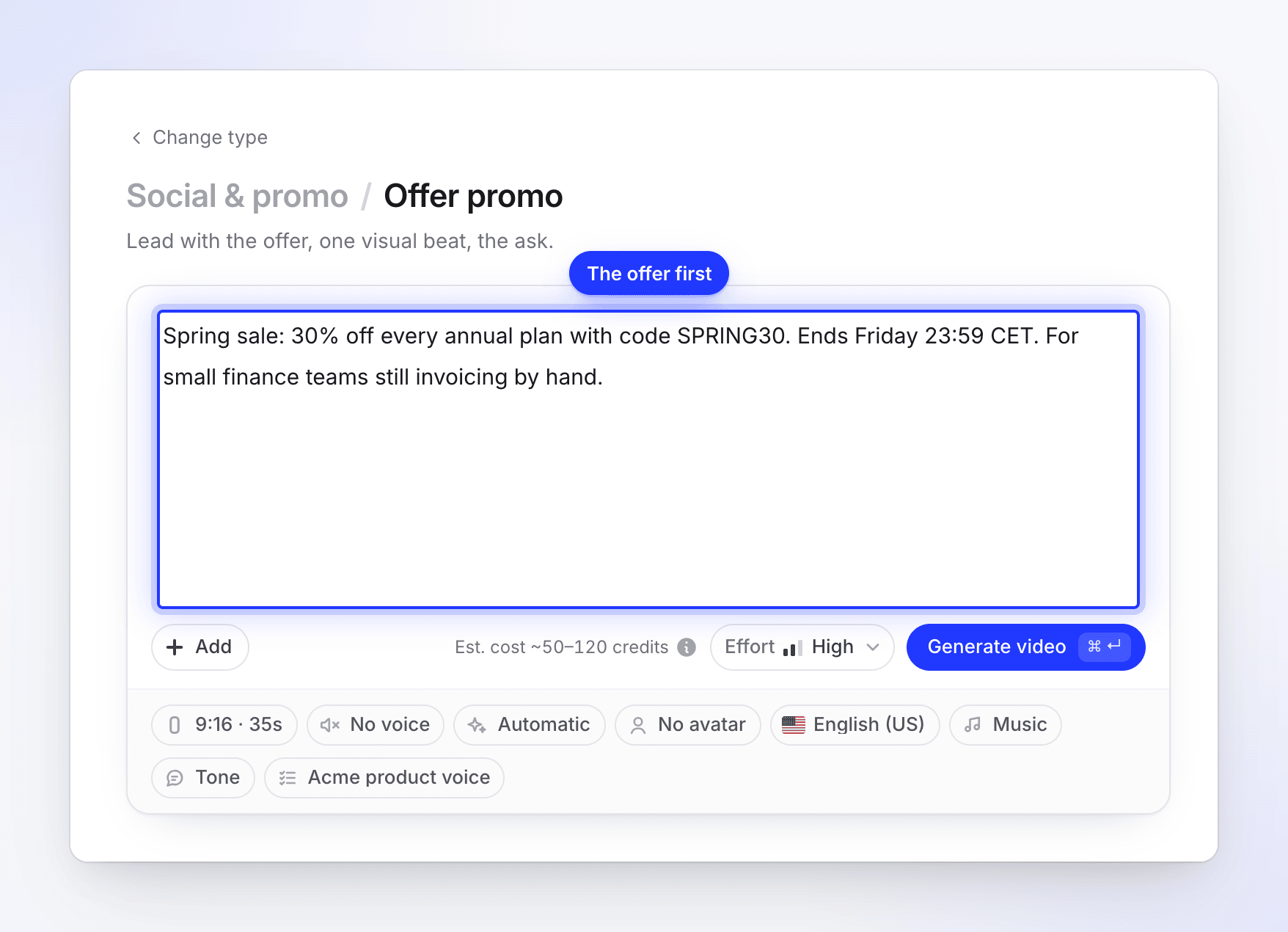
Add the ask
Say what viewers should do: the code to use, the page to visit, how to register. The AI ends the clip on that ask.
Attach what shows it
Add pictures, a product link or a flyer PDF so the scenes have something real to show. Then click Generate video.
Brief examples
Offer promo
30% off every Acme Pro plan this weekend only, with the code SPRING30. Ends Sunday 23:59 CET. For small agencies who've been waiting to upgrade. Ask: "Claim it at example.com/pricing".
Event promo
Acme Live: a free 45-minute webinar on automating client reporting. Thursday 14 November, 17:00 CET, online. Come for the live build of a report from scratch, with a Q&A after. Register at example.com/live.
Customer story
Alex Rivera, Head of Support at Northwind, said: "Acme cut our first-response time from 9 hours to 40 minutes in the first month." Northwind is a 30-person support team. End with "See how at example.com/customers".
If the fact is missing
When the AI can't find the fact in your brief or materials, it pauses while planning the story and asks you on the generation page. The page chimes once, the browser tab reads "● Needs you — Clevera", and you get a "Needs you" notification.
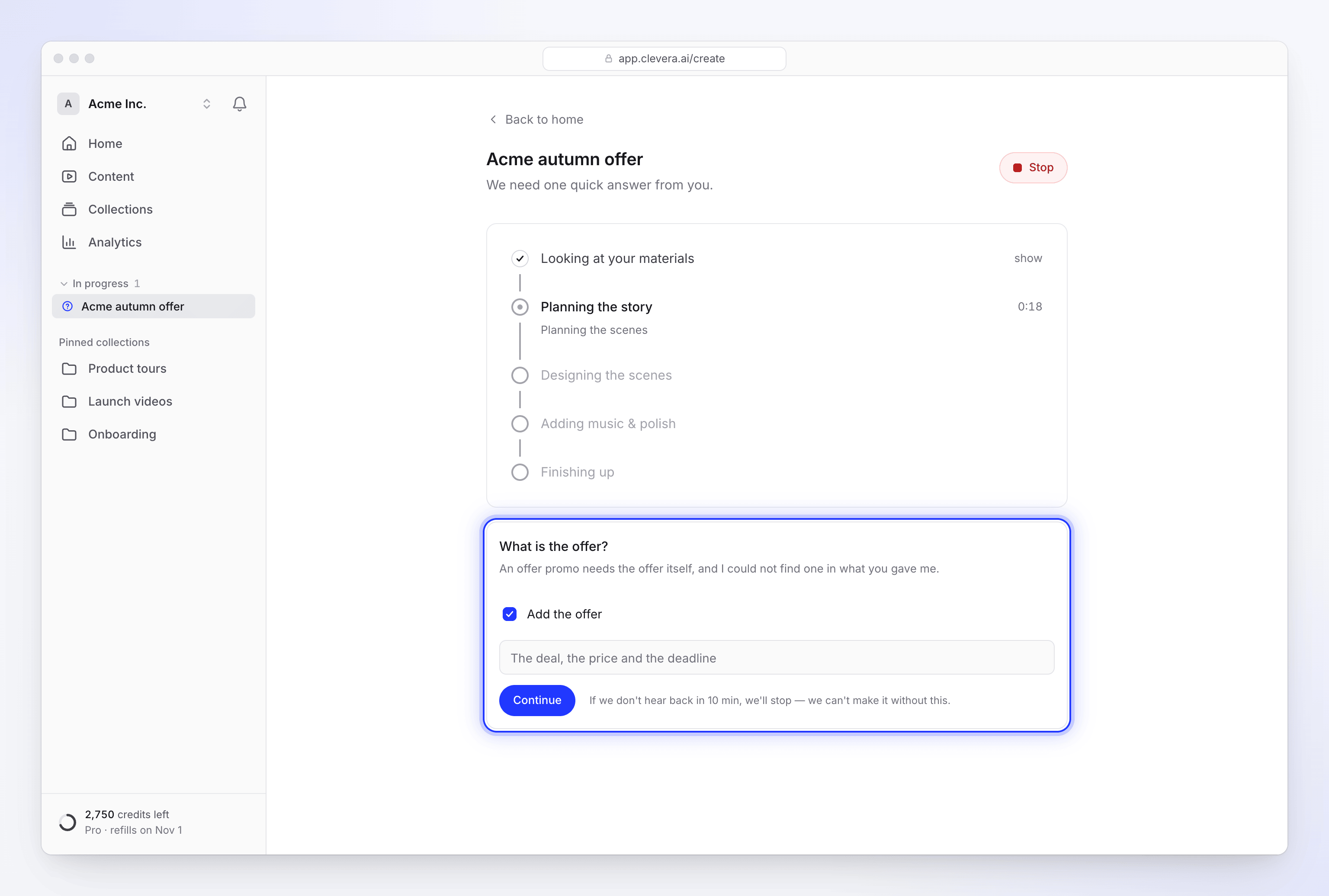
| Type | The question | The option, and what to type in its field |
|---|---|---|
| Offer promo | "What is the offer?" | Add the offer — "The deal, the price and the deadline" |
| Event promo | "When and where is the event, and why should people come?" | Add the event — "Its name, the date, the place and the reason to come" |
| Customer story | "This video is built on your customer's own words or results. What did they say, or what did they achieve, and who are they?" | Add their words or result — "Their quote, or their result with a number, then their name and role" |
Keep the option ticked, type the fact in the field under it and click Continue. The AI carries on from where it paused.
The card says what happens if you don't answer: "If we don't hear back in 10 min, we'll stop — we can't make it without this." Unlike other questions, there's no default to fall back on, so an unanswered question stops the clip.
When the clip stops
| Message | What to do |
|---|---|
| "I asked for the offer but didn't hear back in time, so I stopped. Start again with the deal, the price and the deadline in the brief." | Make the clip again with the offer in the brief. |
| "I asked for the event's name, date and place but didn't hear back in time, so I stopped. Start again with them, and the reason to come, in the brief." | Make it again with the event details in the brief. |
| "I asked for a customer's words or a result with a number but didn't hear back in time, so I stopped. Start again with their words or their result, and who they are, in the brief." | Make it again with the quote or result in the brief. |
| "An offer promo needs the offer itself, and I could not find one. Add the deal, the price and the deadline to the brief, then try again." | The AI couldn't use what you gave it. Add the offer to the brief and start again. |
| "An event promo needs the event's name, date and place, and I could not find them. Add them and the reason to come to the brief, then try again." | Add the event details and start again. |
| "A customer story needs a customer's own words or a result with a number, and I could not find either in what you gave me. Paste their words or their result (and who they are) into the brief, then try again." | Add the quote or the result and start again. |
Try again isn't offered for these stops, because the same brief would stop the same way. Click Make another and add the fact. Credits already used before the stop are charged as used.