

Delete a workspace
Permanently delete a Clevera workspace as its owner: what to save first, the steps, what's deleted for every member (videos, files, subscription, credits), and the messages you might see.
The owner can delete a workspace for good. Everything in it is deleted for every member, its subscription is cancelled, and your account and your other workspaces stay as they are. This can't be undone.
Before you start
- Only the owner can delete a workspace. Administrators see "Only the owner, Alex Rivera, can transfer or delete this team." (with your owner's name) in the Danger zone.
- Save what you need. Export the videos and articles you want to keep. Nothing can be recovered.
- Have your password ready. If you sign in with Google or single sign-on, you type the workspace's name instead.
- Hand it over instead? If the team should keep working, transfer ownership rather than delete.
Delete the workspace
Open the Danger zone
Open the menu at the top of the sidebar, choose Team settings, then Danger zone. Under Delete team: "Permanently delete Acme Inc., its videos, recordings and files, and cancel its subscription. This cannot be undone."
Start
Click Delete team…. The Delete Acme Inc.? dialog says "Everything in this team is deleted for every member, and any active subscription is cancelled. Deleted data cannot be recovered."
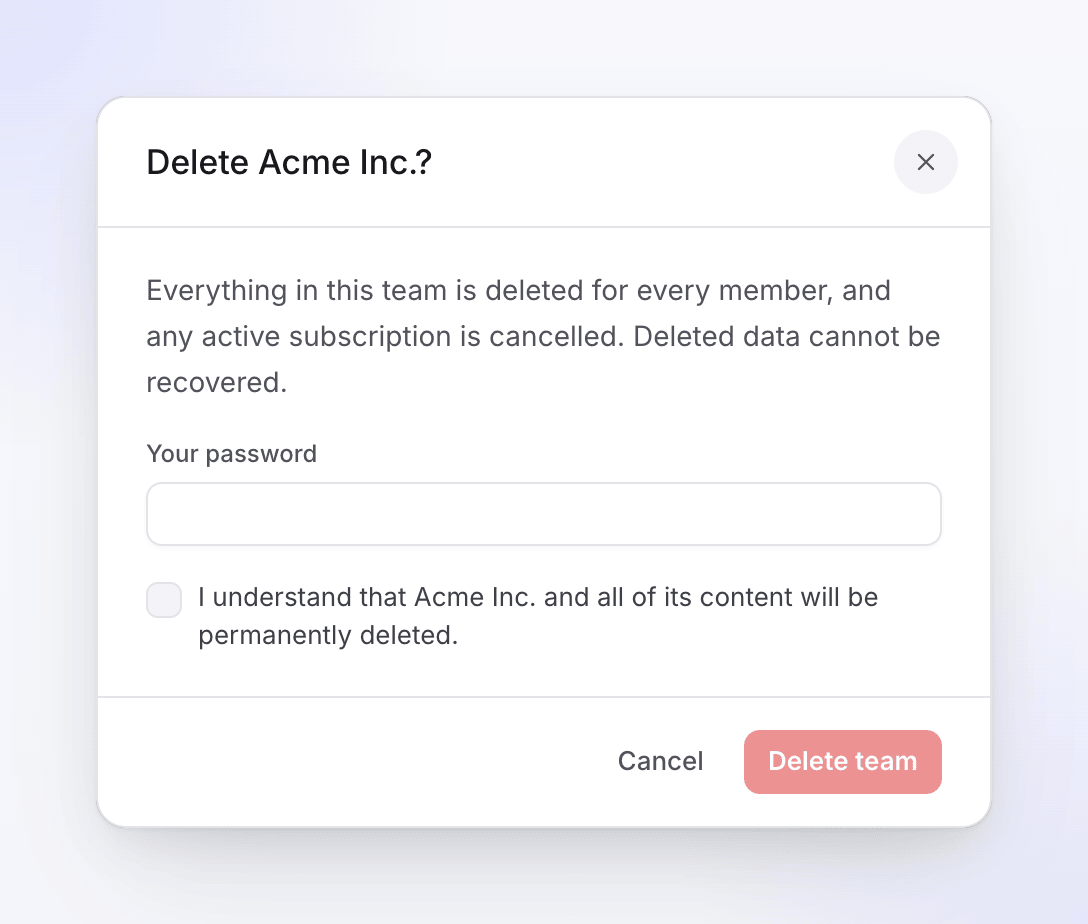
Everything in the workspace is deleted for every member. Confirm
Type Your password. If you sign in with Google or SSO, the field reads Type Acme Inc. to confirm (with your workspace's name): type the name exactly as shown. Then tick "I understand that Acme Inc. and all of its content will be permanently deleted."
Delete
Click Delete team. You're taken to your home page in another of your workspaces and see "Team deleted successfully. You have been switched to another team." If it was your only workspace, you see "Team deleted successfully. Please create a new team."
What's deleted
| What happens | |
|---|---|
| Videos, recordings, articles, uploads and exports | Deleted for every member |
| Members | Removed from the workspace; their accounts and other workspaces stay |
| Subscription | Cancelled |
| Credits, including bought credit packs | Go with the workspace |
| Sign-ins saved for Record with AI | Deleted |
| Single sign-on configuration | Deleted |
Troubleshooting
| You see | What to do |
|---|---|
| "The provided password is incorrect." | Retype your password. |
| "Please confirm your password to delete the team." | Type your password. |
| "Type the team name exactly as shown to confirm." | Type the workspace's name with the same capitals, spaces and punctuation. |
| "You may not delete your personal team." | Some older accounts have a personal workspace that can't be deleted on its own. It's deleted when you delete your account. |
| No Delete team row | You're not the owner. Ask them, or ask them to transfer ownership to you. |