

Choose an effort level
Effort sets how much care the AI director puts into a social clip. Medium is quick and clean, High (the default) checks each scene as it is built, and Extra reviews every scene again. Higher effort takes longer and uses more credits.
Effort sets how much care the AI director puts into a social clip: how much it reviews and reworks its own scenes before the clip is done. You pick it with the Effort button beside Generate. Higher effort takes longer and uses more credits; the type, format, voice and look you chose stay the same at every level.
The three levels
| Level | On screen | What it means | Typical credits |
|---|---|---|---|
| Medium | "Quick and clean, ready sooner." · Lowest cost | A solid, clean clip with lighter review. Ready soonest. | 30–60 |
| High (Default) | "Richer motion, checked as it is built." · Standard cost | Richer motion and more scenes. The AI director watches stills of each scene as it builds and fixes what it sees. | 50–120 |
| Extra | "Extra review on every scene. Slowest." · Highest cost | The most polish: more review rounds, and a final pass over every scene and every join before it finishes. | 80–160 |
Credits are typical ranges for one clip at that level, before any add-ons. The range on screen updates when you switch levels.
Choose the effort
Open the Effort menu
On the Compose page of any social clip, click the Effort button to the left of Generate. It shows the word Effort, three signal bars and the current level, for example High.
Pick a level
Click Medium, High or Extra. The menu closes and the button shows your choice. You can also use the arrow keys and Enter.
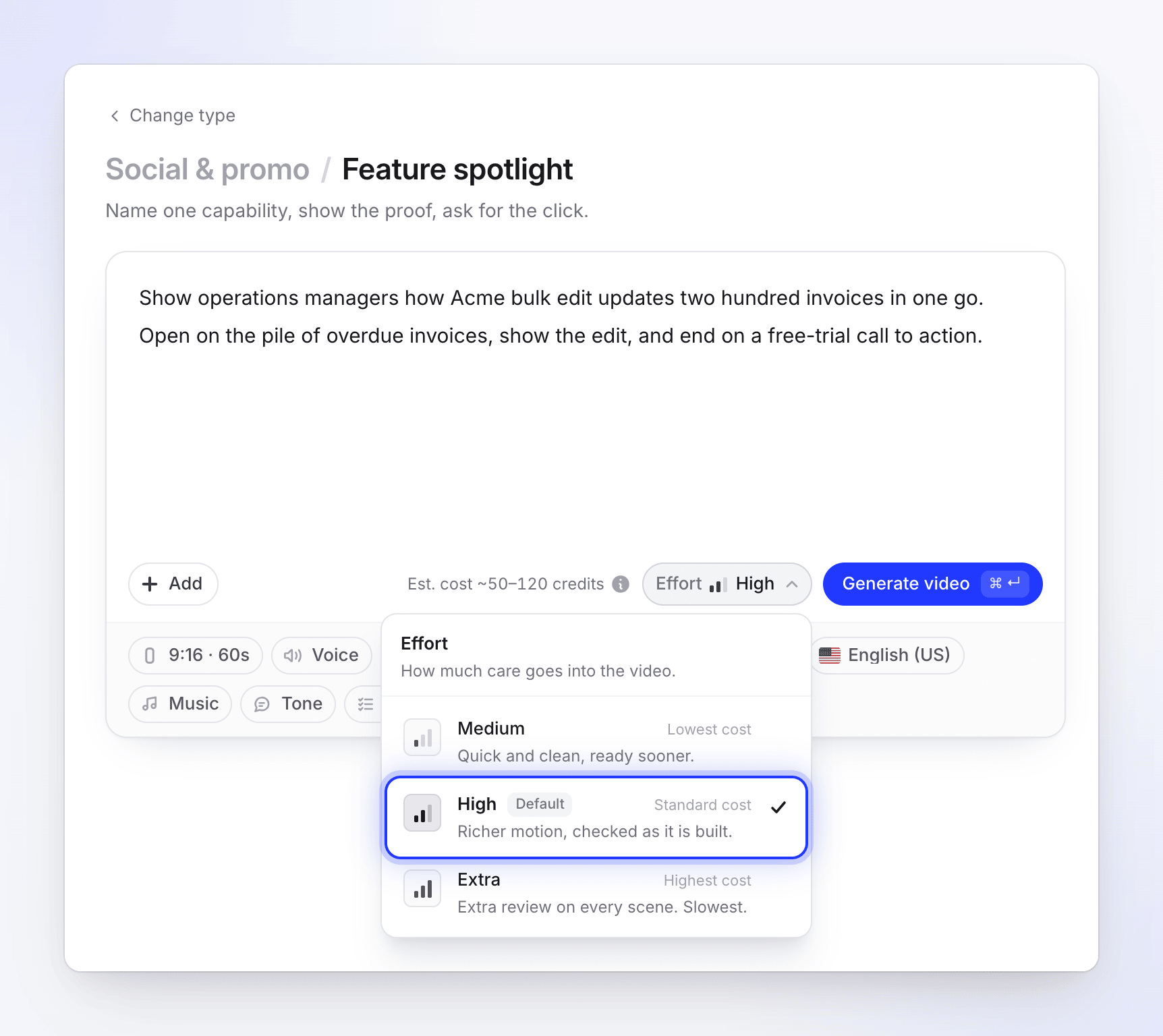
The estimate beside Generate follows your pick. Check the estimate
The estimate to the left of the Effort button updates, for example from "Est. cost ~50–120 credits" to "Est. cost ~80–160 credits" when you switch to Extra.
Effort only appears on social clips. How-to videos, product demos, Polish and articles don't have it.
What changes and what doesn't
| Changes with effort | Stays the same |
|---|---|
| How many times the AI director looks at stills of its scenes and fixes them | The type you picked and its story shape |
| How much motion and how many scenes it builds | Format, size and length |
| Whether every scene gets a final review before the clip is finished | Voice, captions, language, tone and music choice |
| How long the clip takes to make | Your look (style and colors) |
| The credit range | What happens on the generation page |
Which level to pick
| Situation | Pick |
|---|---|
| Trying out a type, a brief or a look before committing | Medium |
| Internal updates, quick social posts, many variations | Medium |
| Most clips you'll publish | High |
| A paid ad, a launch video, your homepage or a clip many people will see | Extra |
| Dense material (many features, many pictures) where details matter | Extra |
Time
Every level shows the same generation page with the same five stages, and you can close the tab while it works. Medium finishes soonest; Extra is the slowest, because every scene goes through extra review rounds. The page doesn't show a countdown; if a stage runs long it says "Still working — this part can take a few minutes."