

Cette page n'est pas encore traduite, elle est donc affichée en anglais.
Doc sites and AI agents & API
Turn your articles into a hosted help center with AI answers, insights and your own domain, and let Claude, ChatGPT, Claude Code, Codex and Cursor work in your workspace.
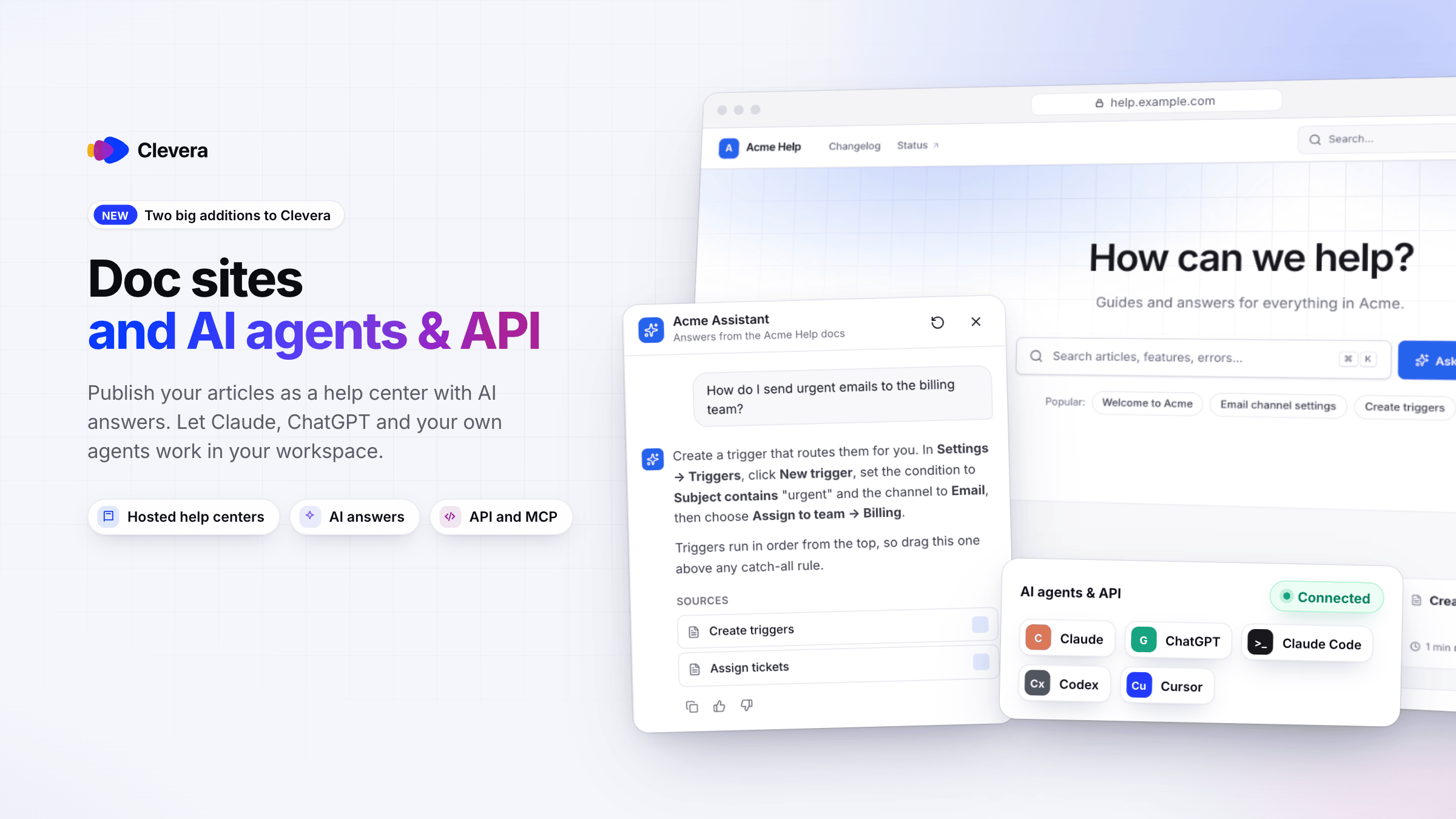
Two new parts of Clevera ship today. Doc sites turn the articles you already make in Clevera into a hosted help center, on every plan. AI agents & API lets Claude, ChatGPT, Claude Code, Codex, Cursor and your own scripts work in your workspace, on Pro and up.
New
Doc sites
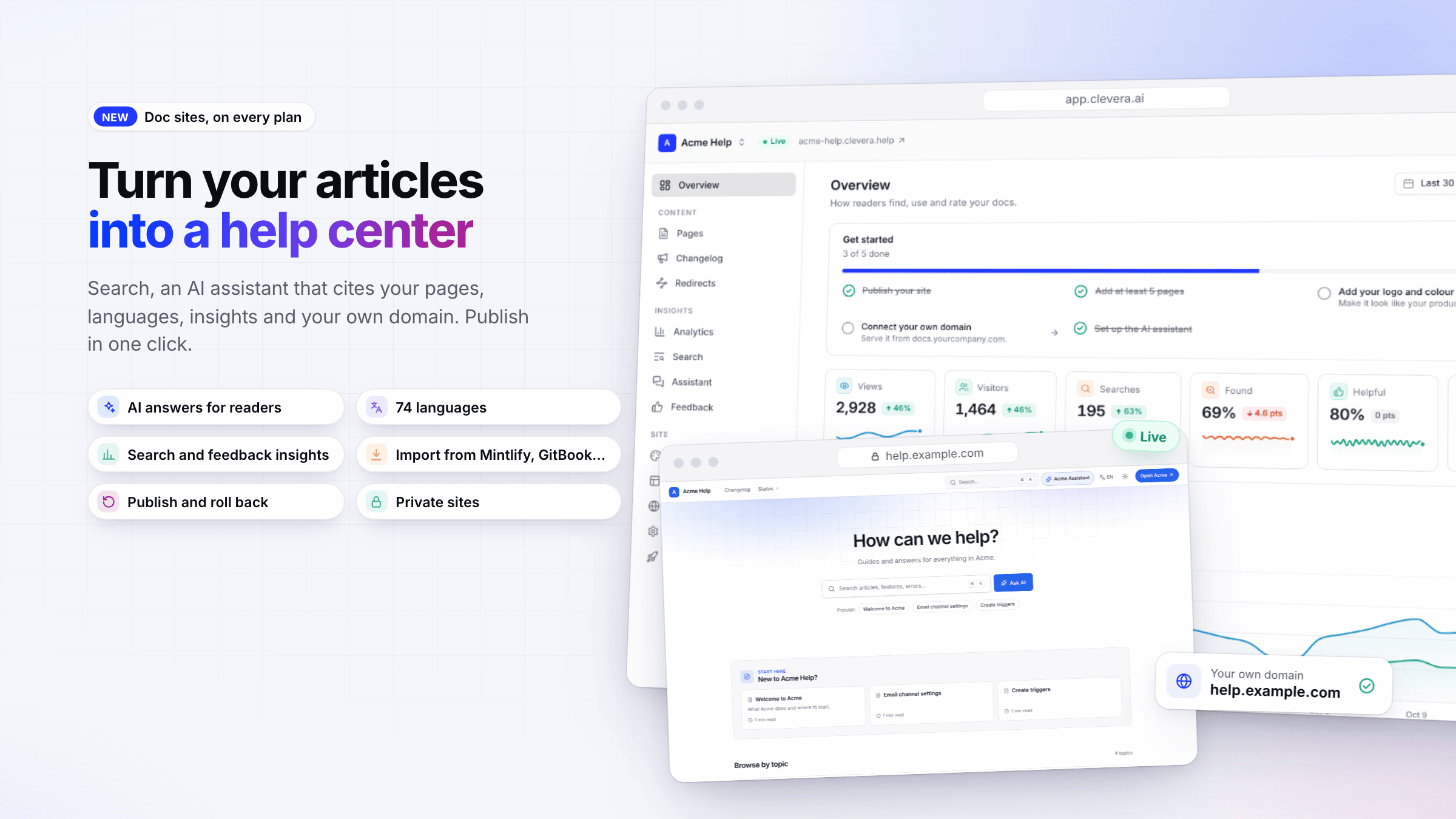
- Publish your articles as a help center. Open Doc sites in the sidebar, name a site, pick the articles and a look, and publish. Your articles stay in Content; edit one and its page updates on the next publish. Every site gets a free
your-site.clevera.helpaddress. See Understand doc sites and Create a doc site. - An AI assistant for your readers. Ask AI answers questions from your published pages and lists the sources it used. Assistant answers use no credits; each plan includes a monthly number. See Set up the doc site assistant.
- Search, languages and light and dark. Readers search with ⌘ K /
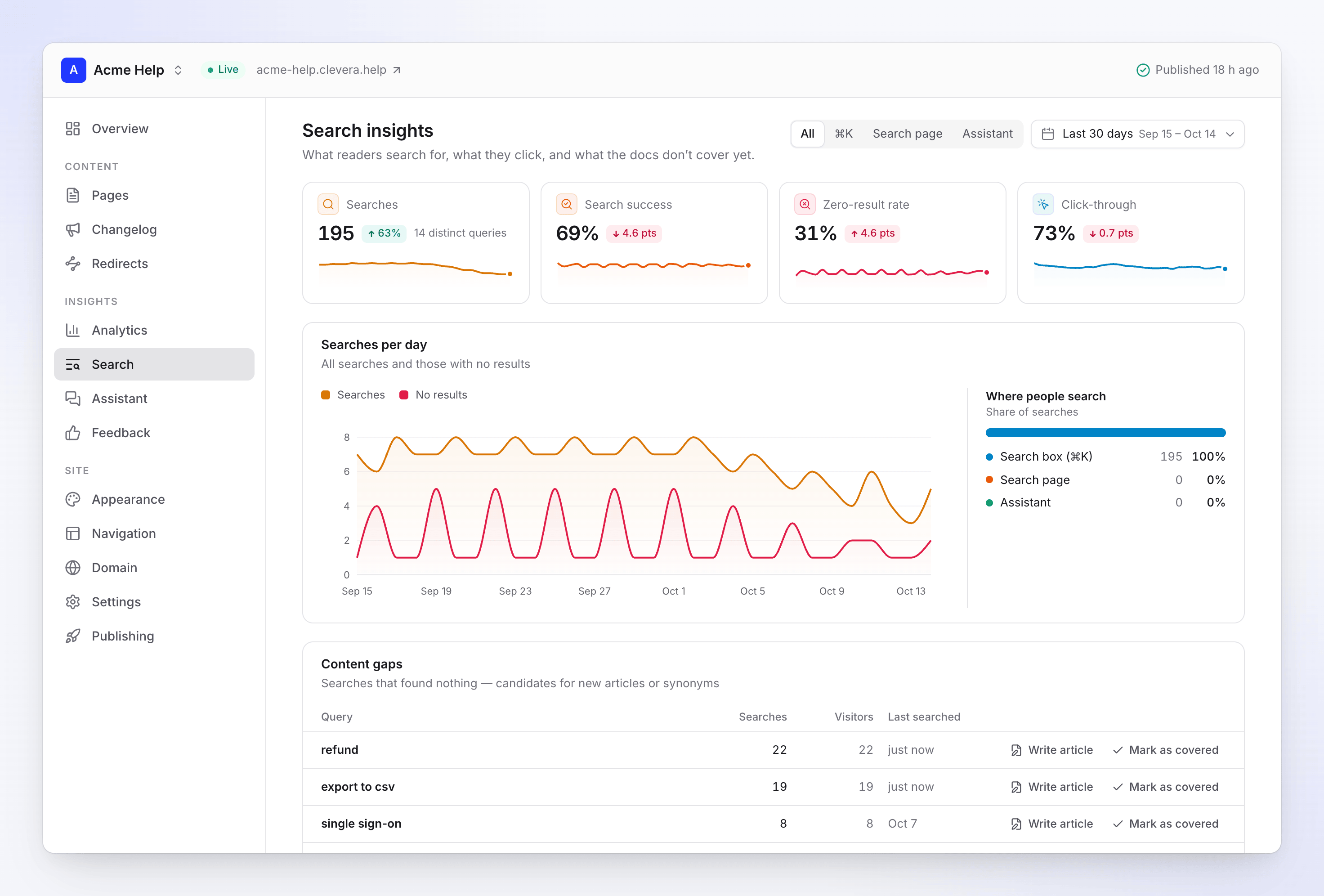
Ctrl K, switch language in the header and pick a theme. Choose from 74 languages; titles and menu labels are translated for you. See Add languages to a doc site. - Insights that show what to write next. See views, what readers searched for and didn't find, what they asked the assistant and how they rated each page, with Write article right next to a content gap. See Read doc site insights and Collect reader feedback and messages.
- Your own domain. On Starter and up, serve a site from an address such as
help.example.com. The setup shows the DNS records and step-by-step guides for common DNS providers, and tells you exactly what to change if a record isn't right yet. See Connect a custom domain. - Publish versions and roll back. Changes collect until you publish them as a new version, and every version is kept in Publishing. See Publish a doc site.
- Site pages, navigation, appearance and a changelog. Add About, landing, FAQ and legal pages (the AI can draft them from your site), set the header and footer, match your brand, and post release notes with an RSS feed. See Create site pages, Customize how a doc site looks and Publish a doc site changelog.
- Bring your docs with you. Import from Mintlify, GitBook, Docusaurus, Zendesk, Intercom, Help Scout, ReadMe, Document360, Notion and other docs sites, with images, structure, translations and redirects for old addresses. Export any site as an HTML or Markdown zip. Both are free. See Import and export a doc site.
- Private sites. On Pro and up, protect a site with a password or workspace sign-in. See Control who can read a doc site.
Doc sites are on every plan: one site on Free and Starter, more on Pro by seats, plus your own domain on Starter and up. See Doc site plans and limits.
AI agents & API
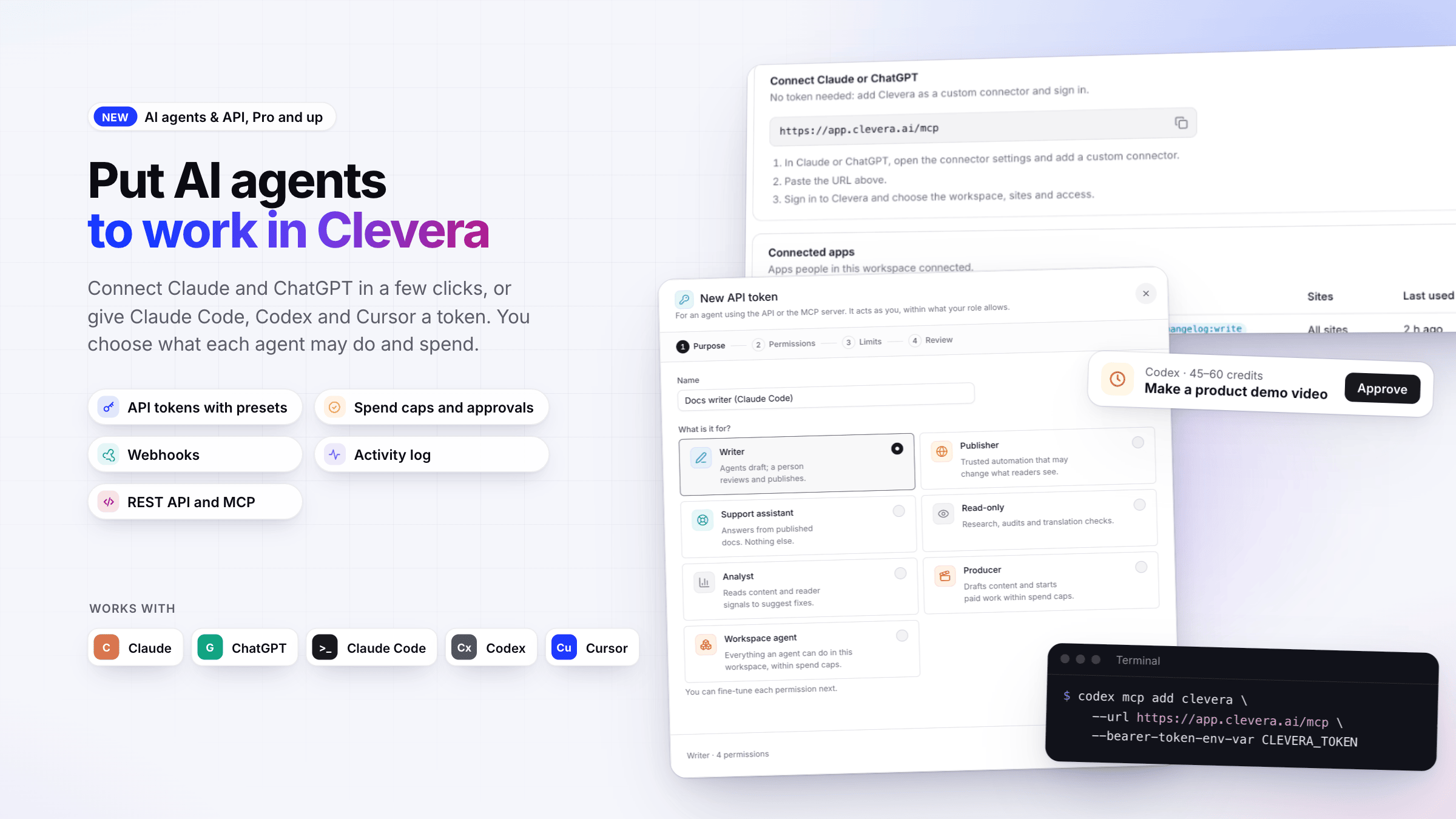
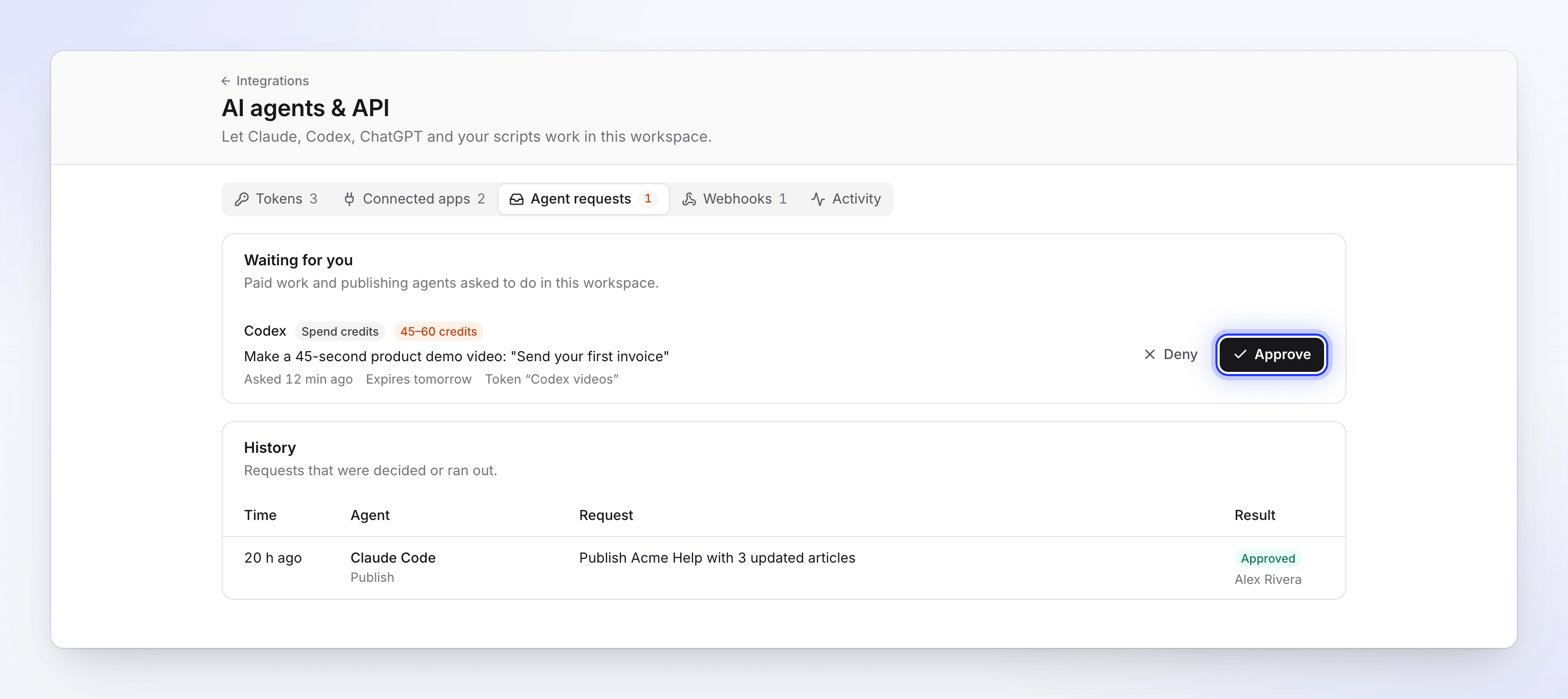
- Let AI agents work in your workspace. Agents can find your recordings, videos and articles, request videos, social clips and articles from a recording, export MP4s, add images, videos and PDFs to your uploads, and draft, translate and publish doc site pages. Clevera's own AI makes the video or article, the same as when you start it in the app. Open the workspace menu and choose AI agents & API. See Understand AI agents and the API.
- Connect Claude and ChatGPT without a token. Add Clevera as a custom connector, sign in, and choose the workspace, sites and access. See Connect Claude, ChatGPT, Codex or Cursor.
- API tokens for Claude Code, Codex, Cursor and your scripts. New token walks you through Purpose, Permissions, Limits and Review, with presets such as Writer, Publisher, Support assistant and Producer. Tokens always expire and their secret is shown once. See Create an API token and Choose permissions for an AI agent.
- You decide what agents spend. Set spend caps per job, day and month, and an Approve automatically below line. Anything above it waits in Agent requests until an owner or admin clicks Approve. See Control agent spending and approve requests.
- Webhooks, an activity log and a REST API. Get signed notifications in your own systems, see everything agents did on Activity, and call the REST API from scripts. See Set up webhooks, Read the AI agent activity log and Use the Clevera REST API.
AI agents & API is on the Pro, Business and Custom plans. Agents act as the person who connected them and can never do more than that person's role allows.
Improved
- Plans show doc sites and agents side by side. The plan picker and the plan comparison in Billing now list what each plan includes for doc sites (sites, your own domain, private sites, languages, assistant answers, insights history) and for AI agents & API, connected apps and webhooks. See Choose a plan.
- Know what a plan change takes away. Before you move to a smaller plan or cancel, Clevera lists what your doc sites and agents would lose, such as API access, sites over the new limit, private sites and custom domains. Nothing is deleted. See Doc site plans and limits.