

Prices in US$, better Chinese, Japanese and Korean captions, and larger Windows recordings
Prices now show as US$, captions and title cards handle Chinese, Japanese and Korean text, captions can be regenerated, and large Windows recordings process reliably.
NewImprovedFixed
New
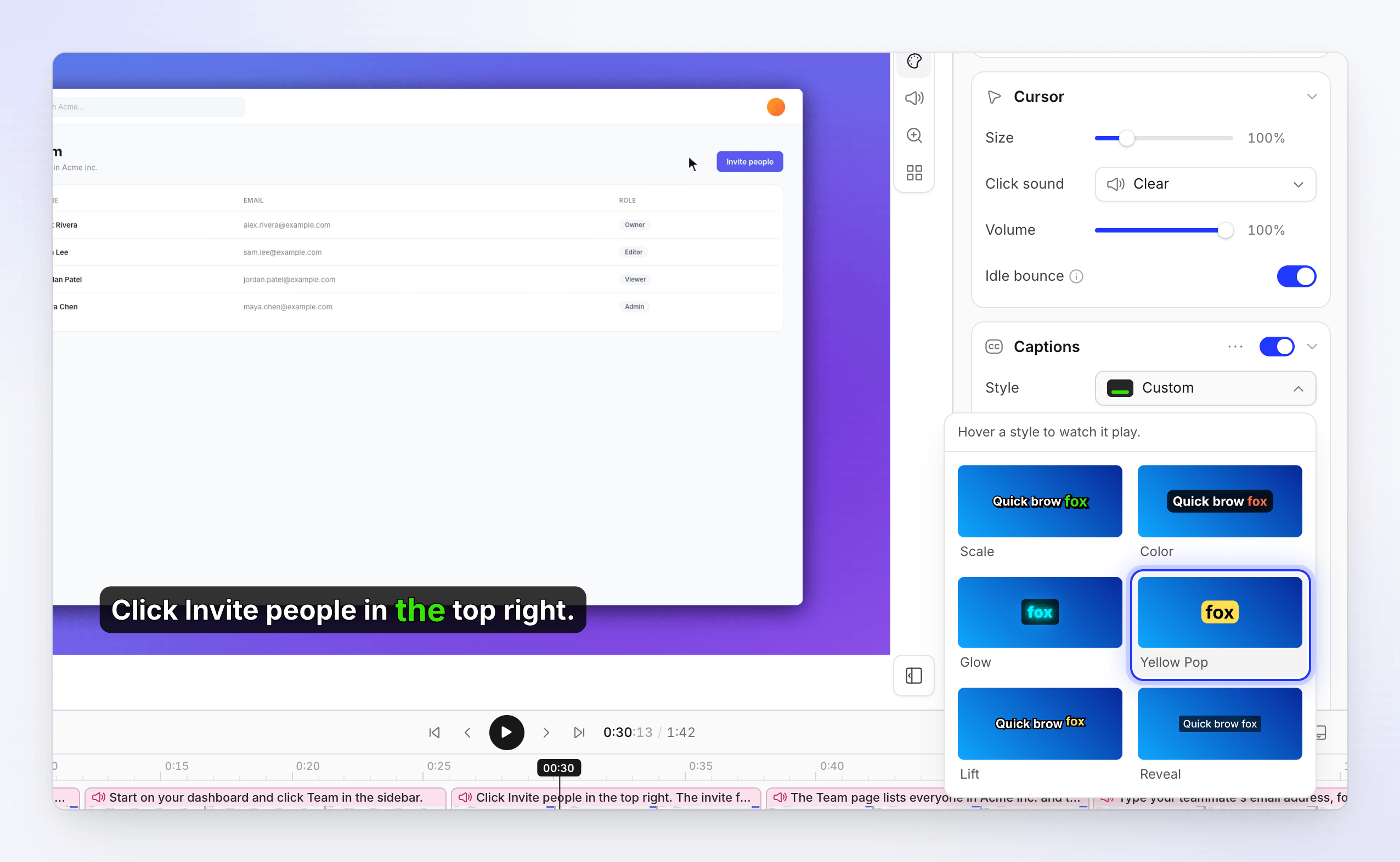
- Regenerate captions. The captions menu in the editor now has a regenerate option, so captions can be rebuilt after you change the narration. Captions follow your saved script instead of keeping words the speech recognition misheard. See Change the style, background and captions.
- Line spacing on title cards. Set the line height for each text box on a title card. See Edit scenes and cards.
- Wordmark images in logo reveals. Upload a wordmark next to the logo icon, so a logo set in a custom font shows exactly as designed.
Improved
- Prices show as US$. All charges are in US dollars, so prices on the billing page, at checkout, on top-ups and in usage emails now read "US$" instead of a bare "$" that could be mistaken for your local currency.
- Captions in Chinese, Japanese and Korean break into pages by sentence and keep tight spacing between characters.
- Articles in languages other than English are written and titled reliably, including their FAQ section. See Turn a recording into an article.
- Large recordings from the Windows app (over 500 MB) are processed fully, and exports in your browser handle very large media files.
- Uploads open sooner. A long uploaded video is ready to use once its preview is ready, instead of waiting for its audio to be extracted.
Fixed
- Typing a Chinese title card with an input method could leave the old headline in the preview and the export.
- Teaser videos could repeat the same title card many times.
- A freeze frame added in the scene editor could land in the wrong place.
- Some 60 fps recordings could not be used as the export source.
- Publishing to Confluence failed for workspaces using the newer permission scopes. See Publish articles to Confluence.