

API references for your doc sites
Doc sites can now have an API reference: turn your OpenAPI, Swagger or Postman file into endpoint pages with code samples and Try it, and keep them in step with your API.
New
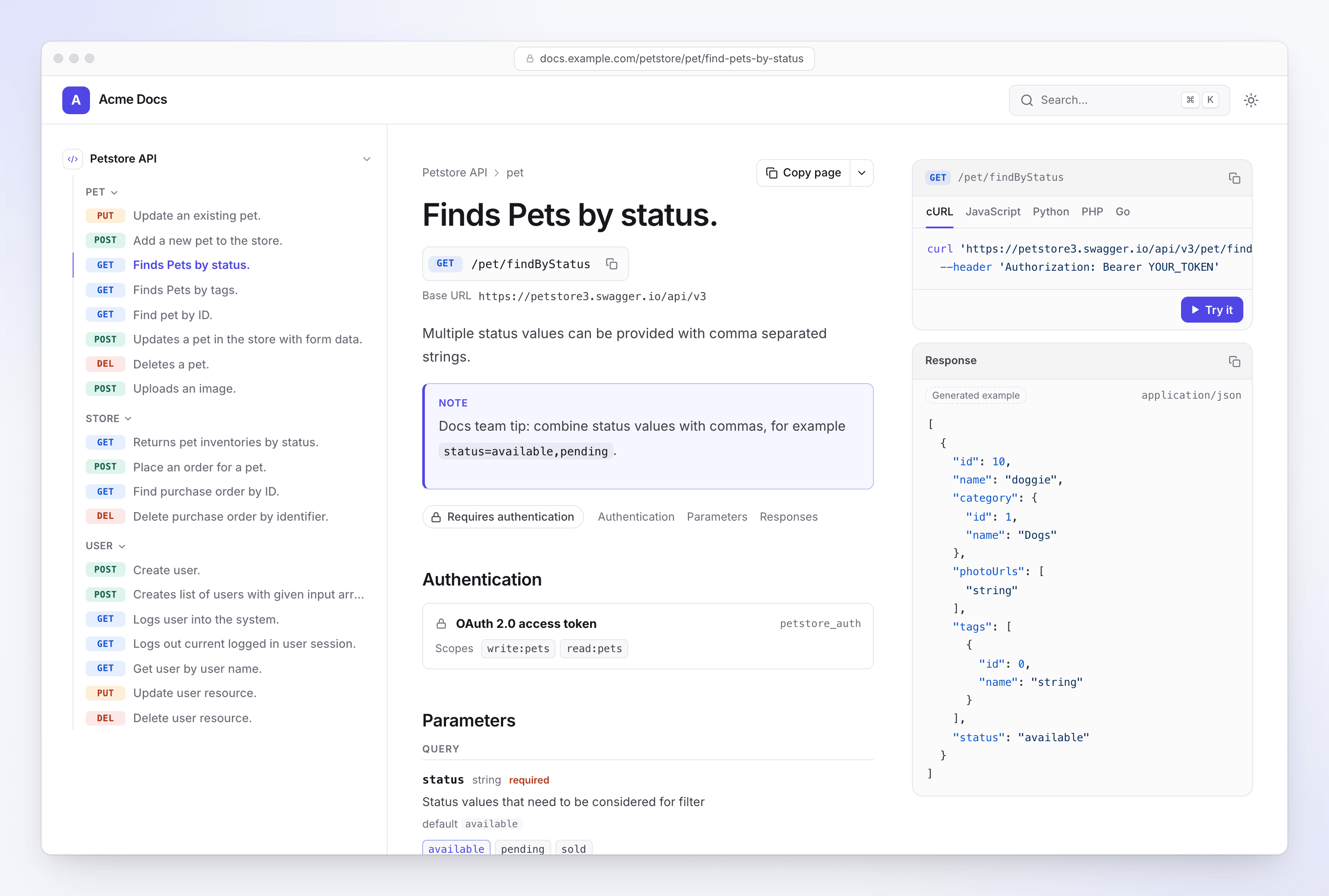
Your API docs can now live on your doc site, next to your guides. Add an OpenAPI, Swagger or Postman file and every endpoint gets its own page, with its parameters, examples, code samples and a Try it button readers use to send a real request.
New
Add an API reference to your doc site
Turn your API file into API docs on your doc site: one page per endpoint, written from your file and kept in step with it.
- Start from a file, a link or nothing. Upload the file, paste a link to it, paste a curl command, or write the endpoints in Clevera. A plain-language report shows what to fix before anything goes on your site. See Add an API reference to a doc site.
- Add your own words and choose what readers can do. Add a note to any endpoint, hide endpoints, and turn Try it on or off for the whole reference or one endpoint. Example values that look like real keys are hidden on your site unless an owner or administrator shows them.
- Keep it up to date. Upload a new file, let Clevera check your link every day or every hour, or push the file from your CI. You review what was added, changed and removed, removed pages redirect, and a changelog entry is drafted for you. See Keep an API reference up to date.
- Found wherever readers look. Endpoint pages are in your site's search, the doc site assistant's answers and
llms.txt. Free and Starter include one API reference per site; Pro and up include five, with no endpoint limit.