

หน้านี้ยังไม่ได้แปล จึงแสดงเป็นภาษาอังกฤษ
Help from the editor, cleaner Record with AI films and billing fixes
Reach support from inside the editor, get Record with AI films that type on screen and skip pop-ups and ads, a faster app, and billing, upload and caption fixes.
ใหม่ปรับปรุงแล้วแก้ไขแล้ว
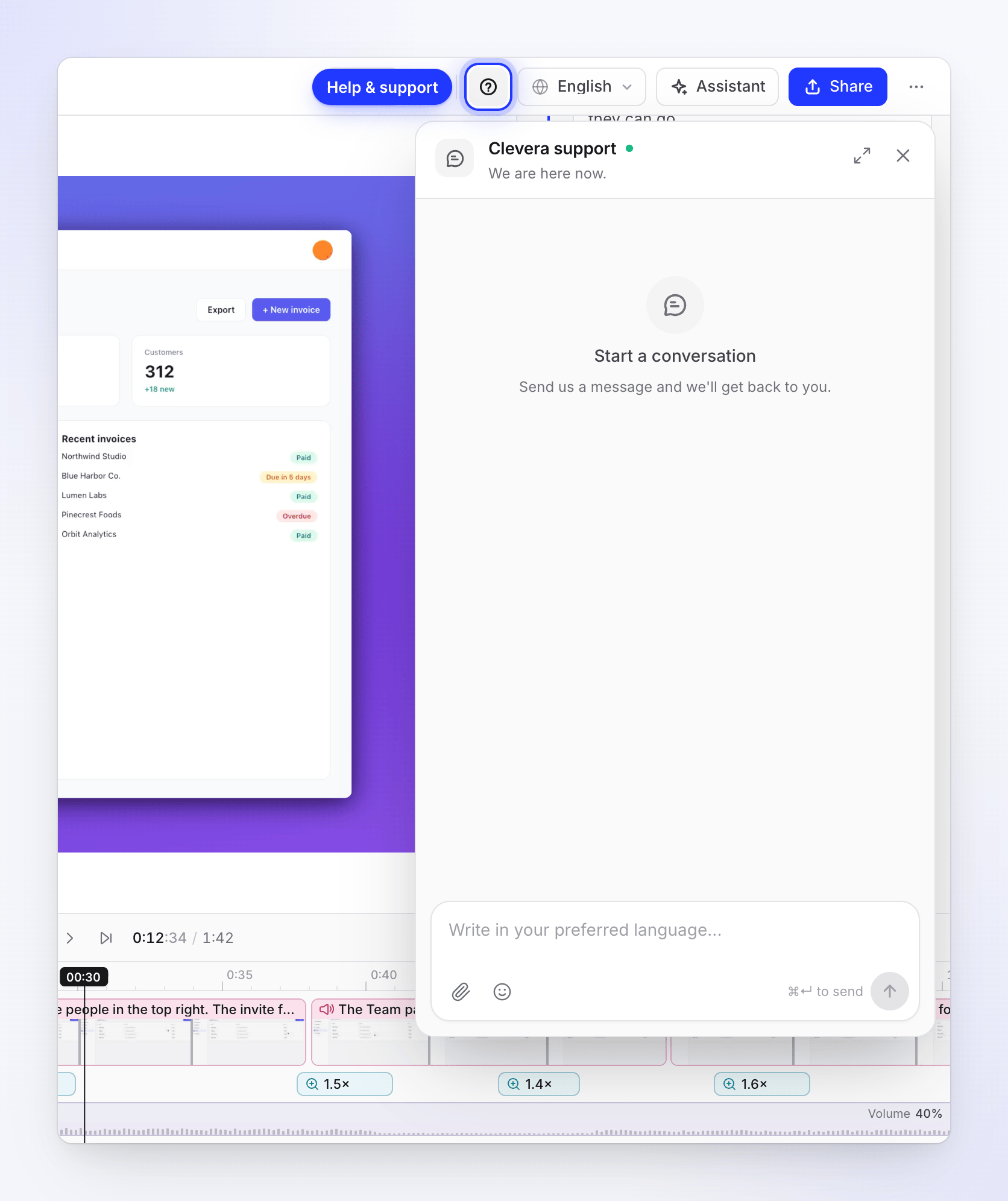
You can reach support without leaving the editor, Record with AI films read more like a person's demo, the app loads faster, and several billing, upload and caption problems are fixed.
New
- Help & support in the editor. A question-mark button in the top bar of the video and article editors opens the support chat, with a dot when there's a reply you haven't read. In a narrow window it's under ⋯ → Help & support. See Contact support.
- Recordings made in another account. When the desktop app is signed in to a different Clevera account than your browser, the page now says "This recording is in another Clevera account" and shows how to switch, instead of an access error. The recording is kept safe in the app's account. See The recording is in another Clevera account.
Improved
- Record with AI films read better. Recordings get a short title written by the AI instead of your pasted steps. Typing shows letter by letter, cookie banners, pop-ups and ads are closed and cut from the film, and films end on the last result without a long hold. A step that's still making progress gets more time before it's skipped. See Record with AI.
- A faster app. Clevera loads much faster the first time you open it.
- Scene settings. In a scene's settings, Source is a dropdown, and size and alignment are icon buttons with tooltips.
- Invoices from earlier subscriptions. Billing → Invoices keeps the receipts of a subscription you cancelled after you subscribe again. See Fix a failed payment.
Fixed
- Cancelling near the end of a billing period no longer moves the workspace to Free a few hours early and ends its plan credits.
.mp4files saved by Mac screen recorders upload instead of being refused as QuickTime files.- Chinese captions wrap and move to the next line correctly; opening quotes, brackets and dashes keep the space before them; and a stray copy of an enlarged caption word no longer shows in exports.
- Reloading the page during an export no longer leaves a stuck "Rendering in another tab".
- Sync & pacing shows the cursor over the preview again, and the timeline no longer shows an empty row for the cursor.
- Usage names voice-over credits correctly.